

Adding a Detection Event Exercise With Odor
Follow these steps to create a detection training exercise and log the odors used:


Step by Step
1. Tap +Records, then select Training.
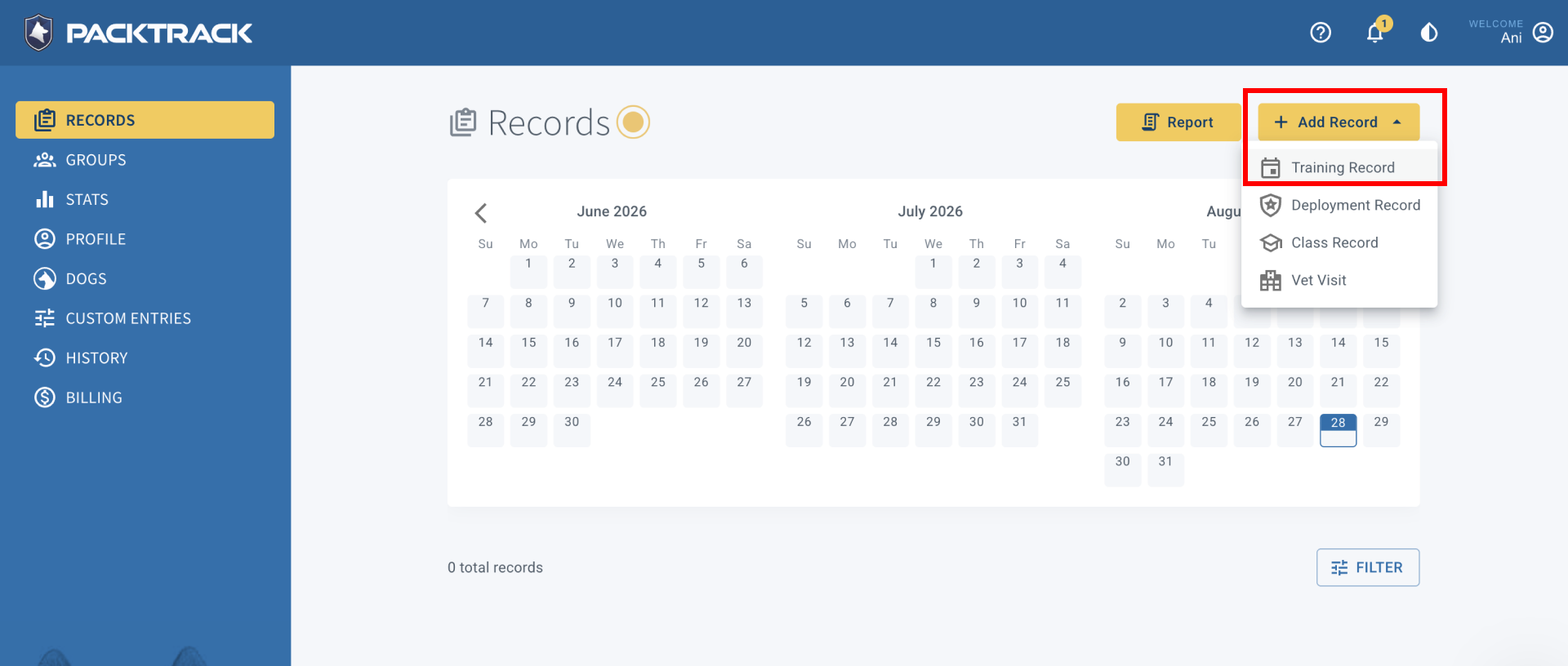
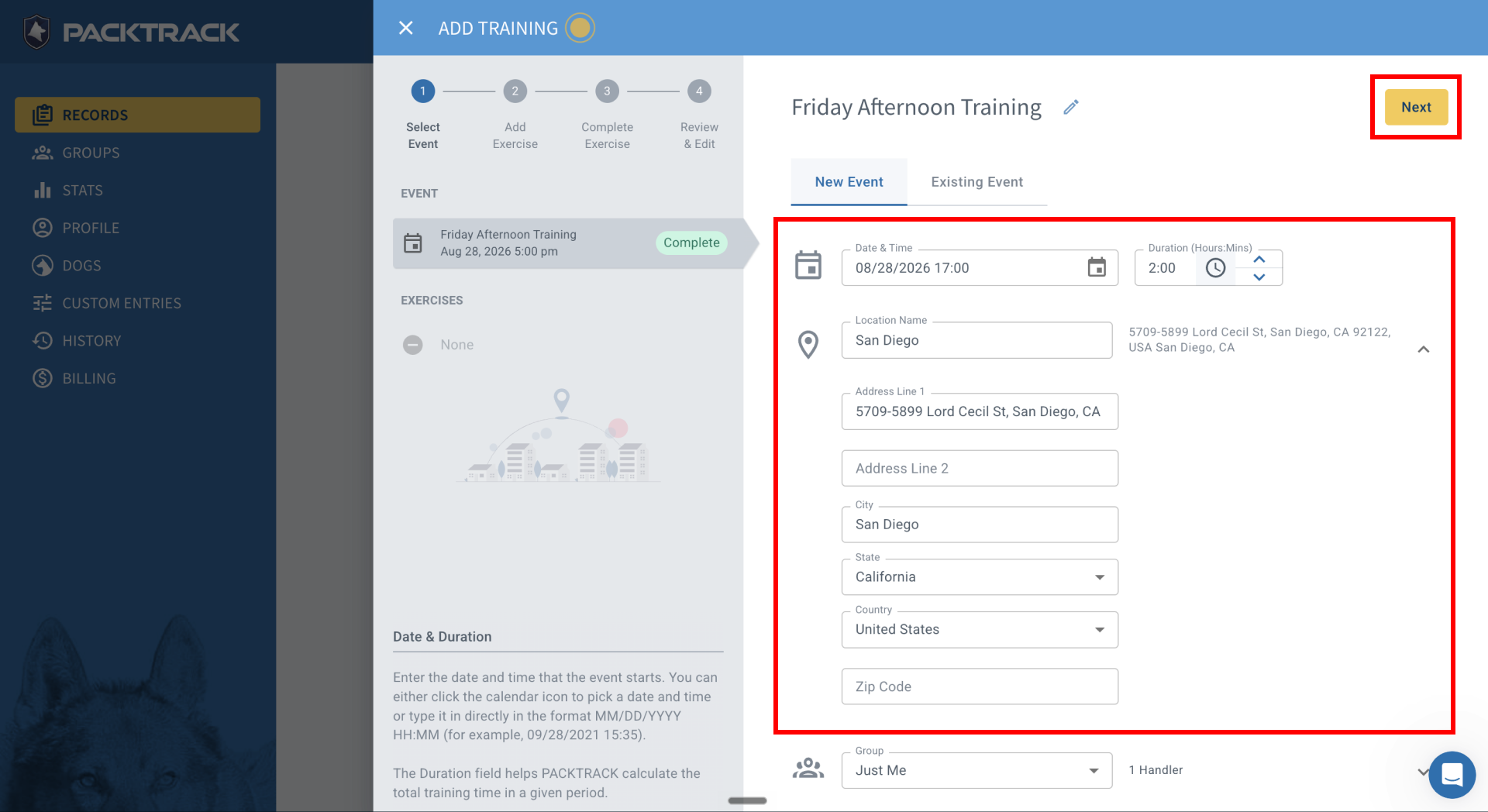
2. When the panel opens, set the date, time, and duration.
3. To save a training location for future use, enter a name and address. Saved locations appear as a dropdown.
4. Fill in any optional fields, then tap Next.
5. Select Detection as the training discipline. PackTrack remembers the one used most often.
6. Tap +Add Environment.
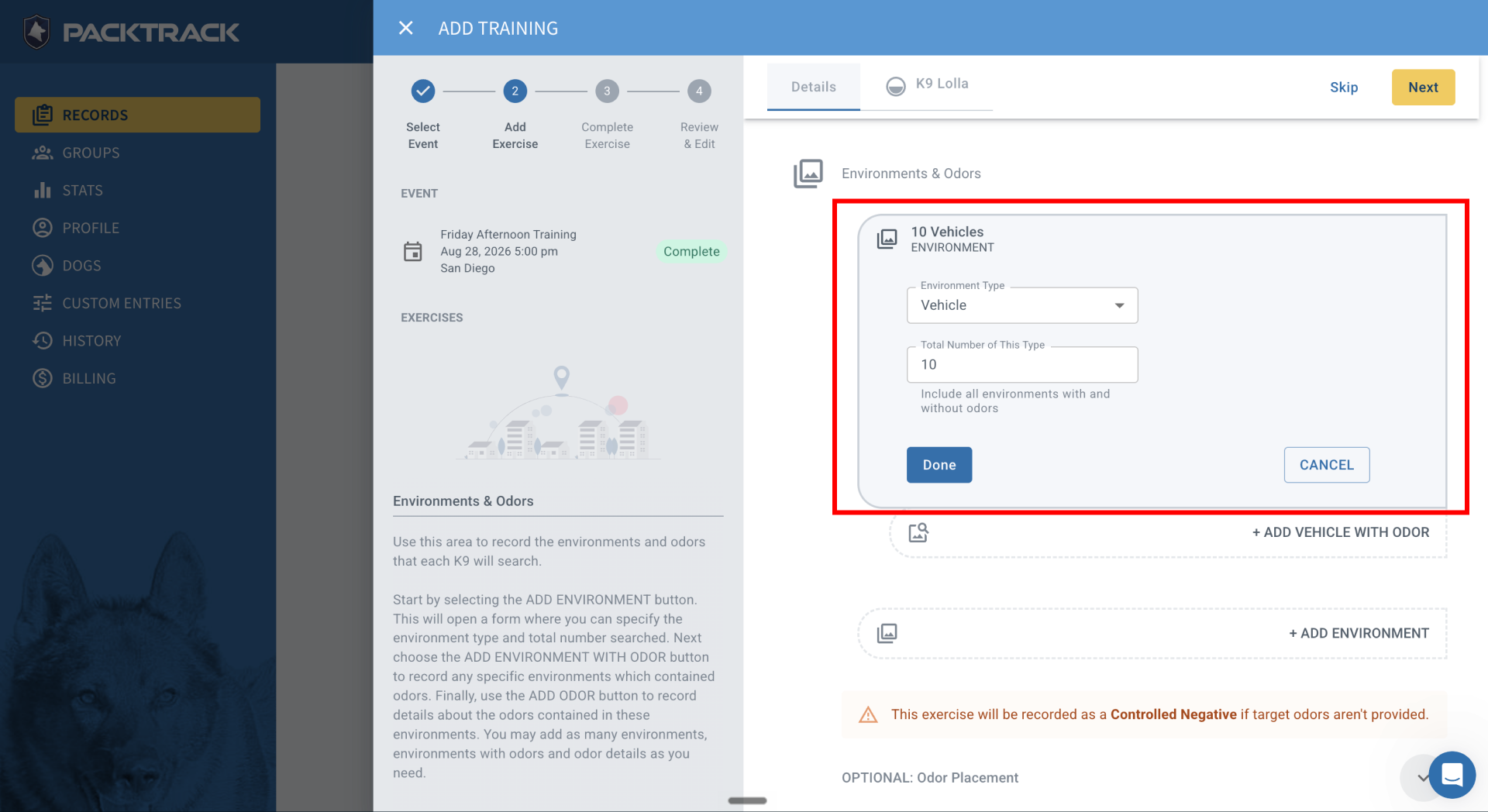
7. Choose the environment type (this example uses Vehicles).
8. Enter the total number of that environment type (this example uses 10).
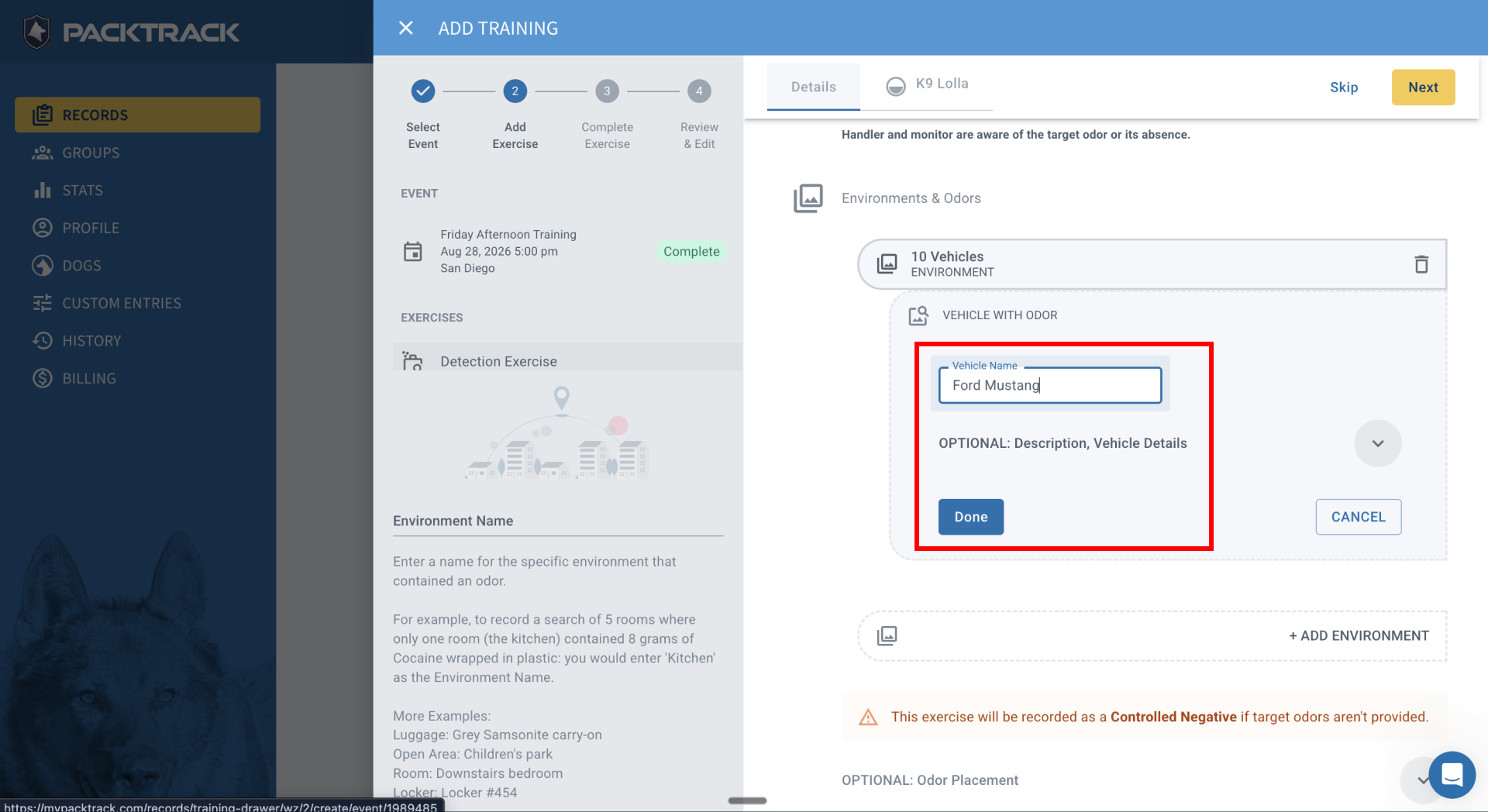
9. After entering the count, tap +Add Vehicle with Odor. Name the vehicle (e.g., Ford Mustang), then tap Done.
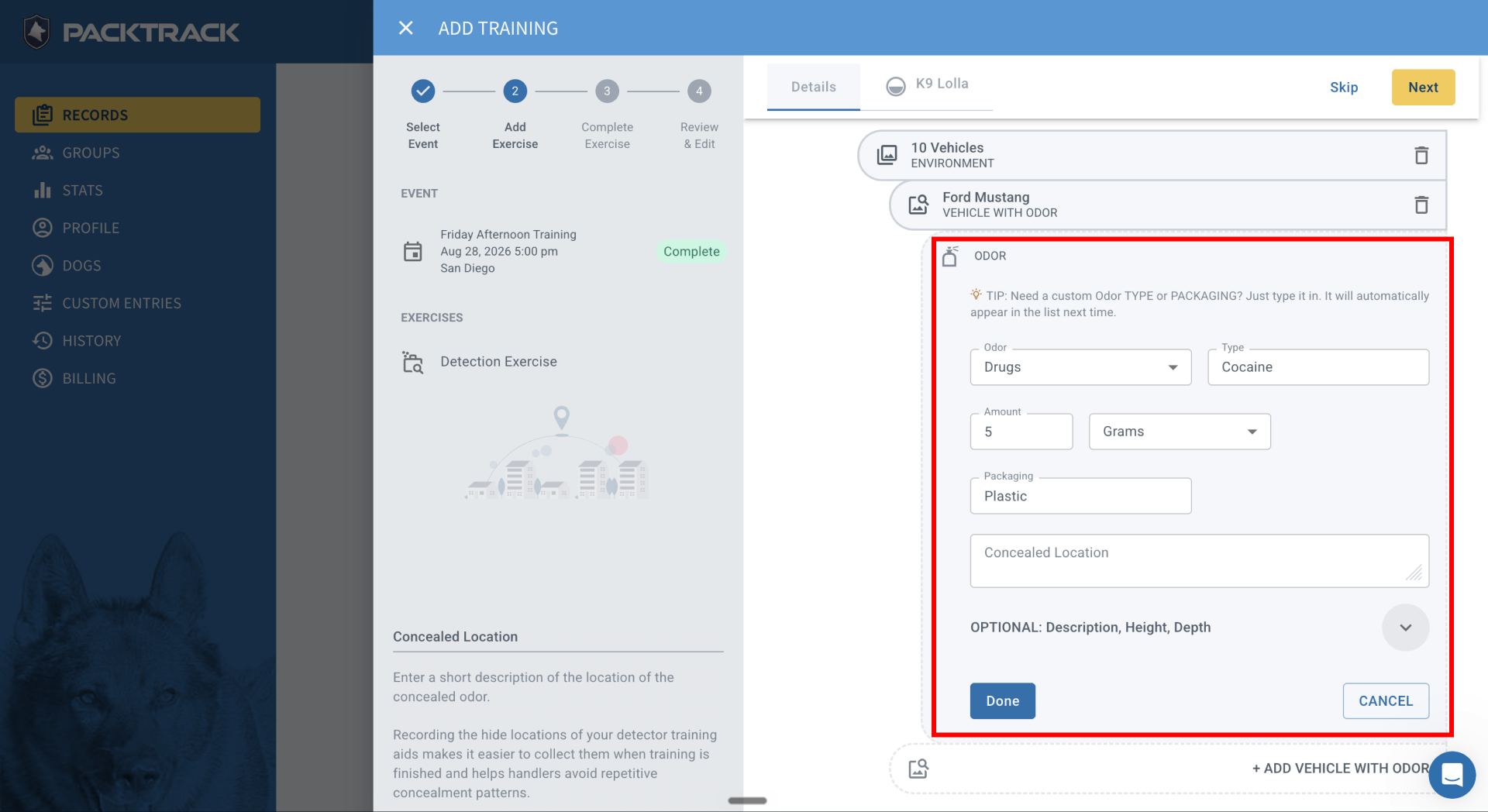
10. Tap +Add Odor and fill in the target odor details:
- Category (e.g., Drugs)
- Type (e.g., Cocaine)
- Amount (e.g., 5)
- Weight unit (e.g., Grams)
- Packaging (e.g., plastic bag)
- Concealed location (e.g., grill of the Ford Mustang)
11. Tap Done. To add another target odor to the same vehicle, tap +Add Odor again.
12. Enter a goal for the exercise, then tap Save.
Additional optional fields are available for more detailed record-keeping, which can strengthen courtroom presentations.
Frequently Asked Questions
Can I add more than one environment type to a single exercise?
Yes. Tap +Add Environment for each type (e.g., vehicles, buildings, open areas) within the same exercise.
Can I add multiple odors to one vehicle?
Yes. After adding the first odor, tap +Add Odor again on the same vehicle entry.
What if my exercise has no odor (a blank/controlled negative)?
Create the exercise without adding odors and check the Blank / Controlled Negative checkbox.
Can I edit an exercise after saving it?
Yes. Open the record from the Records page and make changes in the editor.
Does PackTrack remember my training locations?
Yes. Locations saved on a computer appear as a dropdown the next time you create an exercise.
Can I use this for group training events or only solo exercises?
This workflow covers individual exercise logging. For group training, create a training event and add detection exercises within it.

Still need help?
Can't find what you're looking for? Message the PackTrack team from the chat inside the app, or reply to any PackTrack email.
