

Dog Settings Page
How to modify your K9's configuration in PACKTRACK


How to modify your K9's configuration in PACKTRACK
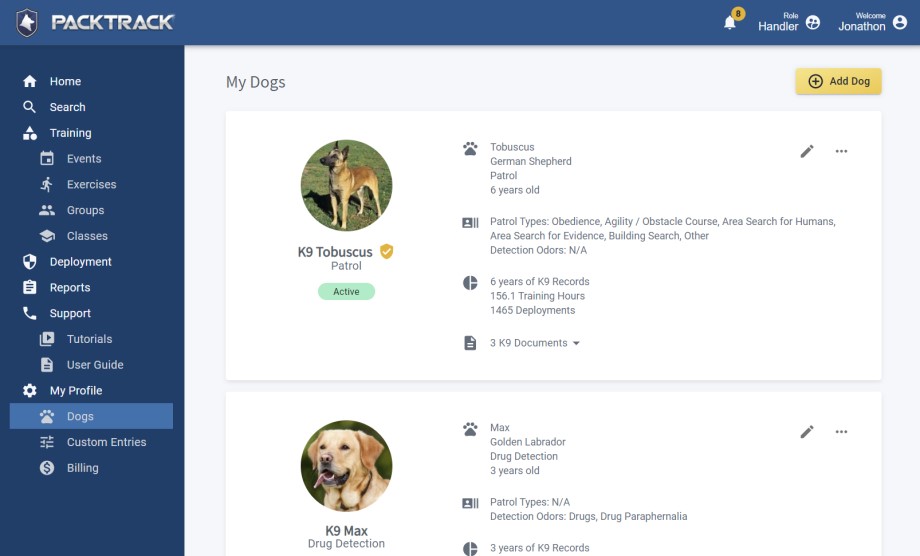
The Dogs page is where you add and manage your K9 profiles. The layout adapts across all devices, from phones to desktop computers.
Dogs are listed on summary "cards" which provide a clear overview of their configuration and a summary of their training and deployment activity. The card view is interactive and has options for changing the dog image, viewing documents or editing dog details.
The menu button (3 horizontal dots) in the upper right of each dog card shows a drop-down menu with additional options.
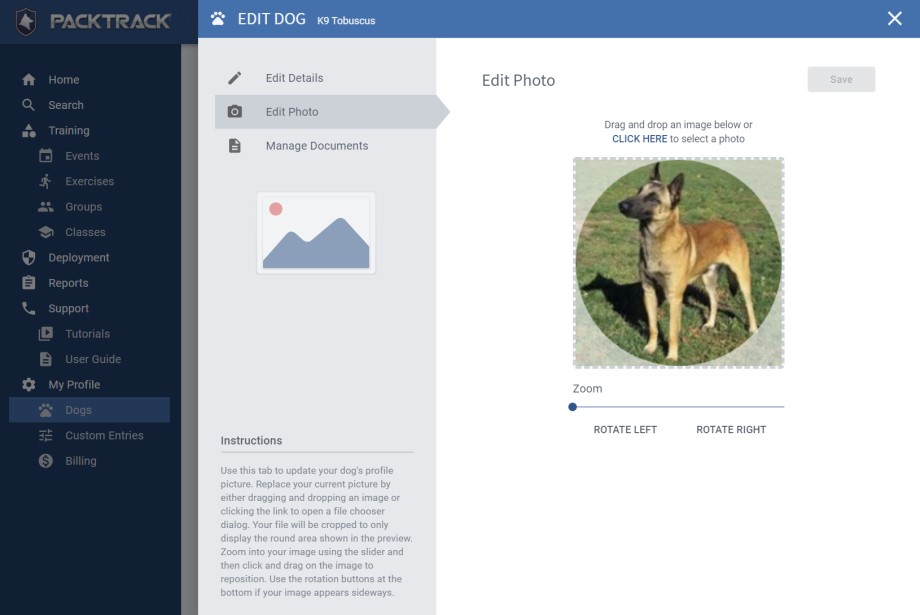
Choosing to Add or Edit a dog shows a panel on the right side of the page. There are 3 options in the upper left of this panel for managing your dog's information:
Edit Details
The Edit Details option shows dog configuration fields including settings for your dog's Patrol Types and Detection Odor Types. Information on how these dog type settings are used is covered in the sections below.
Edit Photo
The Edit Photo screen supports drag and drop and provides additional image editing options like zoom and rotation.
Manage Documents
In addition to supporting drag and drop to upload new files, you can rename your files and organize them into categories.
If you have questions about how these screens work then check out the instructions shown in the bottom left of the panel.
Frequently Asked Questions
How do I add a new K9?
Open the Dogs page and select the option to add a new dog. Fill in the dog's details, including name, breed, and any applicable patrol types or detection odor types.
What are Patrol Types and Detection Odor Types?
Patrol Types define the exercise types your dog trains in (obedience, agility, etc.). Detection Odor Types configure the odors used in detection work. Setting these correctly ensures that training records and exercises match what your K9 actually does.
Can I upload documents to a dog's profile?
Yes. Open the dog's card, select Manage Documents, and drag and drop files from your computer or phone. You can rename files and organize them into categories.
What kinds of documents should I attach?
Certifications, veterinary records, or any files that should stay linked to a specific K9 rather than your personal profile.
Can I manage my dogs from the mobile app?
Yes. The Dogs page adapts across devices, so you can view and edit dog profiles from your phone or desktop.

Still need help?
Can't find what you're looking for? Message the PackTrack team from the chat inside the app, or reply to any PackTrack email.
