

User Profile Page
Get a brief overview of how to use the Profile page


Overview
Get a brief overview of how to use the Profile page
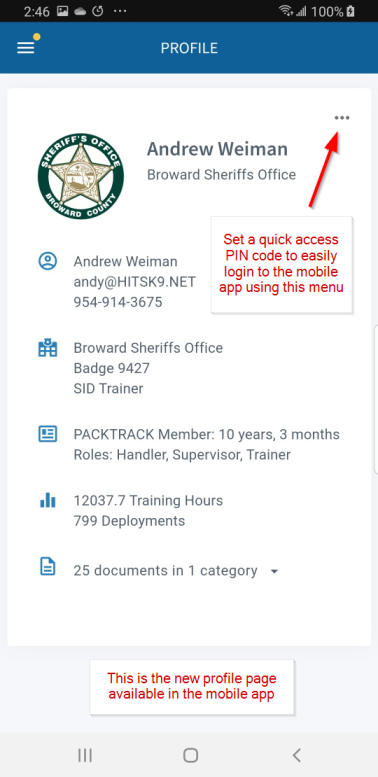
The profile page is available on the web and in the mobile app. It provides a cleaner interface and statistical information including your total training hours and number of deployments. It's available for handlers (web and mobile app), trainers (web) and supervisors (web).
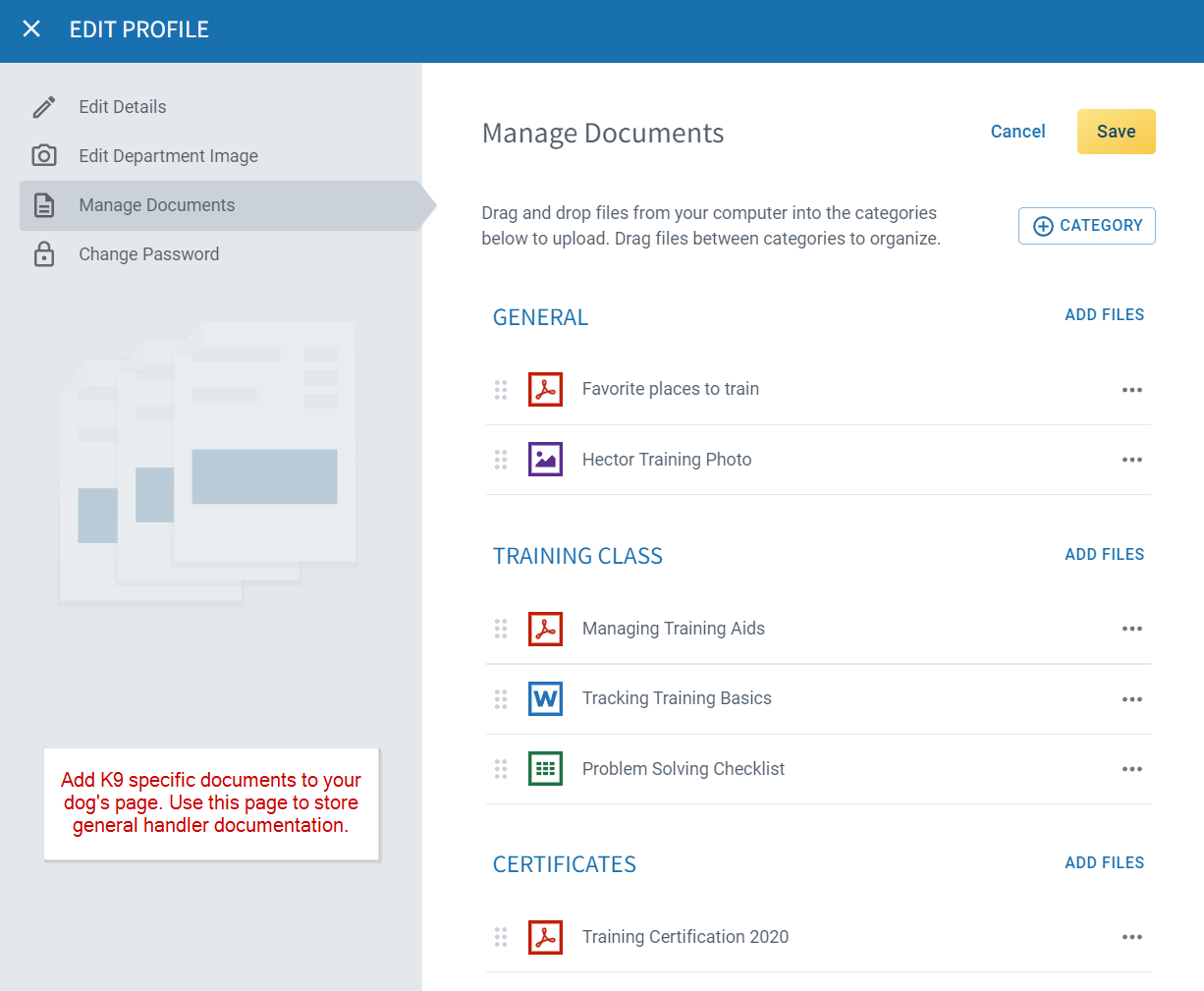
You can organize all of your K9 record keeping documents into categories. Drag and drop files from your computer or select them from your phone. You can rename files and move them between categories by dragging.
Frequently Asked Questions
What statistics does the profile page show?
Your total training hours and number of deployments. These are generated from the records you've logged, so they stay current as you add new entries.
Can I access my profile from the mobile app?
Yes, if you're a handler or supervisor. Trainers can access the profile page from the web only.
What kinds of documents should I upload here?
Certifications, personnel documents, or any files tied to your account rather than a specific K9. For documents that belong to a dog, use the Dog Settings page instead.
Can I organize documents into categories?
Yes. You can create categories, drag files between them, and rename files after uploading.
How do I update my account details?
Open the profile page and edit your name, role, contact information, or other account settings directly.

Still need help?
Can't find what you're looking for? Message the PackTrack team from the chat inside the app, or reply to any PackTrack email.
