

I Need a Receipt for One of My Handlers
Pull a receipt tied to a specific handler


If you have a charge on your card from PackTrack or your finance department asks you to retrieve an invoice, the charge is either for your own handler subscription (see I Need a Receipt / Invoice) or for a handler that you supervise.
To retrieve the invoice or receipt for a handler you supervise, follow the steps below.
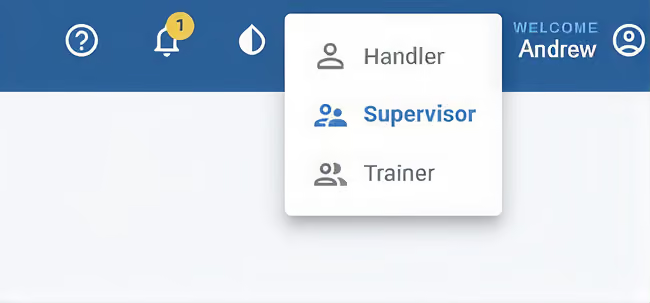
Step 1: Switch to the Supervisor role
Log into PackTrack and change your role to Supervisor.
Step 2: Open the Manage page
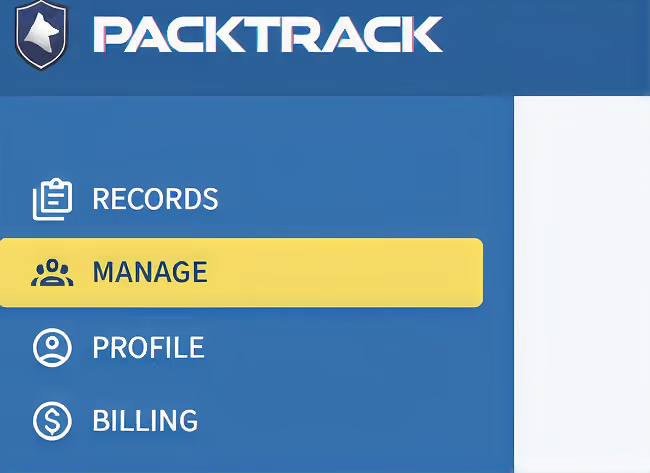
Click Manage in the left side navigation bar.
Step 3: Open the handler’s billing
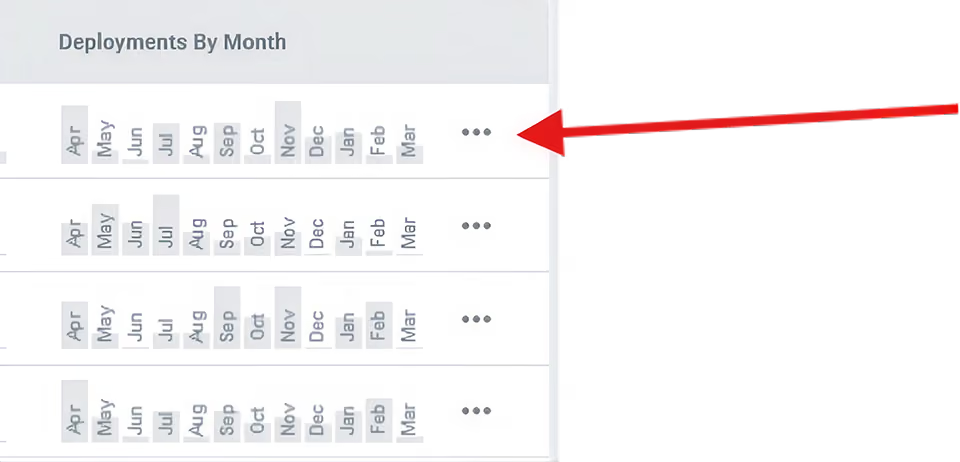
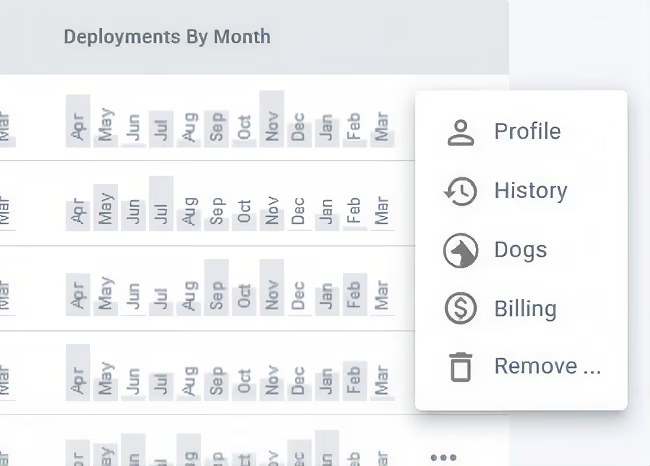
Click the three dots to the far right of the handler’s name, then click Billing in the menu that appears.
Step 4: Download the invoice
Click Billing Portal and then Invoices.
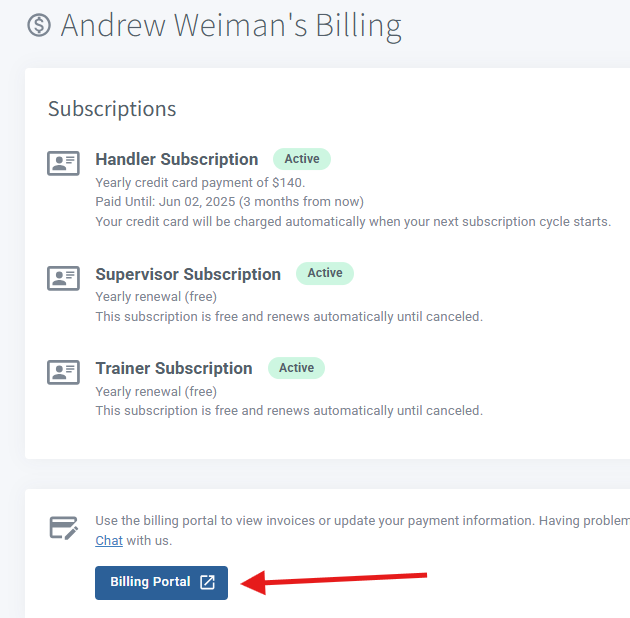
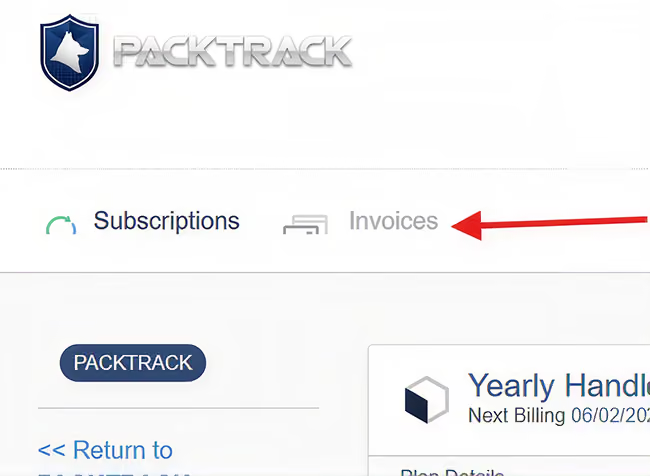
You will be able to retrieve all invoices for each handler, both paid and unpaid.
Frequently Asked Questions
Do I need to be a supervisor to pull a handler’s invoice?
Yes. You need the Supervisor role to access a handler’s billing through the Manage page. If you’re a billing manager instead, you can find handler invoices in the group subscription Billing Portal.
Can I see invoices for all my handlers, or only one at a time?
You access invoices per handler through the three-dot menu on the Manage page. Each handler’s Billing Portal shows their individual invoice history.
What if the charge isn’t for a handler I supervise?
The charge may be for your own subscription. Check your own Billing page instead. See the I Need a Receipt / Invoice guide for those steps.

Still need help?
Can't find what you're looking for? Message the PackTrack team from the chat inside the app, or reply to any PackTrack email.
