

Retrieve an Account Invoice
Find and download an invoice from your account


Need a copy of a recent PackTrack invoice to be used as a financial statement or receipt? You can download any invoice from PackTrack, whether it was paid or not, using the steps below.
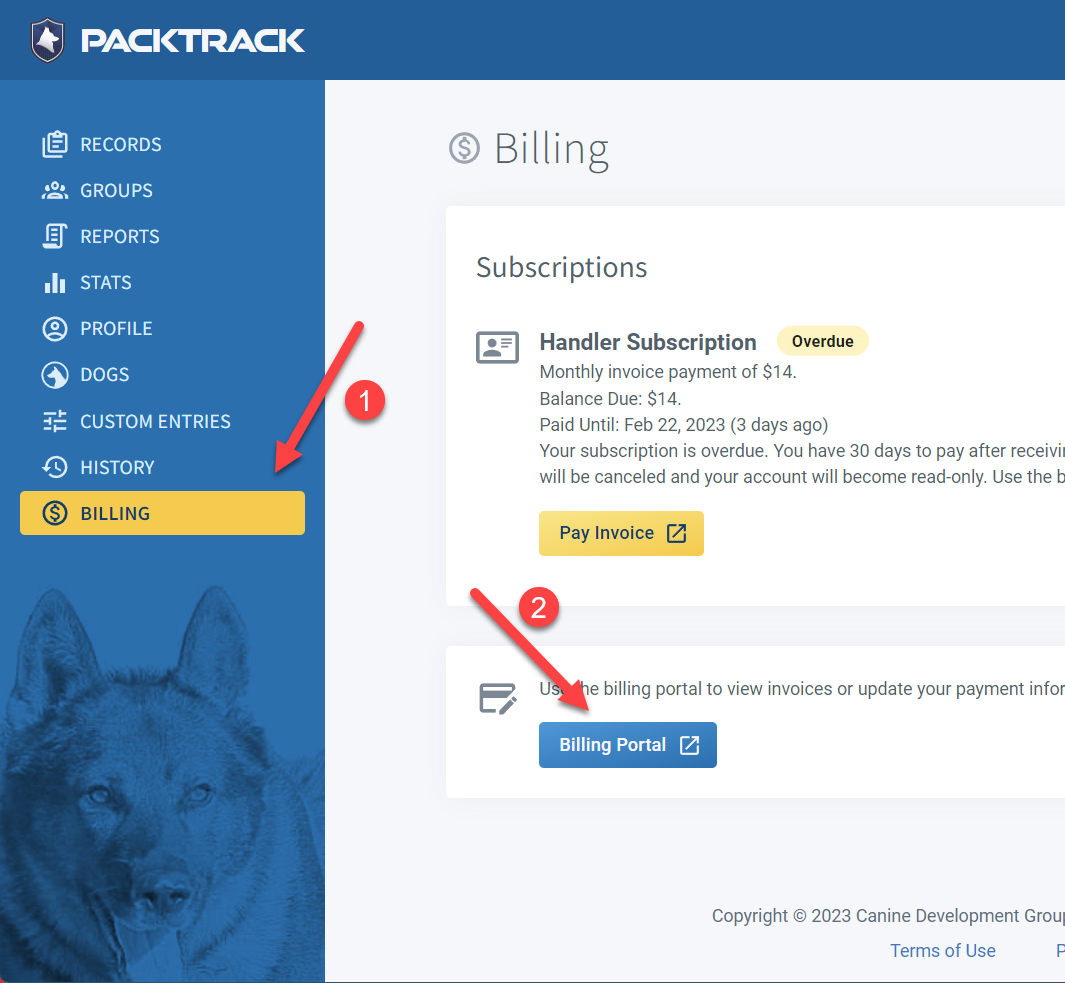
- Go to the Billing page and open the Billing Portal
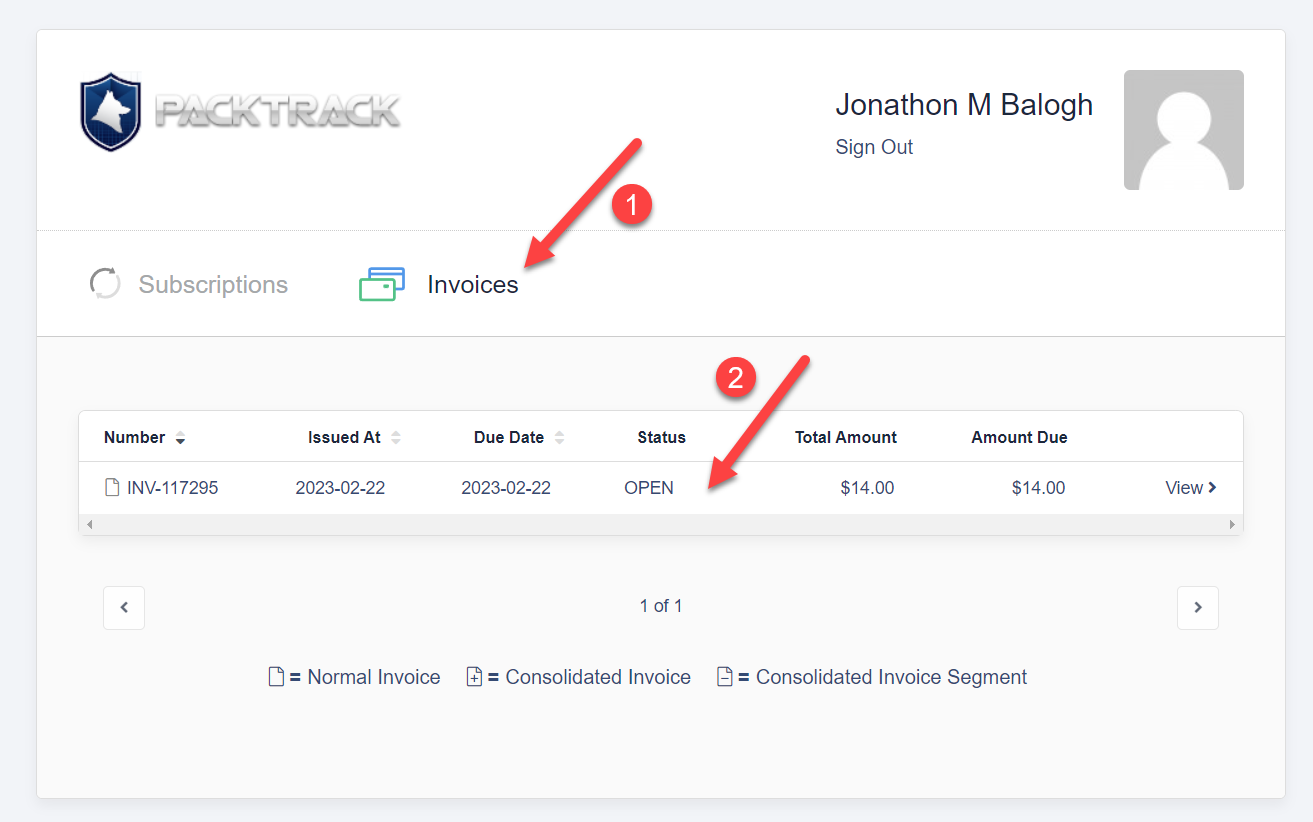
- Select the Invoices tab and click on the invoice you want to retrieve
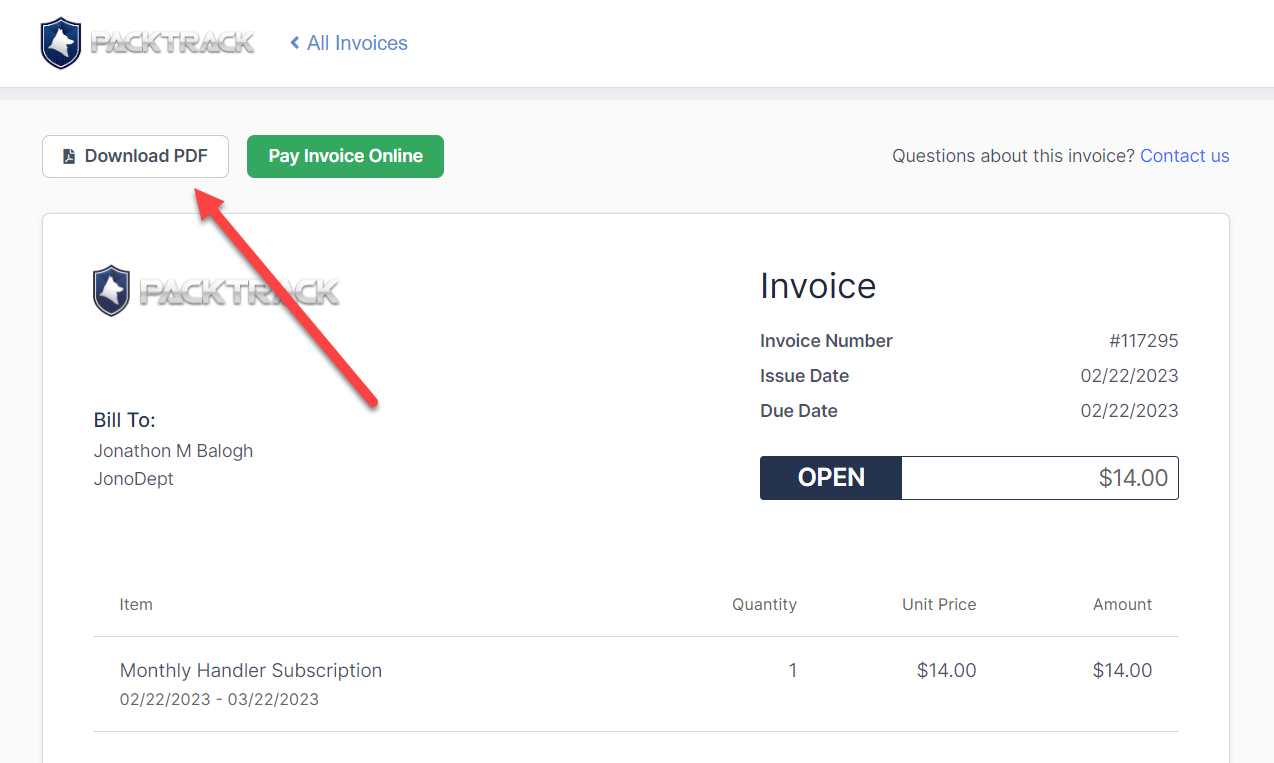
- Click the Download PDF button
Step 1: Open the Billing Portal
Step 2: Select the invoice you want
Step 3: Download the invoice
Frequently Asked Questions
Can I download invoices for payments that haven’t been completed yet?
Yes. The Billing Portal shows all invoices, whether paid or unpaid. You can download any of them as a PDF.
Where do I find the Billing Portal?
Go to the Billing page in PackTrack and click to open the Billing Portal. From there, select the Invoices tab.
Can I print the invoice directly instead of downloading it?
Yes. After downloading the PDF you can print it, or use your browser’s print function from the invoice view.

Still need help?
Can't find what you're looking for? Message the PackTrack team from the chat inside the app, or reply to any PackTrack email.
