

Optional K9 Training Events
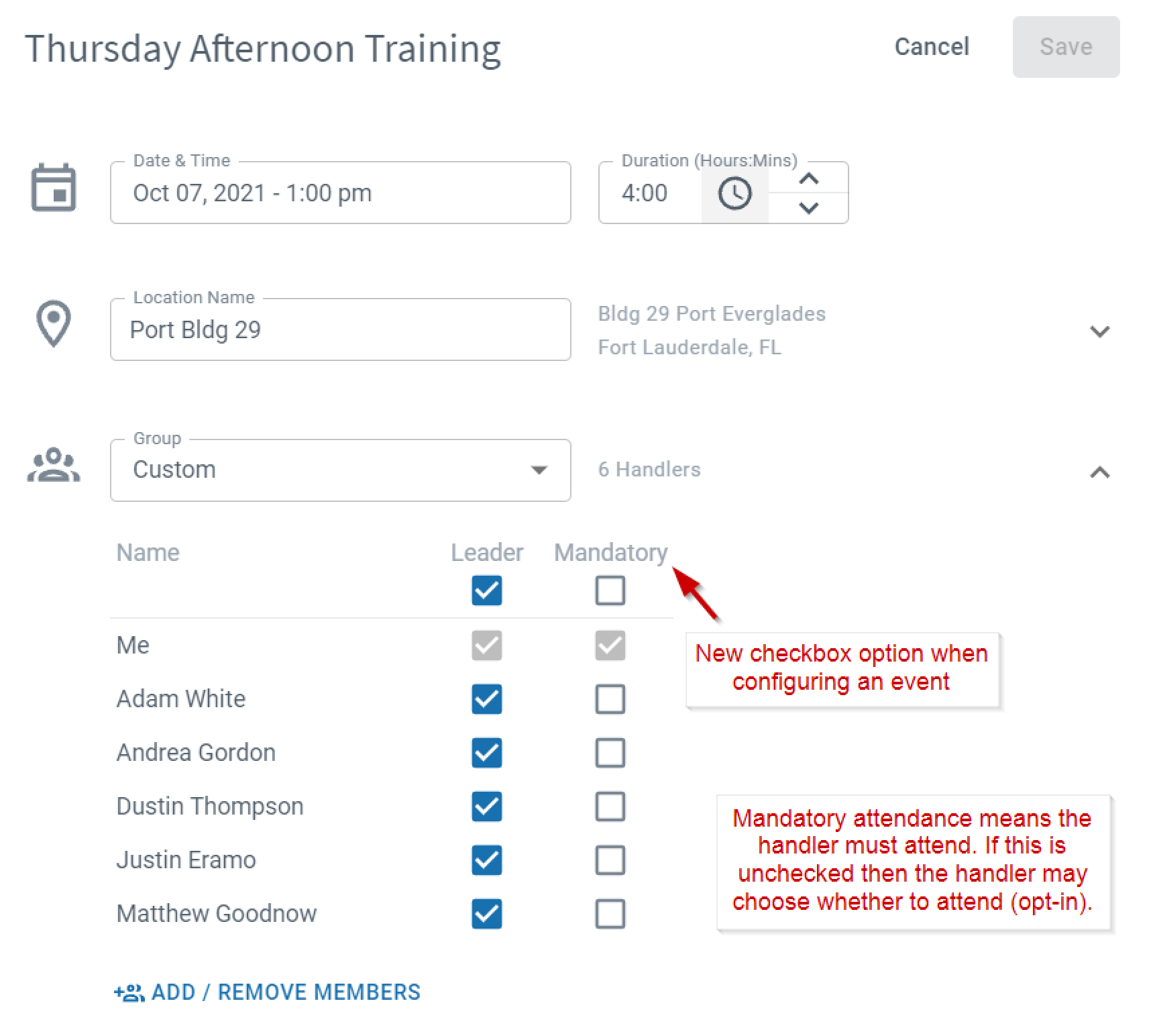
Training event creators can set each handler's attendance as optional or mandatory. Optional events let handlers decide whether they will attend, giving training groups more flexibility when scheduling.


How optional events work
When creating or editing a training event, set each handler's attendance to optional or mandatory.
Responding to an optional event invitation
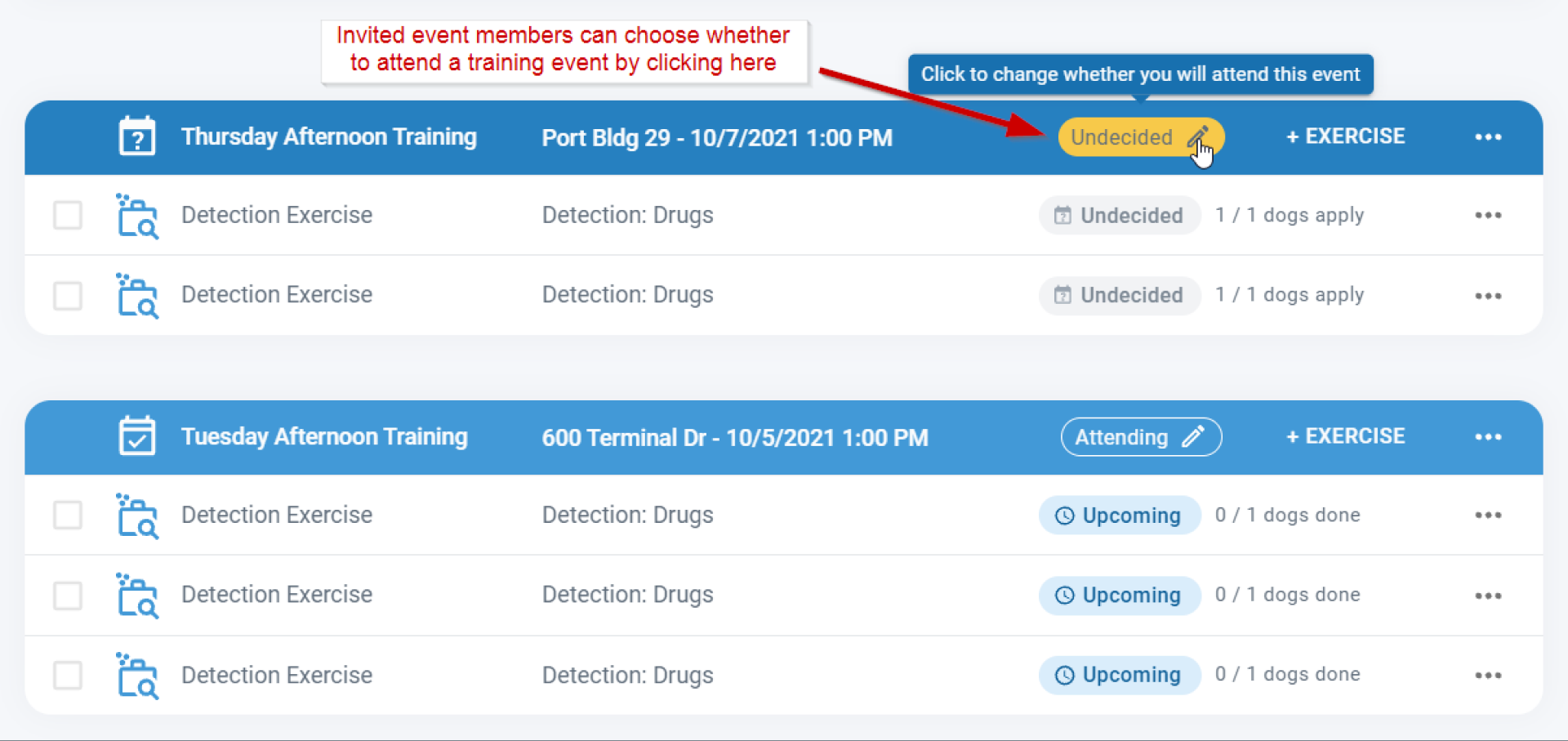
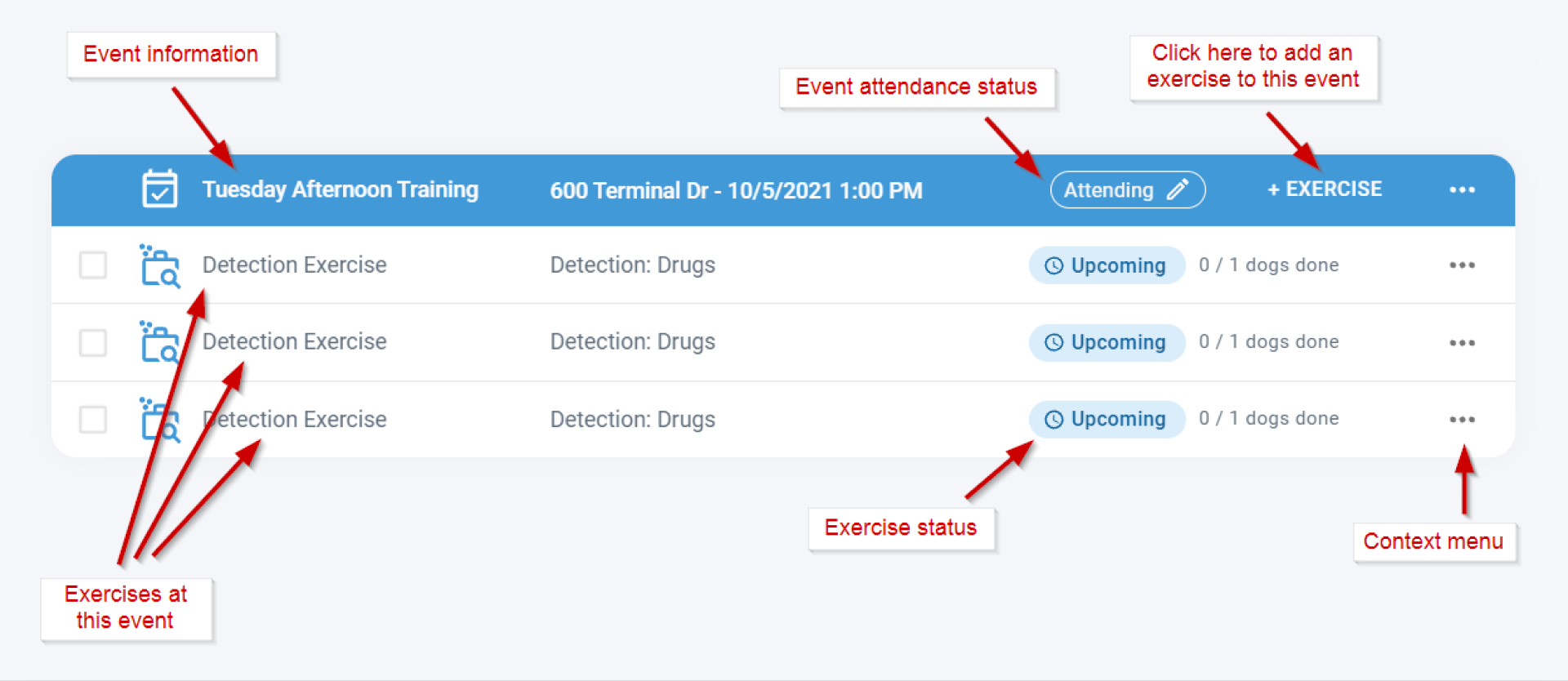
Handlers invited to an optional event receive an email and notification. To respond, tap the Undecided button in the event row or use the context menu. Attendance decisions can be changed at any time using the same options.
Viewing attendance status
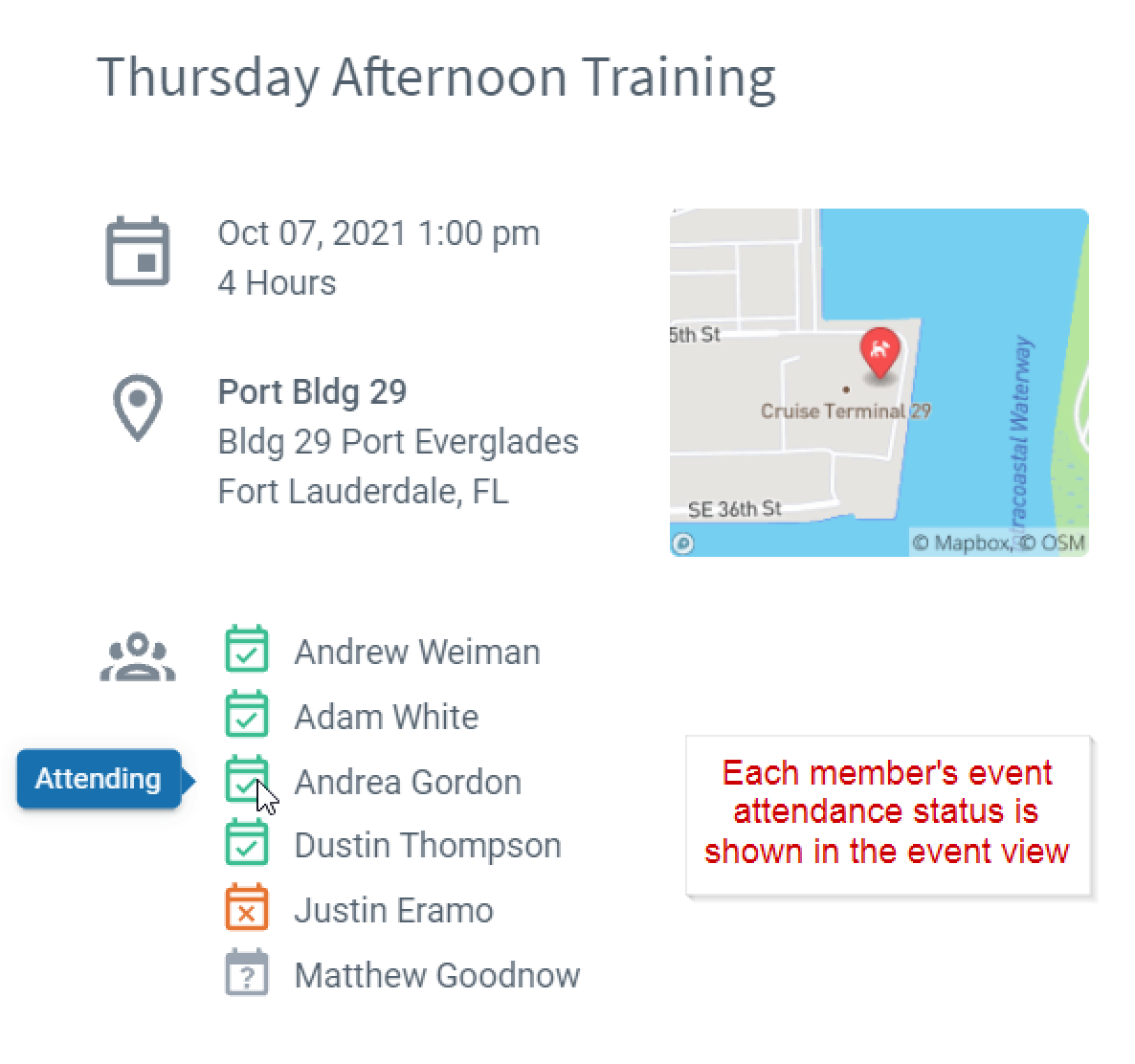
Open the event to see each handler's attendance status (opted in or declined). Mandatory events always show all members as attending.
Frequently Asked Questions
Can I mix optional and mandatory handlers in the same event?
Yes. Set attendance individually for each handler when creating the event.
How do handlers get notified about optional events?
Handlers receive an email and an in-app notification asking them to accept or decline.
Can a handler change their attendance decision after responding?
Yes. Tap the attendance button in the event row or use the context menu to update at any time.
Do optional events still appear on the handler's record list?
Yes. The event appears on the record list regardless of attendance type.
What happens if a handler doesn't respond to an optional event?
Their status remains as Undecided until they respond.

Still need help?
Can't find what you're looking for? Message the PackTrack team from the chat inside the app, or reply to any PackTrack email.
