

Training Group Management
Create training groups and add the handlers who train together


A K9 handler joins a management group so that trainers and supervisors can oversee their records. Handlers can also join training groups. A training group is a collection of handlers that commonly train together. The Groups page provides a convenient, unified place for configuring management and training groups.
Once you’re connected to another handler, either because you have the same manager or because you share a training group, you no longer need to send them invites when they’re added to new training groups.
When you add them they will automatically become members. This assumes a degree of trust between handlers that are already connected in some way.
The Groups page has three main sections:
- Managers
- Training Groups
- Connected Handlers
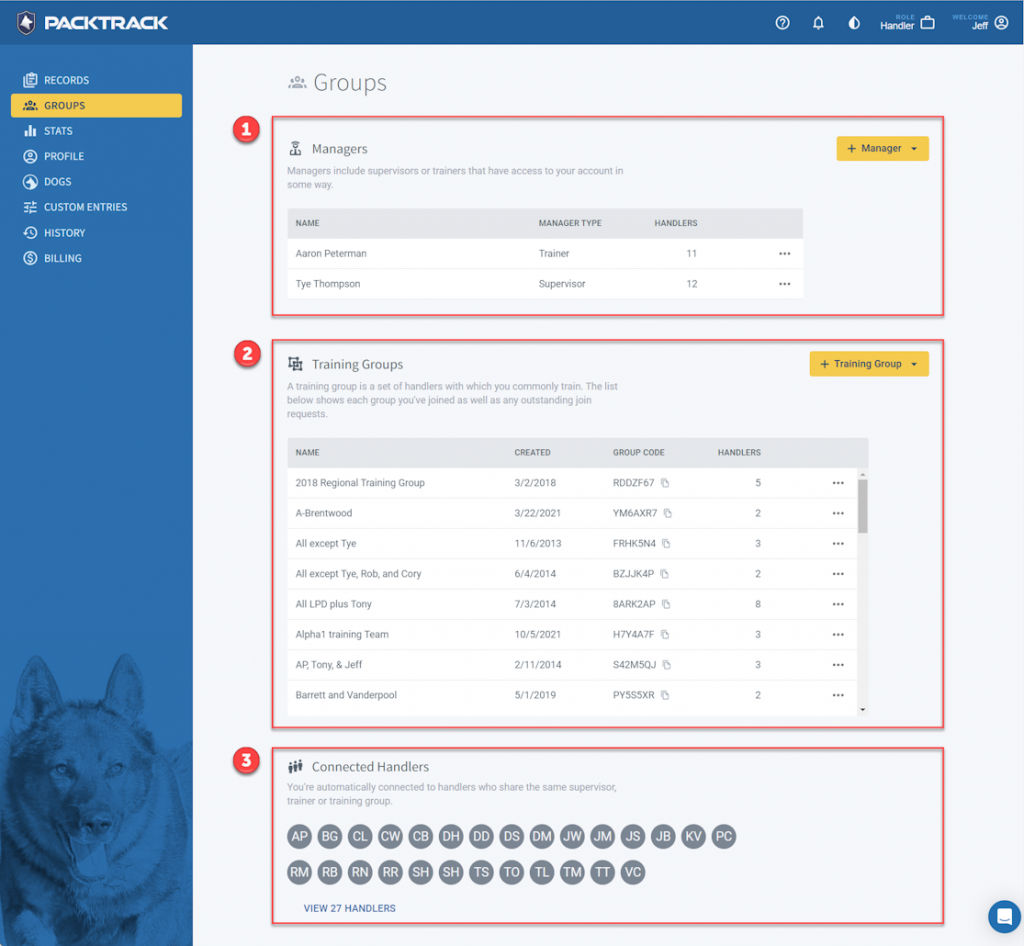
1. Managers
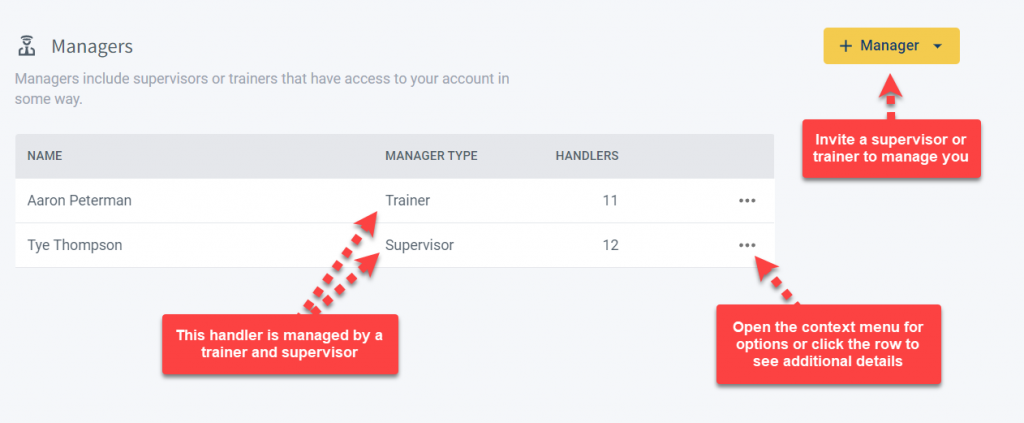
The top of the page starts with a Managers section. In PackTrack, managers include supervisors and trainers that give oversight to a group of handlers.
Trainers can create events and exercises for handlers and add training notes to individual training records. Supervisors have the option to approve or reject exercise and deployment records and administer certain handler account options (such as billing).
The Managers table shows each trainer and supervisor who has access to your account. Outstanding invites are also shown. Click a row to see additional details about the managed group. Use the + Manager button to invite new trainers and supervisors to oversee your records.
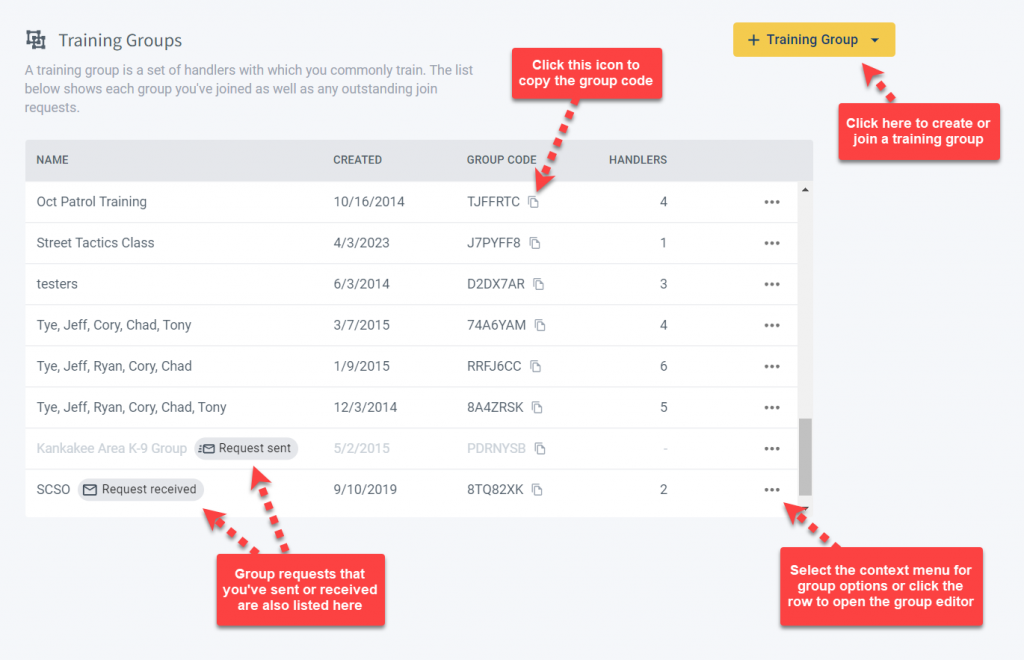
2. Training Groups
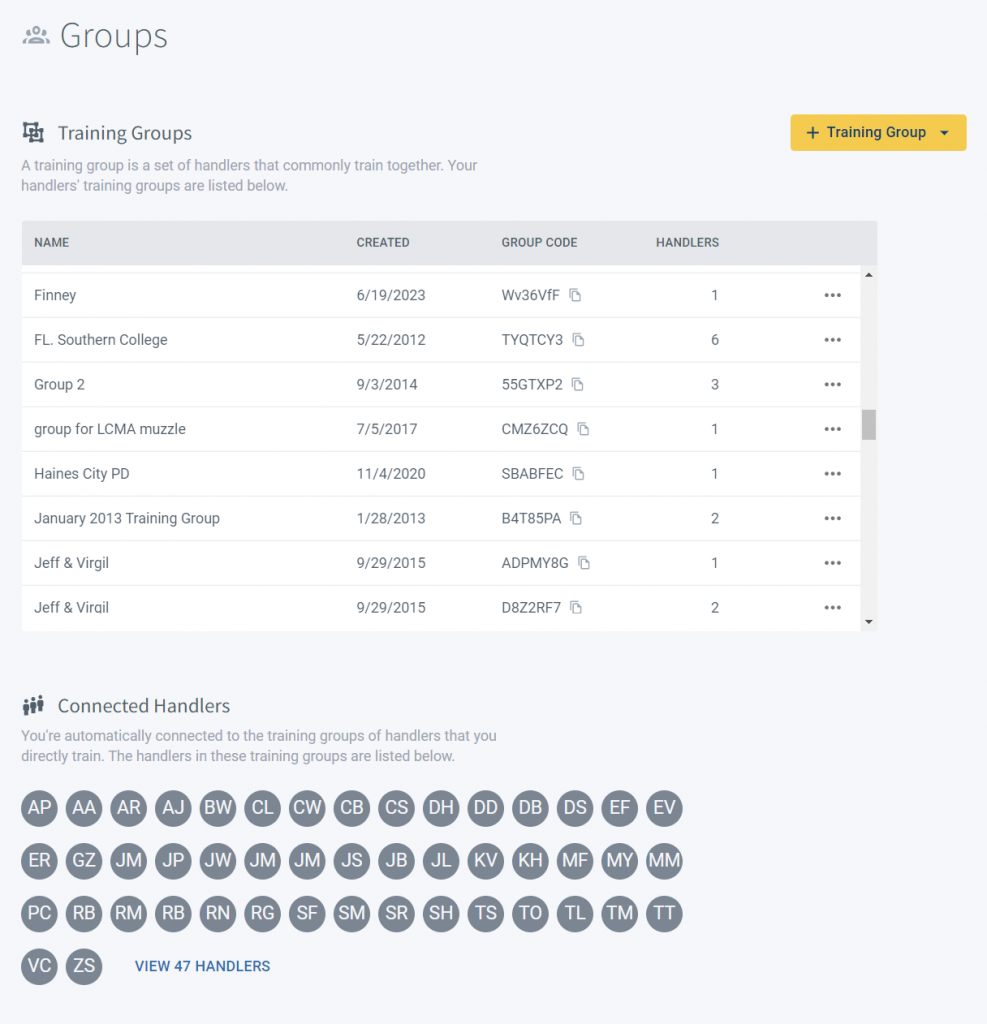
PackTrack uses named Training Groups to identify sets of handlers who often train together. A table on the Groups page lists the training groups that you’ve joined as well as any outstanding invitations.
Click a row to see additional training group details or to update the group settings. Use the + Training Group button to create a new group or, if you know the code, to request access to a group.
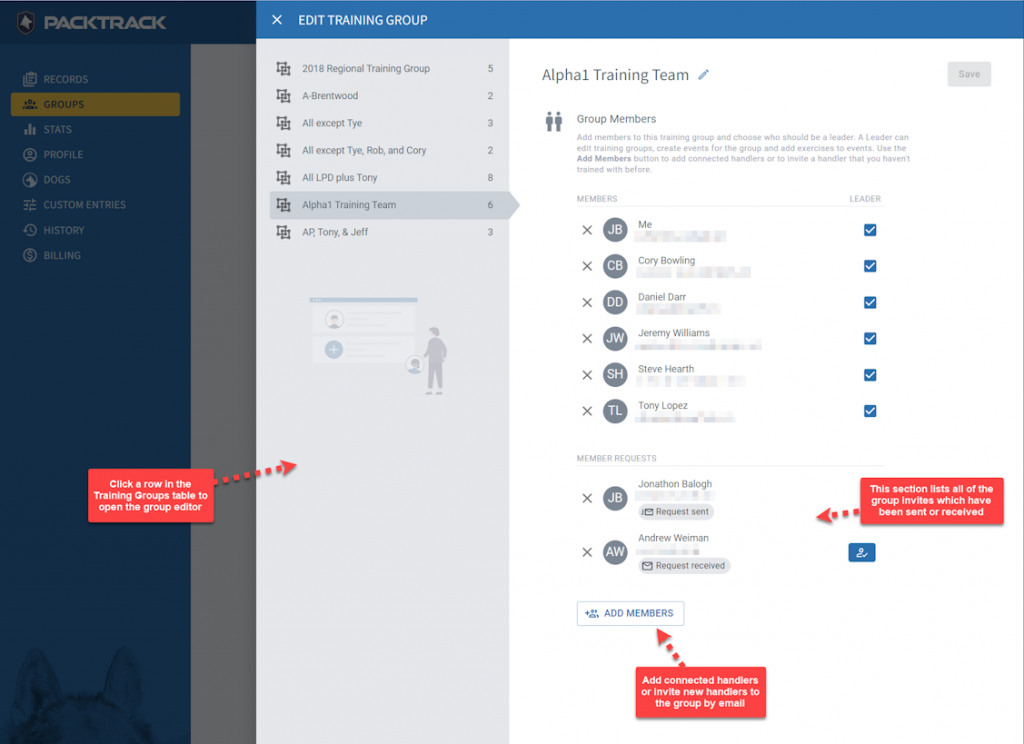
Creating and editing training groups is easy. Click on a training group to open the editor. Use the Add Members dropdown to select any of your existing connected handlers or use the “INVITE A NEW GROUP MEMBER” option to invite a handler using their email address.
When they accept the invite they’ll join your group and appear in your list of connected handlers. Note that you can only edit a training group if you’re configured as a group leader.
3. Connected Handlers
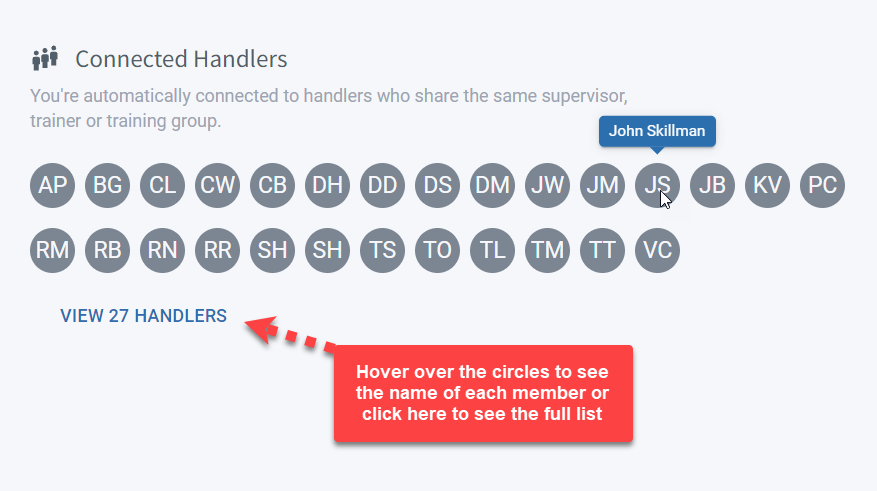
At the bottom of the Groups page you’ll see a list of the handlers with which you’re connected. This is similar to a “friends” list. The names are selected based on the groups you’ve joined in the Managers and Training Groups tables.
You’re automatically connected to handlers who share the same supervisor, trainer, or training group. Click the VIEW link to see the full list of your handler connections.
Trainers
Trainers invite handlers to be managed using the Manage page. When a trainer manages a handler they’re able to see all of the handler’s training groups.
Trainers can also create named training groups for handlers. The trainer’s list of connected handlers includes the members of each training group for which the trainer has access.
Mobile
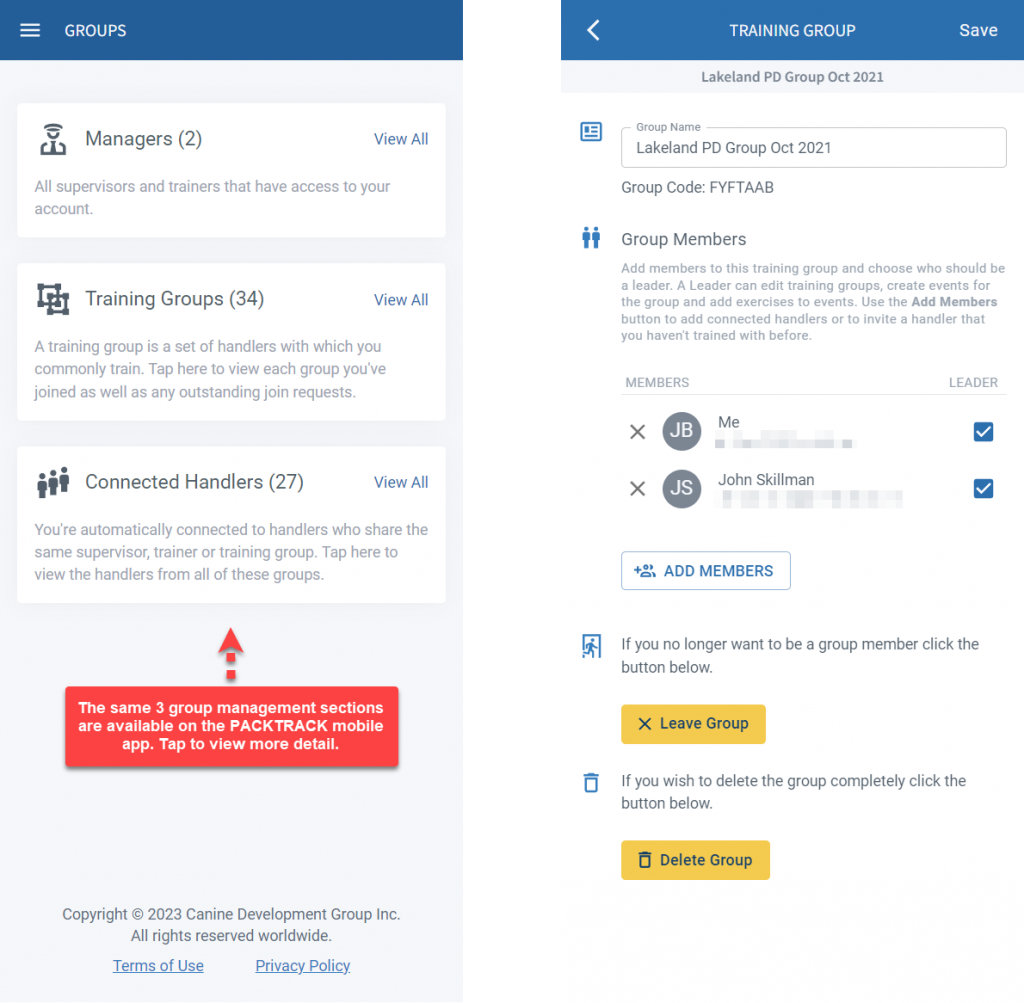
The Groups page works similarly in the PackTrack mobile app. The interface is a little different but all of the same functionality is available.
Frequently Asked Questions
Do I need to send a new invite every time I add a connected handler to a training group?
No. Once you’re connected to a handler through a shared manager or training group, you can add them to new groups without sending another invite. They become members automatically.
Who can edit a training group’s settings and members?
Only handlers configured as group leaders can edit a training group. If you don’t see editing options, check with whoever created the group to make sure you have the group leader role.
What’s the difference between a manager group and a training group?
A manager group connects handlers to their trainers and supervisors for record oversight. A training group identifies handlers who train together regularly and is used for scheduling shared exercises.
Can I be in more than one training group at a time?
Yes. The Training Groups table on the Groups page lists all the groups you belong to. You can join additional groups using the + Training Group button or by accepting an invitation.

Still need help?
Can't find what you're looking for? Message the PackTrack team from the chat inside the app, or reply to any PackTrack email.
