

Reviewing Records
Review handler records and mark them as reviewed


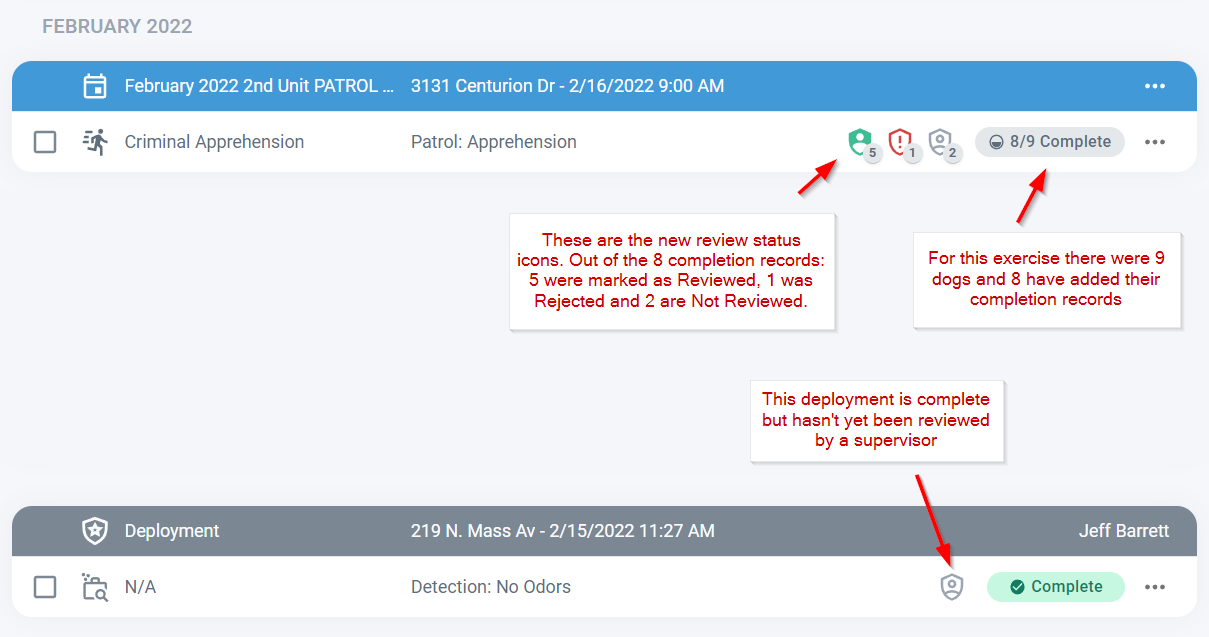
The records list summarizes each record as a row and the Completion and Reviewed status of each record are clearly marked. Click anywhere on a training or deployment row to open a detail view.
Reviewing a record
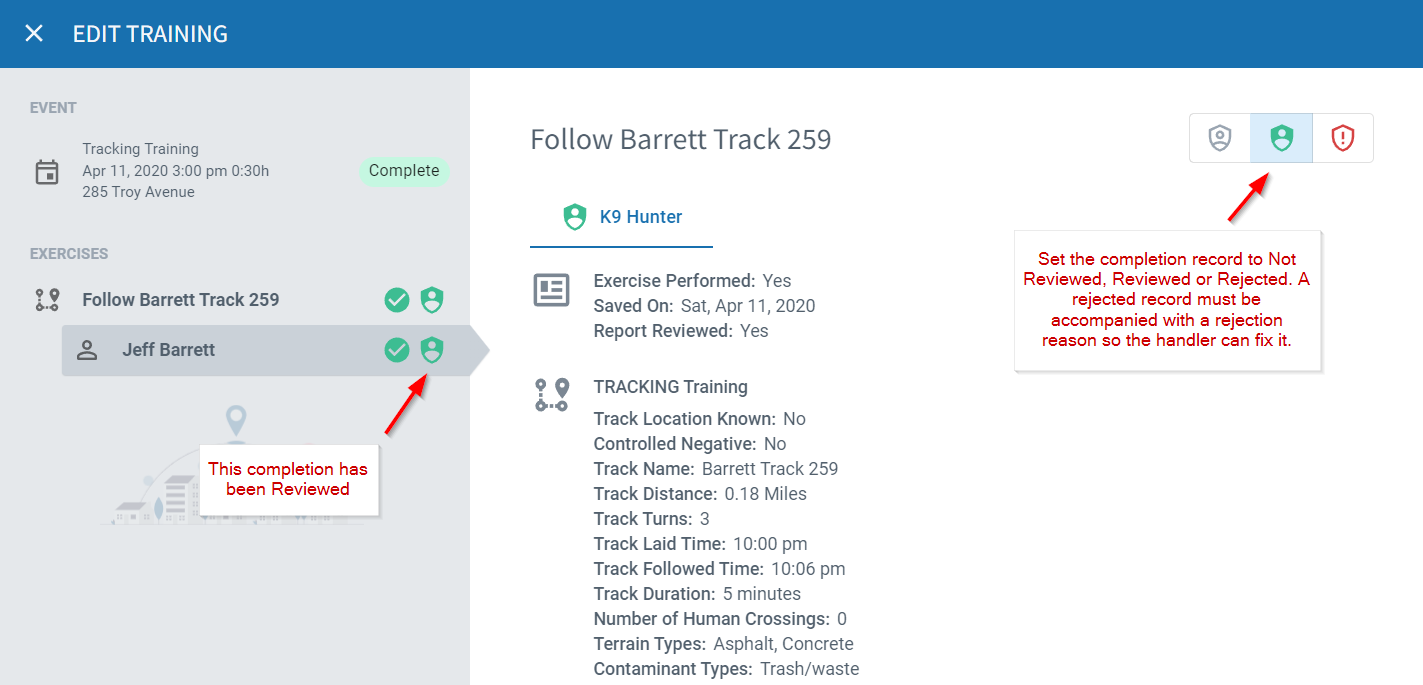
Reviewing records is fast and intuitive. Once a record is open, just select an appropriate exercise, handler, and dog, then click the Reviewed icon in the top right. Reviewing deployments works the same way.
Rejecting a record
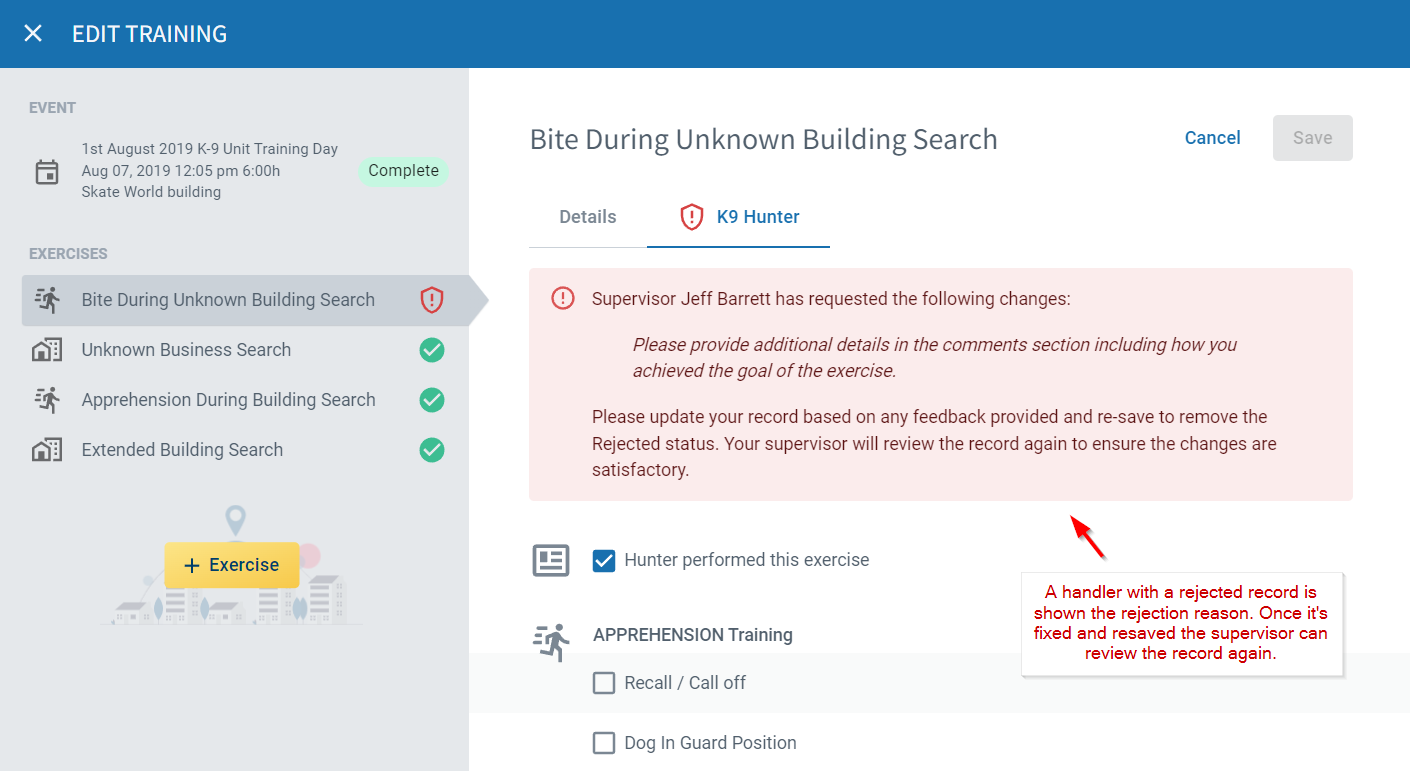
When rejecting records you’ll need to enter a rejection reason. The associated handler will get a notification within PackTrack and by email that their record was rejected, along with the reason. Once they update and resave the record, you’ll be able to review it again.
Frequently Asked Questions
Does the handler know why their record was rejected?
Yes. When you reject a record, you enter a rejection reason. The handler receives that reason in a PackTrack notification and by email, so they know exactly what to fix before resubmitting.
Can I review multiple records at once, or only one at a time?
Records are reviewed one at a time. Open a record, select the exercise, handler, and dog, then click the Reviewed icon. Each review is tied to a specific record.
What happens after a handler fixes a rejected record?
Once the handler updates and resaves the record, it reappears in your queue as unreviewed. You can then review it again or reject it with a new reason if needed.
Can trainers review records, or is that supervisors only?
Record review is a supervisor function. Trainers can add comments to handler exercises but don’t have the ability to mark records as reviewed or rejected.

Still need help?
Can't find what you're looking for? Message the PackTrack team from the chat inside the app, or reply to any PackTrack email.
