

User Modification History
Learn how to track all of your record changes


User Modification History
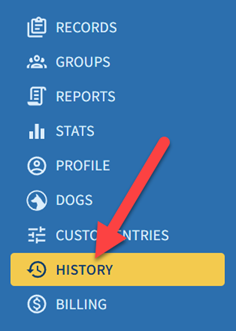
The History page gives you more insight into how your records change over time. It includes a table showing each record modification and when it occurred. You can open this page using the History link in the left menu on desktop or in the mobile app.
Use this page to get an overview of your activity in PackTrack and track when your records were added, modified, or deleted. The table also includes a link to the changed record so you can conveniently open it in one click.
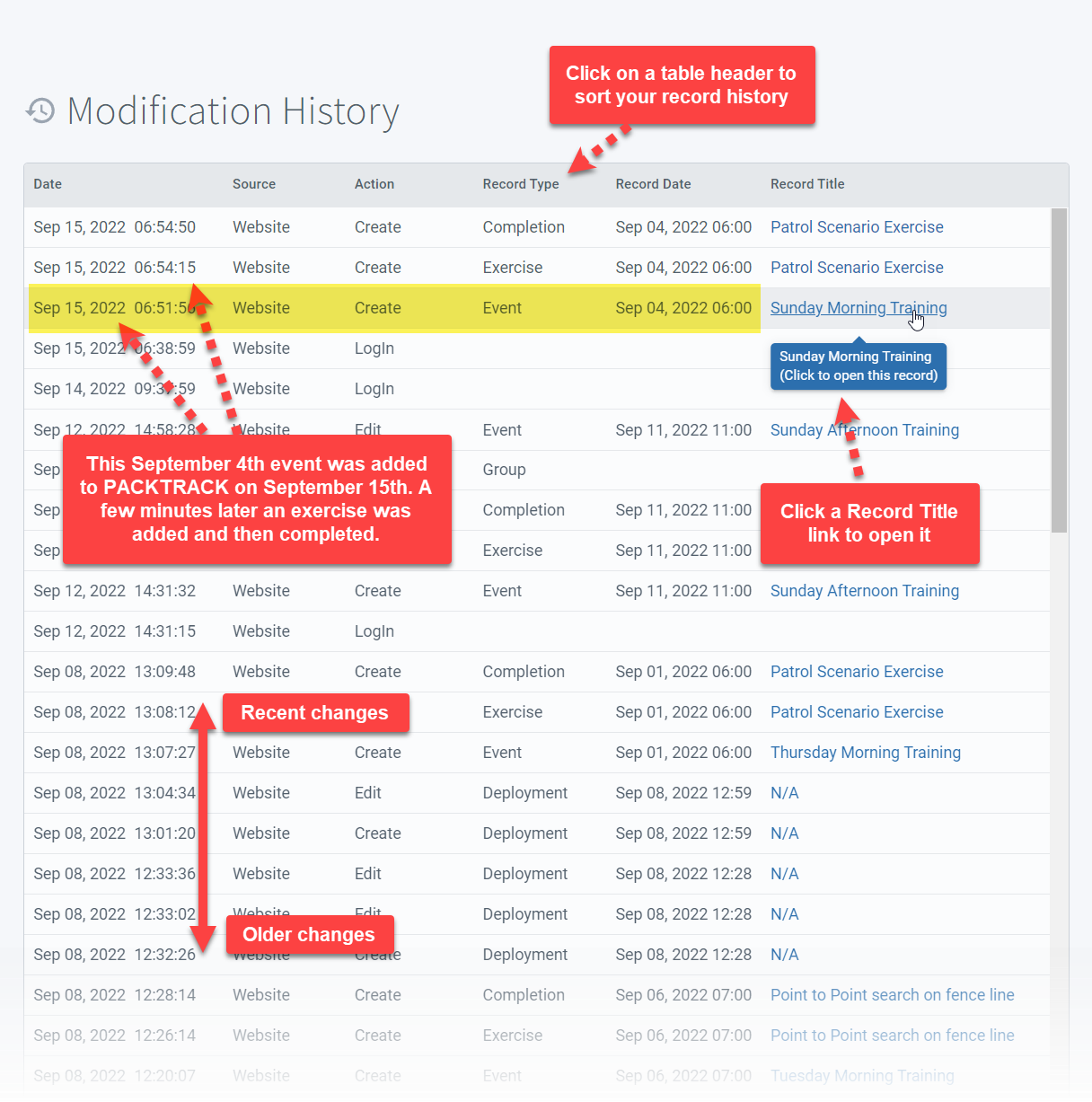
The same functionality is also available in the PackTrack mobile app for Android and iOS.
Supervisor access
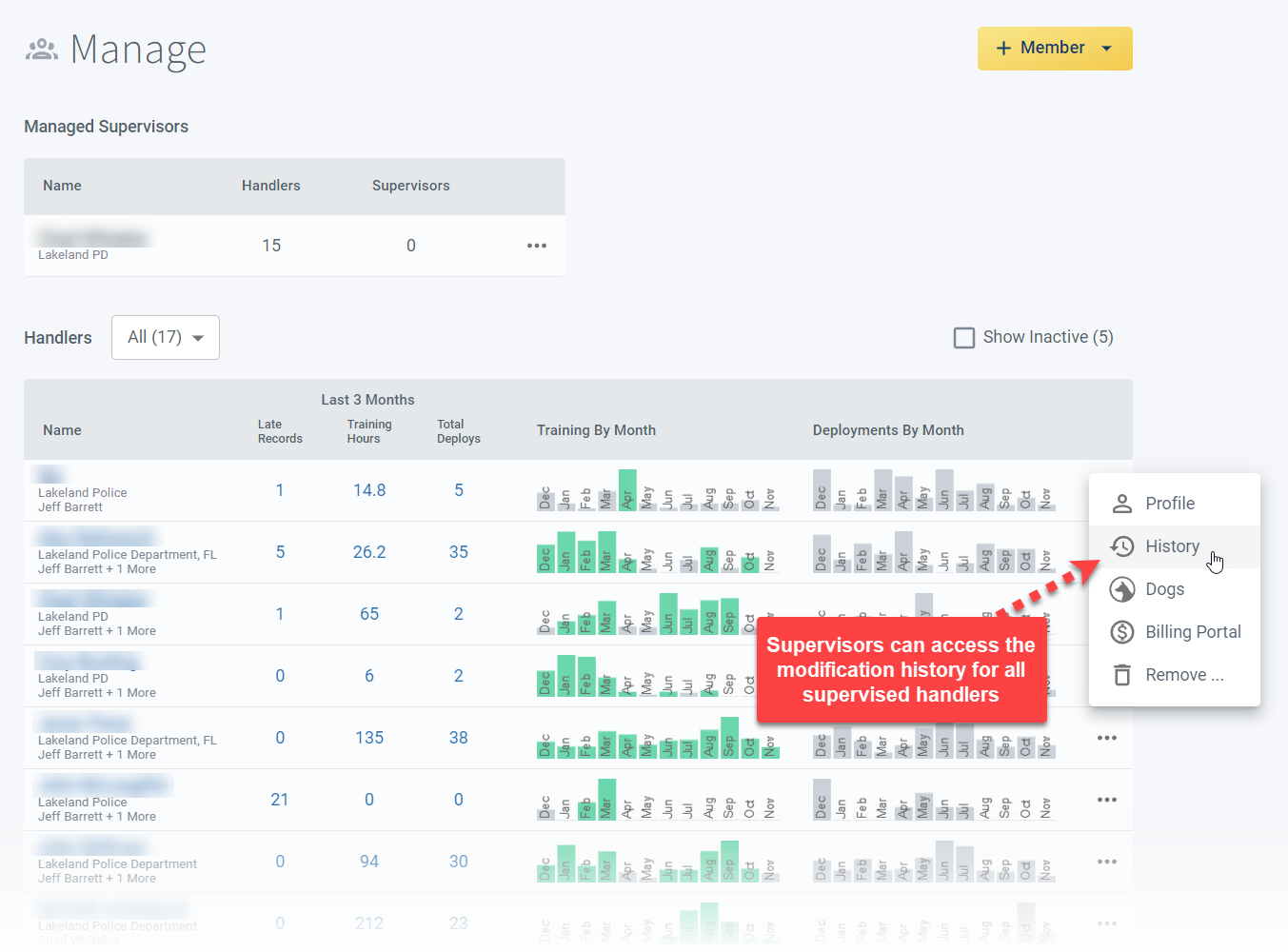
Supervisors can view the modification history of all supervised handlers using the History link in the context menus of the Manage page.
Frequently Asked Questions
Does PackTrack track who made each change to a record?
Yes. Each entry in the history table shows the modification type, timestamp, and the user who made the change.
Can I see changes made by my supervisor to my records?
Yes. Any modifications to your records, including those made by supervisors or trainers, appear in your modification history.
Can supervisors see handler modification history?
Yes. Supervisors can view the modification history of all handlers they supervise from the Manage page.
Is there a way to undo a change shown in the history?
No. The History page is a read-only audit trail. To correct a change, open the linked record and edit it directly.

Still need help?
Can't find what you're looking for? Message the PackTrack team from the chat inside the app, or reply to any PackTrack email.
