We’re always working to make PACKTRACK faster and more user-friendly for handlers, trainers, and supervisors. Today, we’re excited to highlight several new improvements designed to save you time and improve communication across your team.
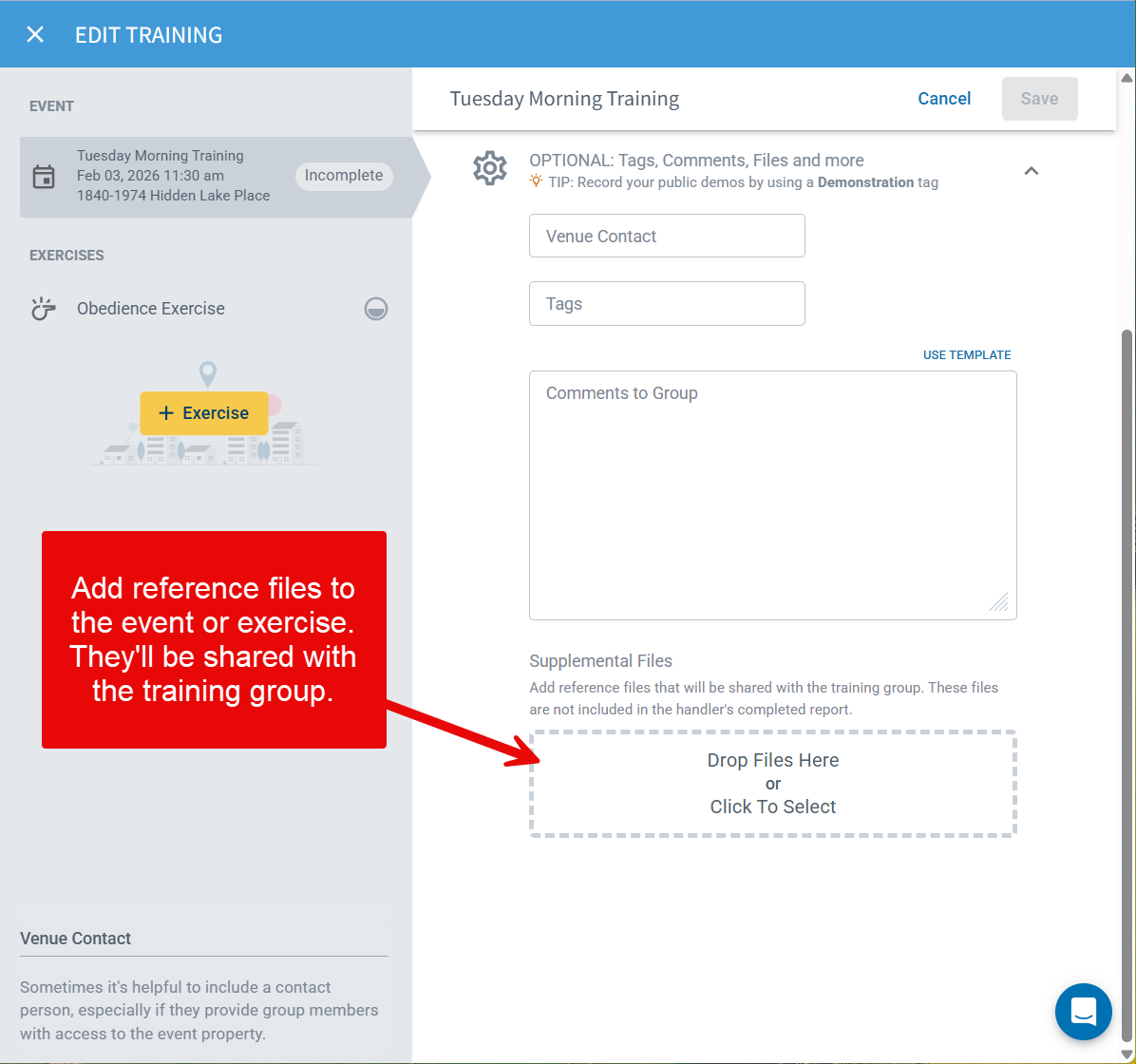
Attach Documents to Events and Exercises
You’ve always been able to upload documents to individual exercise completions — but now you can include them directly in Events and Exercise definitions as well. This update gives handlers and trainers more flexibility to provide supplemental materials such as training outlines, reference documents, maps, diagrams, etc. Adding documents at the event or exercise level ensures everyone starts with the same information and supports more consistent, well-documented training.
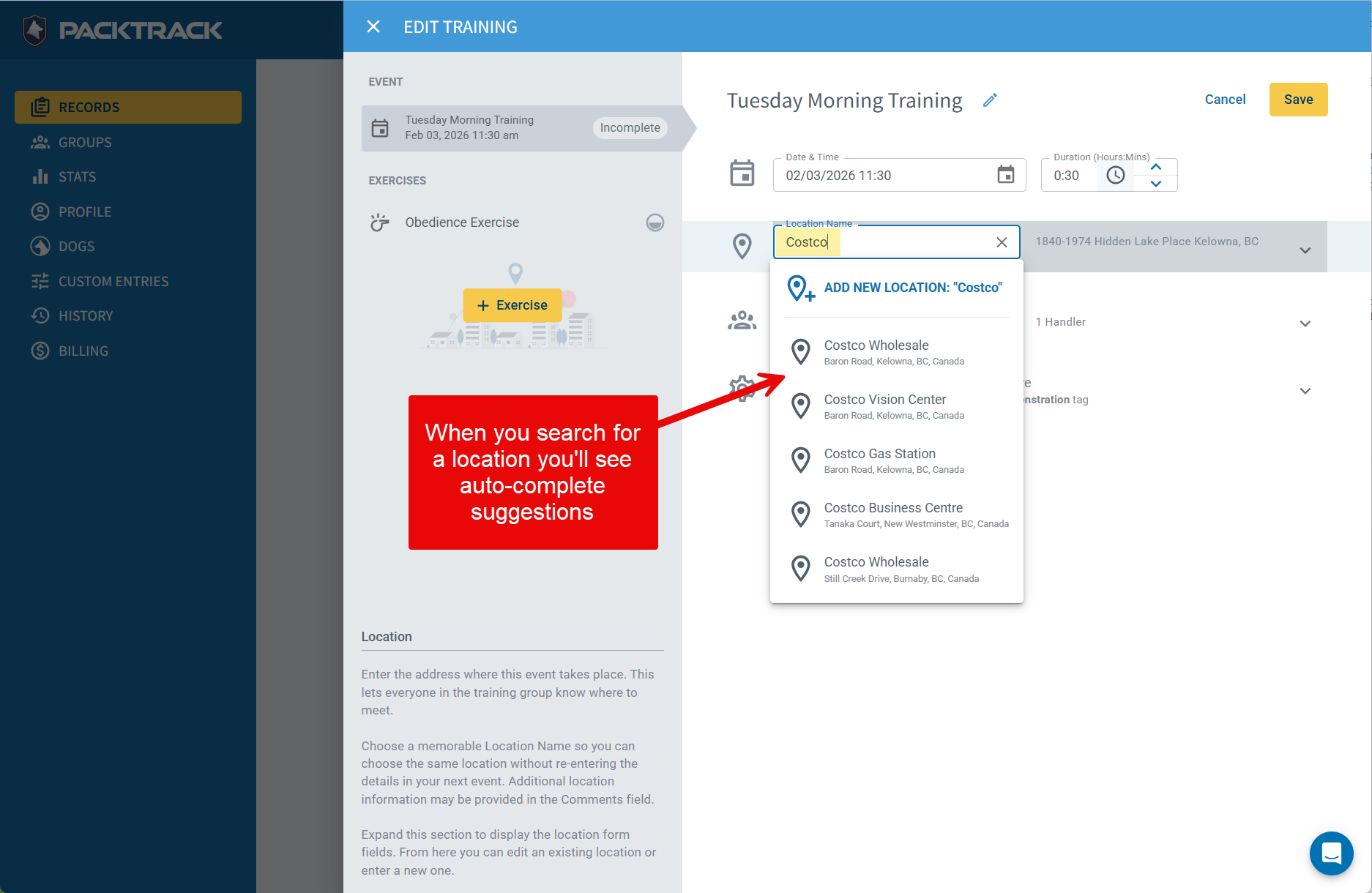
Faster Data Entry with Autocomplete Locations
Recording where an event or deployment occurred is now even faster. PACKTRACK’s training and deployment forms now include Google-powered location autocomplete. Just start typing a name or address and nearby matching suggestions will appear. Select the correct option, and PACKTRACK will automatically fill in the relevant location fields for you. This means less typing, fewer mistakes and more accurate location data.
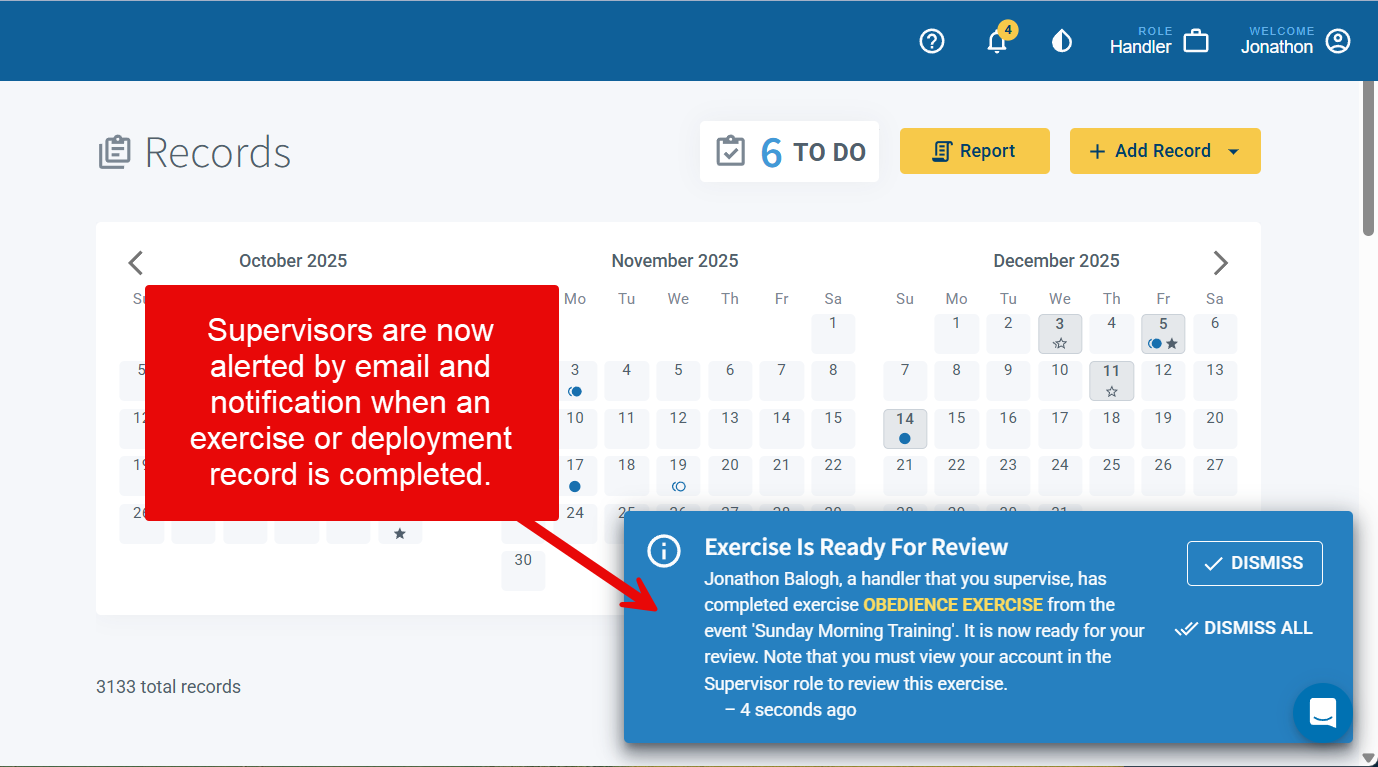
Supervisor Notifications for Completed Records
Supervisors can now choose to receive notifications whenever a handler they oversee completes a training or deployment record. This gives them a heads-up to review the new records. Notifications are sent by email as well as within PACKTRACK, keeping supervisors informed without requiring constant manual review. Supervisors can configure their preferences in the Notifications section of their Profile page, choosing whether to receive training record completion alerts, deployment record completion alerts or both. Note that these alerts are off by default. This feature enhances accountability and ensures important activity never gets overlooked.
Cleaner, More Modern Email Styling
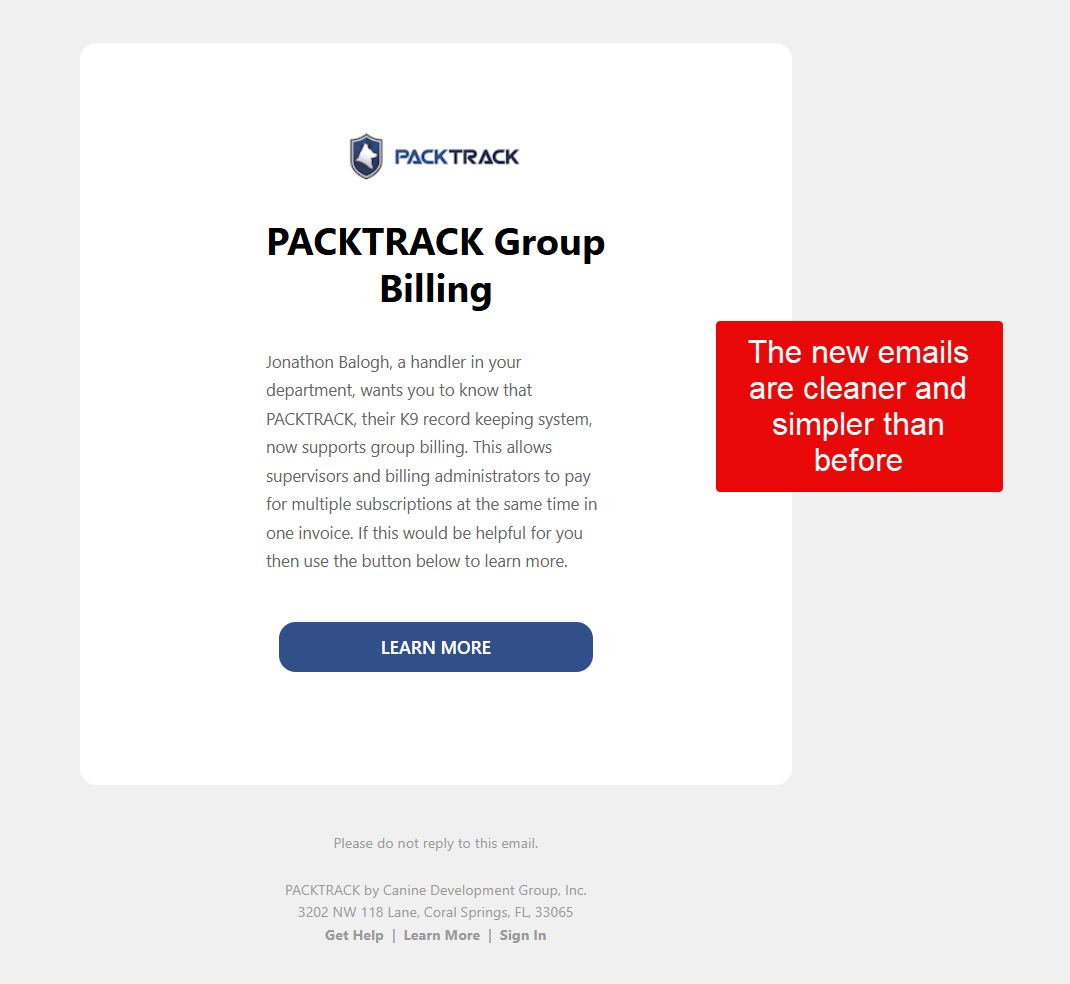
PACKTRACK emails just got a major upgrade. All system emails are now sent using clean, modern looking HTML formatting — with improved colors, visual hierarchy, and clear action buttons. These updates make PACKTRACK emails easier to read and quicker to act on, whether you’re on your phone or desktop.
Share the News About Group Billing
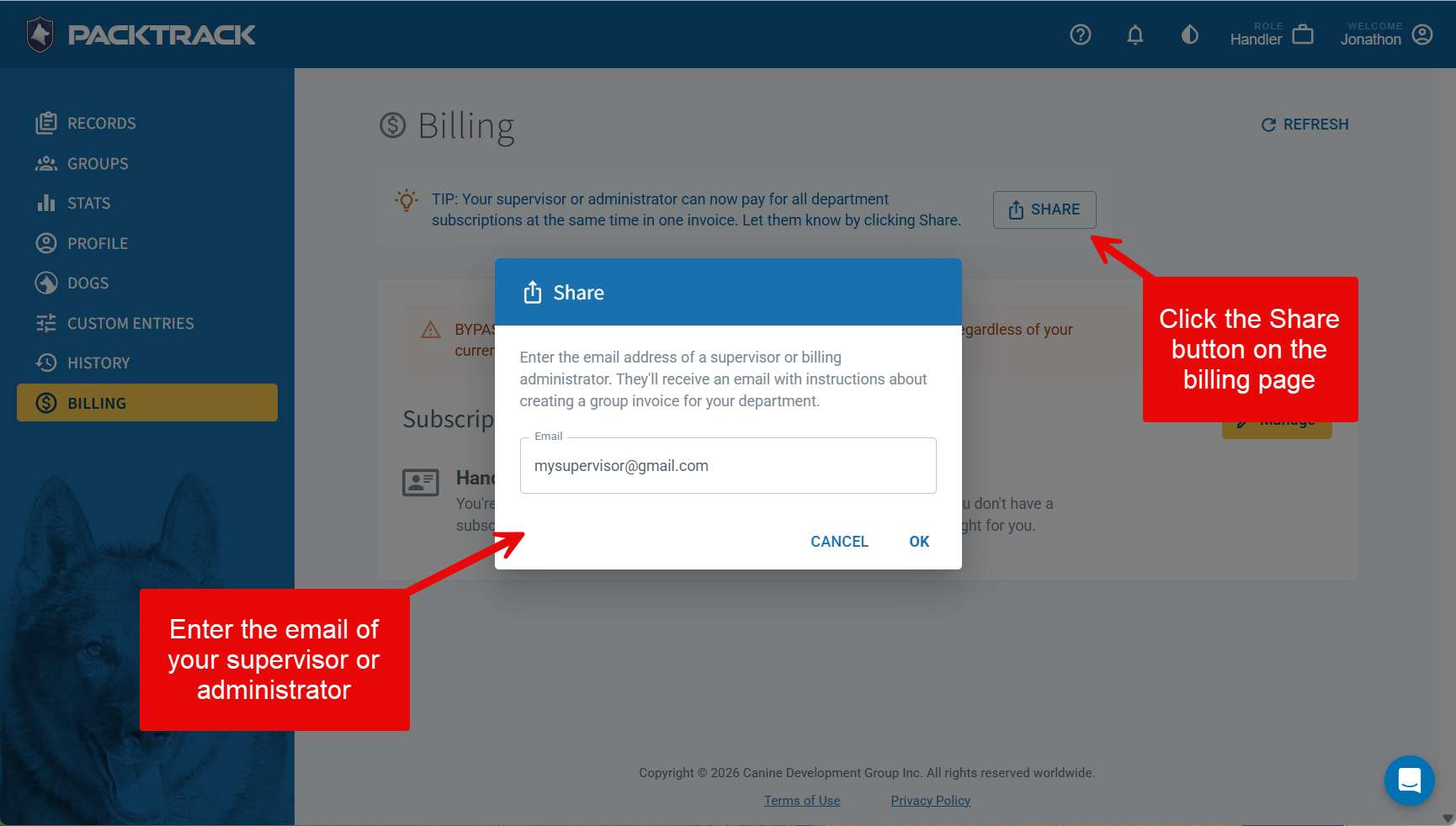
As of a couple months ago, your supervisor or administrator can use the new Group Billing feature to pay for all department subscriptions at the same time in one invoice. We now make it easy to share this feature with others. Visit your Billing page, click the Share button and then enter the email address of anyone in your department that should know about this. They’ll get an email with a link to our Group Billing help article.
These features are part of our ongoing effort to make PACKTRACK the most intuitive K9 record-keeping platform available. As always, we welcome your feedback and look forward to sharing even more updates soon. If you haven’t explored these new features yet, log in and give them a try!