

Custom Reports With Multiple Records
Combine a customized set of searched or check marked records into a single report
Custom reports are used when you need to report on a very specific set of records. When you just need a simple report covering a date range, it’s easier to use a standard report.


When should I use custom report mode?
The standard report mode only lets you set the date range. Use the custom report mode when you want to include a more specific set of records in your report. Some examples:
- Detection exercises with vehicles
- Deployments in a certain zip code
- Exercises where cocaine was used
- Deployments with arrests which were reviewed by a supervisor
- Completed exercises which were tagged as demonstrations
- Deployments where a bite occurred for a particular requesting agency
How to create a custom report
Custom reports work just like standard reports. The only difference is that you have to select or search for the specific records that you want first. Here’s an example: creating a summary report containing all the deployments for a specific requesting agency last year.
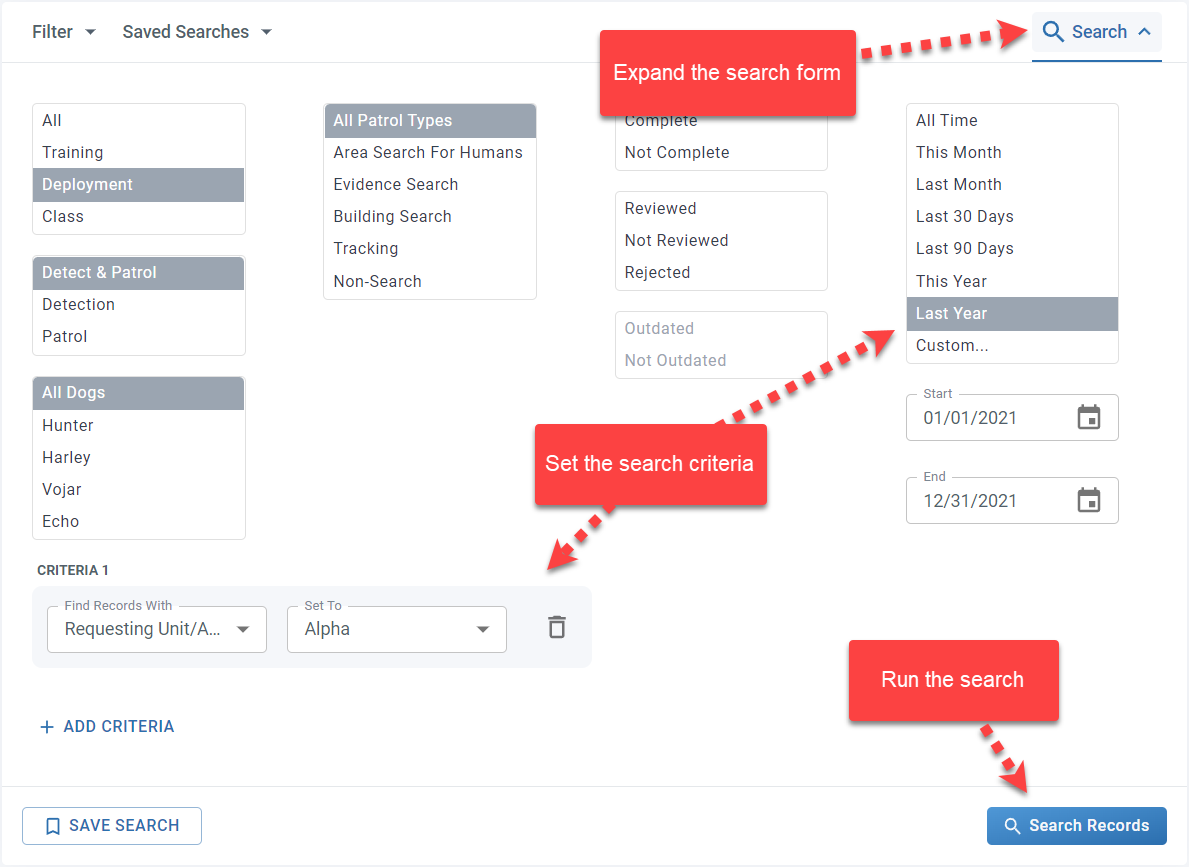
Step 1: Search for the records you want
Expand the search form, set the search criteria and click Search Records. The record list now shows the specific records that you want to report on.
Step 2: Choose your reporting parameters
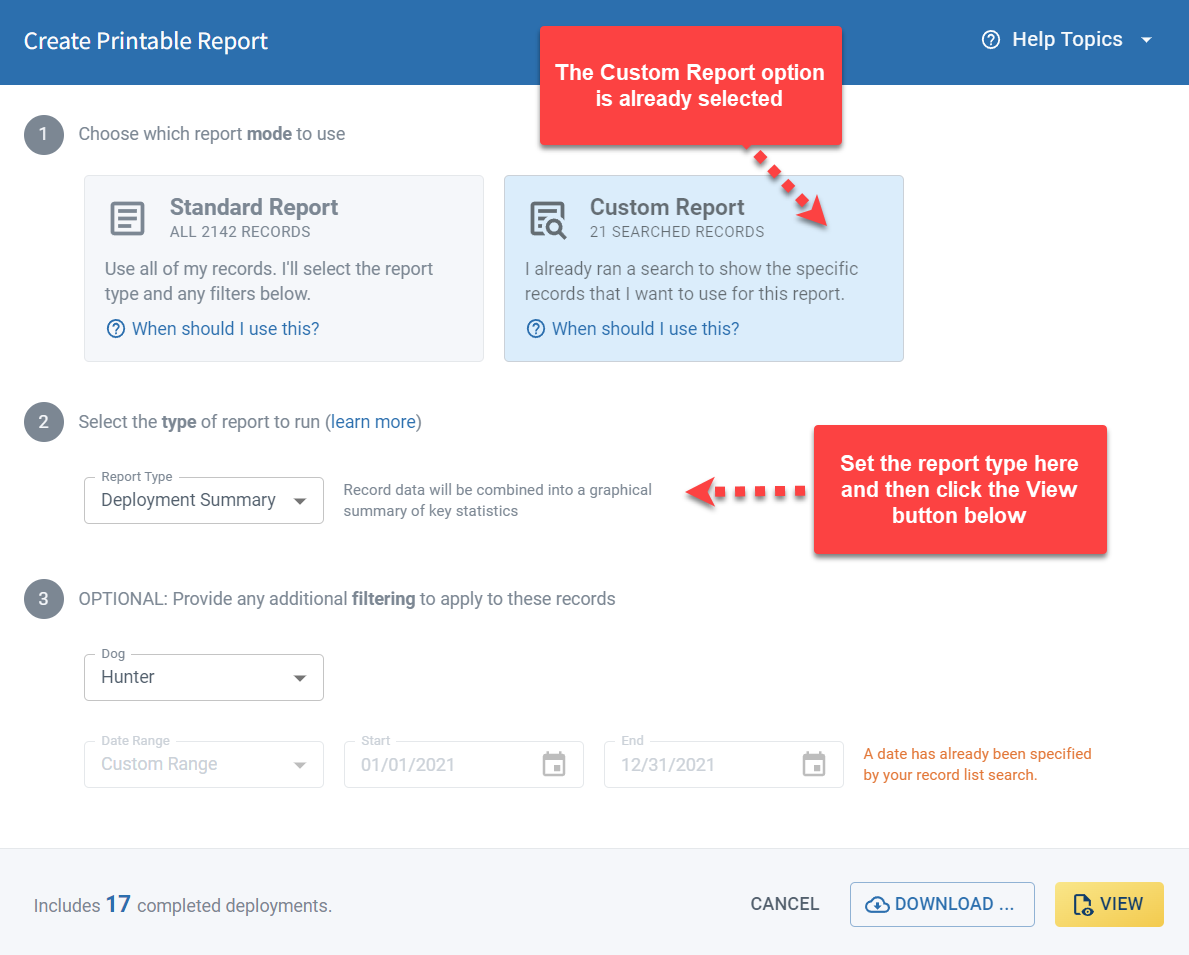
Click the Create Report button to open the reporting dialog. The custom report mode is already selected because PackTrack knows that you ran a search on the Records page.
Now you just need to set the report type. The bottom of the dialog shows the number of records which will be included in the report.
Step 3: View your report
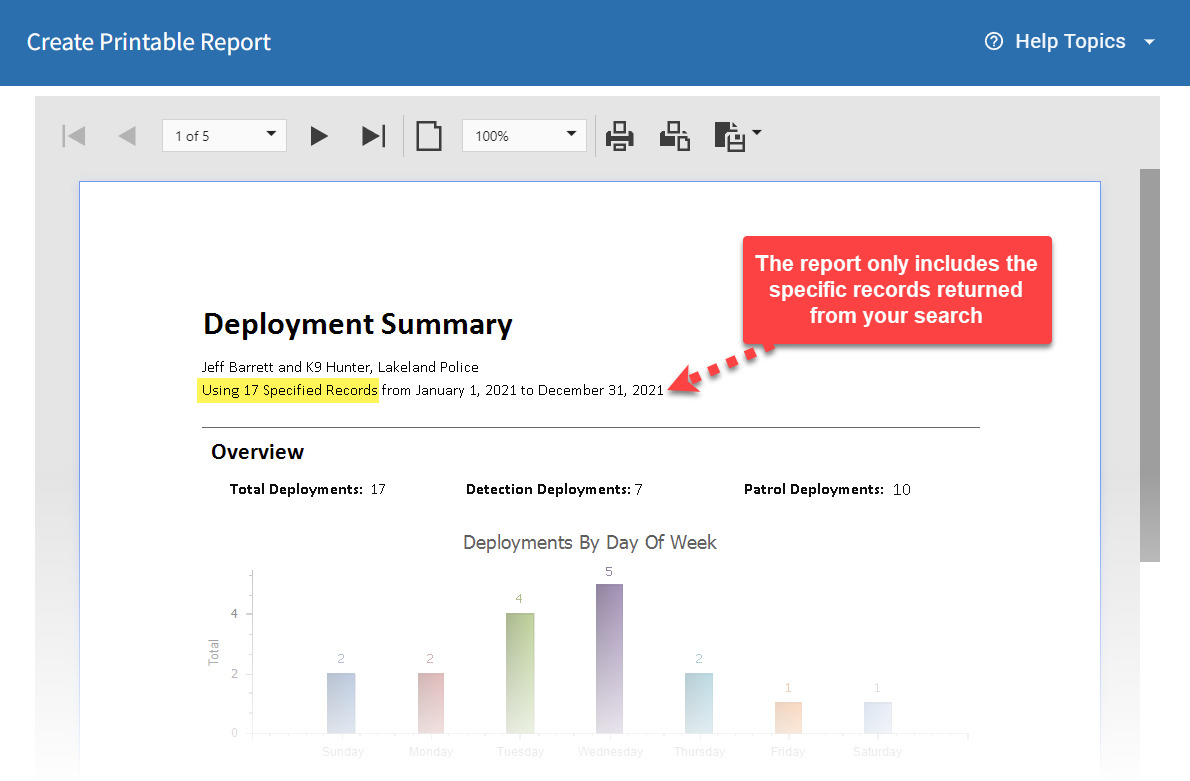
Click the View button to see your report. It will only include the records for the specific requesting agency and time period that you entered in your search. Use the report viewer to scroll through the report pages, print or save your report.
Frequently Asked Questions
Do I have to search for records before creating a custom report?
Yes. Custom reports are based on the search results shown on the Records page. Run a search first, then click Create Report.
Can I combine multiple search criteria in one custom report?
Yes. Use the search form to set as many filters as needed before generating the report.
How does PackTrack know to use custom report mode?
It detects that you ran a search on the Records page and automatically selects the custom report mode in the reporting dialog.
Can I save a custom report as a PDF?
Yes. Use the report viewer to print or save the report after generating it.

Still need help?
Can't find what you're looking for? Message the PackTrack team from the chat inside the app, or reply to any PackTrack email.
