

Report Types & Samples
Learn about the different types of reports and when to use them


PackTrack offers several different types of reports, roughly divided into two categories: Full Record and Summary.
A full record report includes all of the details of the exercise, deployment, or class record. It might include all of your records, just a few, or even just one. However, every record is shown in its entirety.
Available full record reports:
- Comprehensive report: Exercise, Deployment, Class
Summary reports combine information from multiple records into a simplified list, table, or statistical summary. A summary report can combine any number of records (but usually more than one).
Available summary reports:
- Statistical summary: Training Summary, Deployment Summary
- Record list: Exercise Log, Deployment Log
- Odor list: Exercise Odor List
Note: This article covers handler reports only. Supervisor reports include additional reporting information which is broken out by handler.
Full record reports
This report type includes all of the details of the included exercise, deployment, or class records.
%20(1).avif)
Training and deployment summary reports
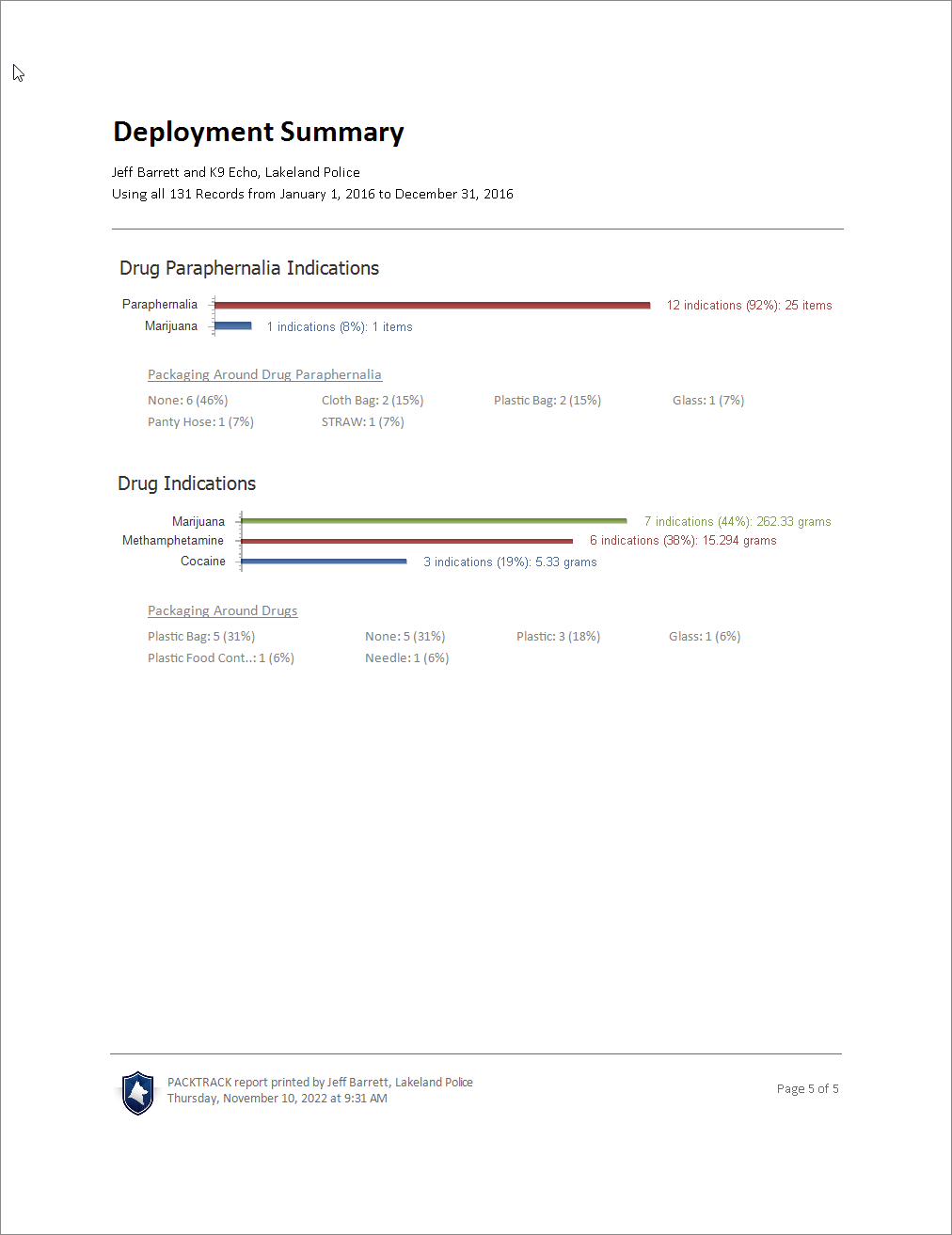
These reports provide a statistical summary of the data across all included records.
Training Summary — summarizes training data across all included exercise records with statistical breakdowns.
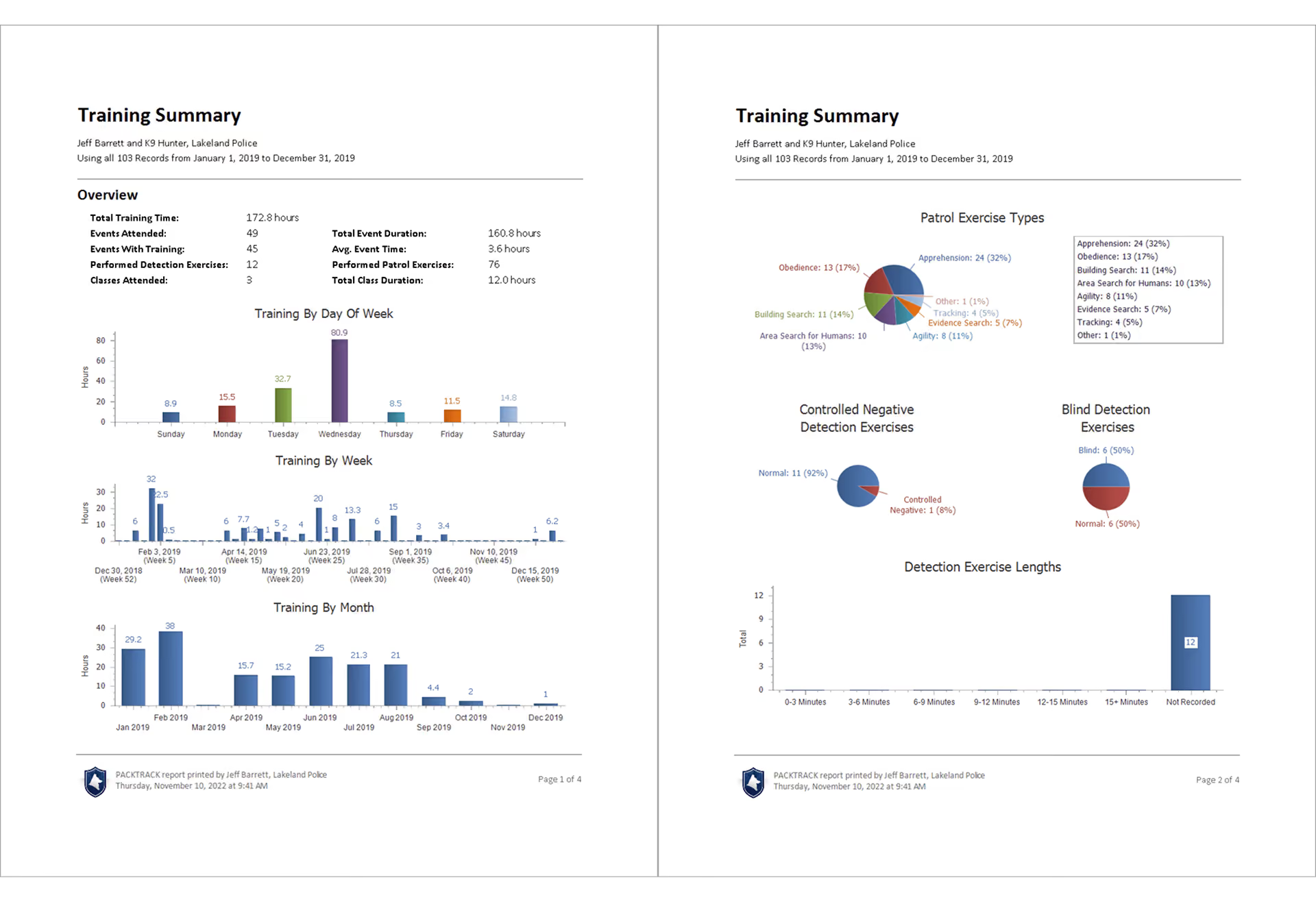
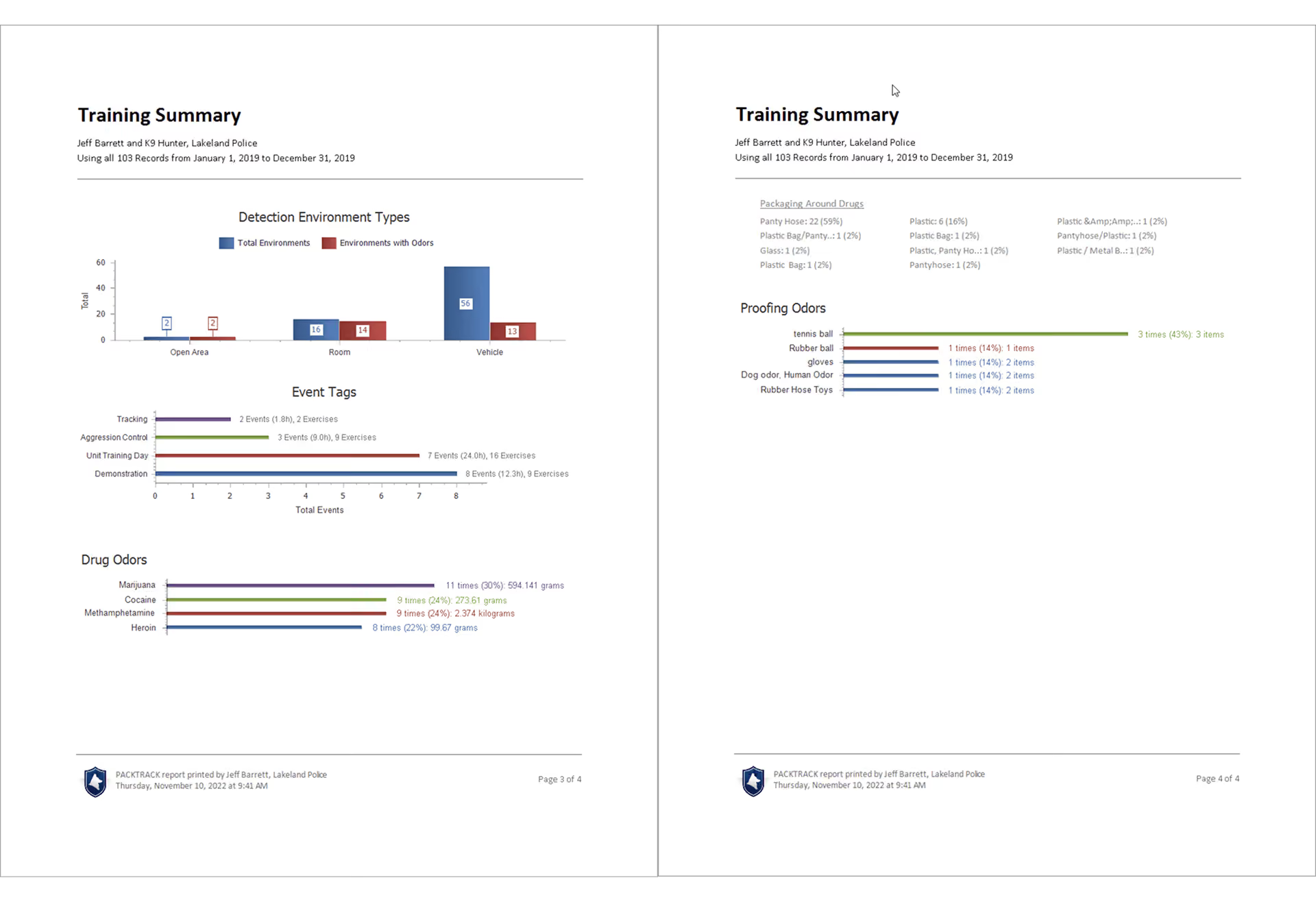
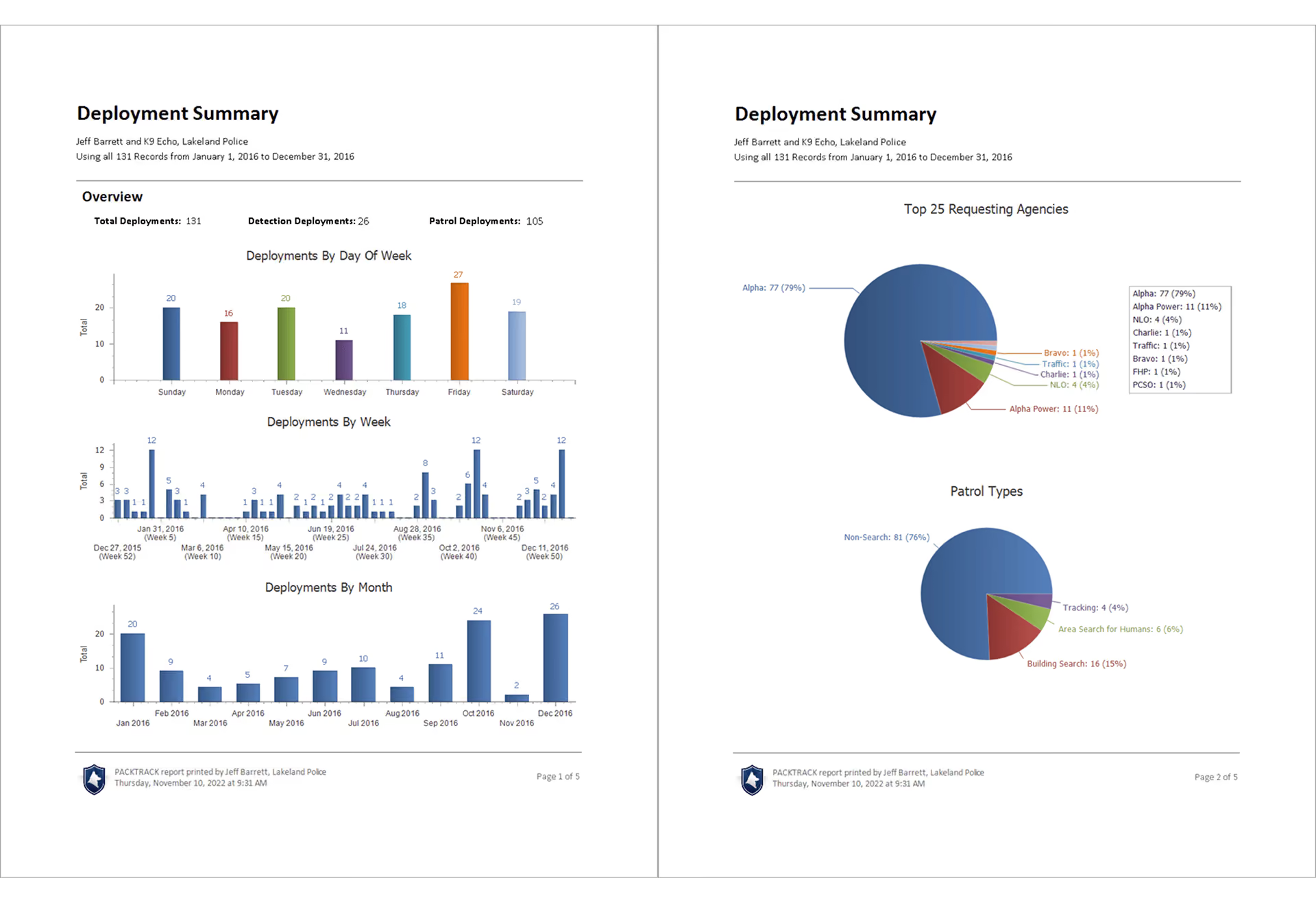
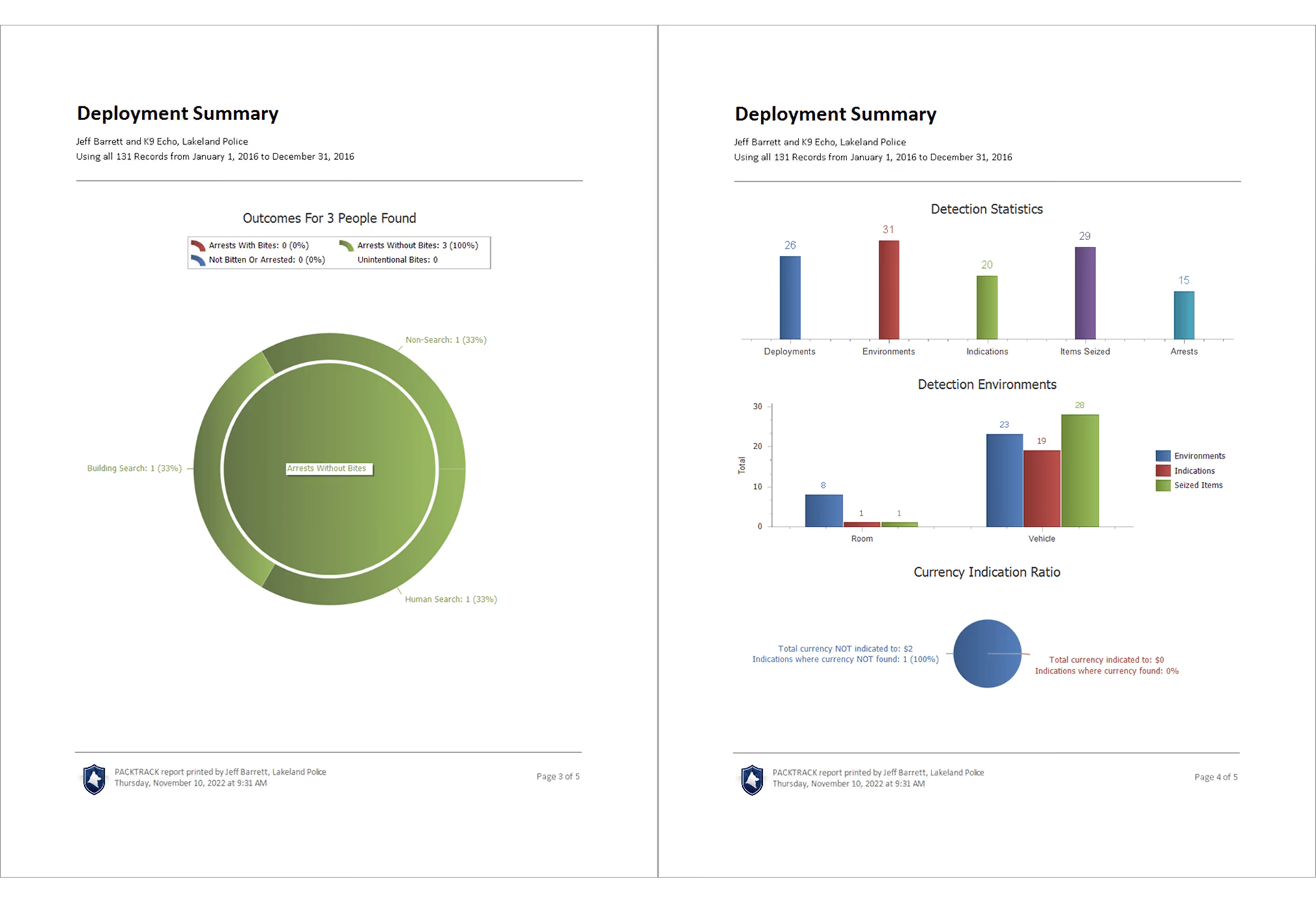
Deployment Summary — summarizes deployment data across all included deployment records with statistical breakdowns.
Exercise and deployment log reports
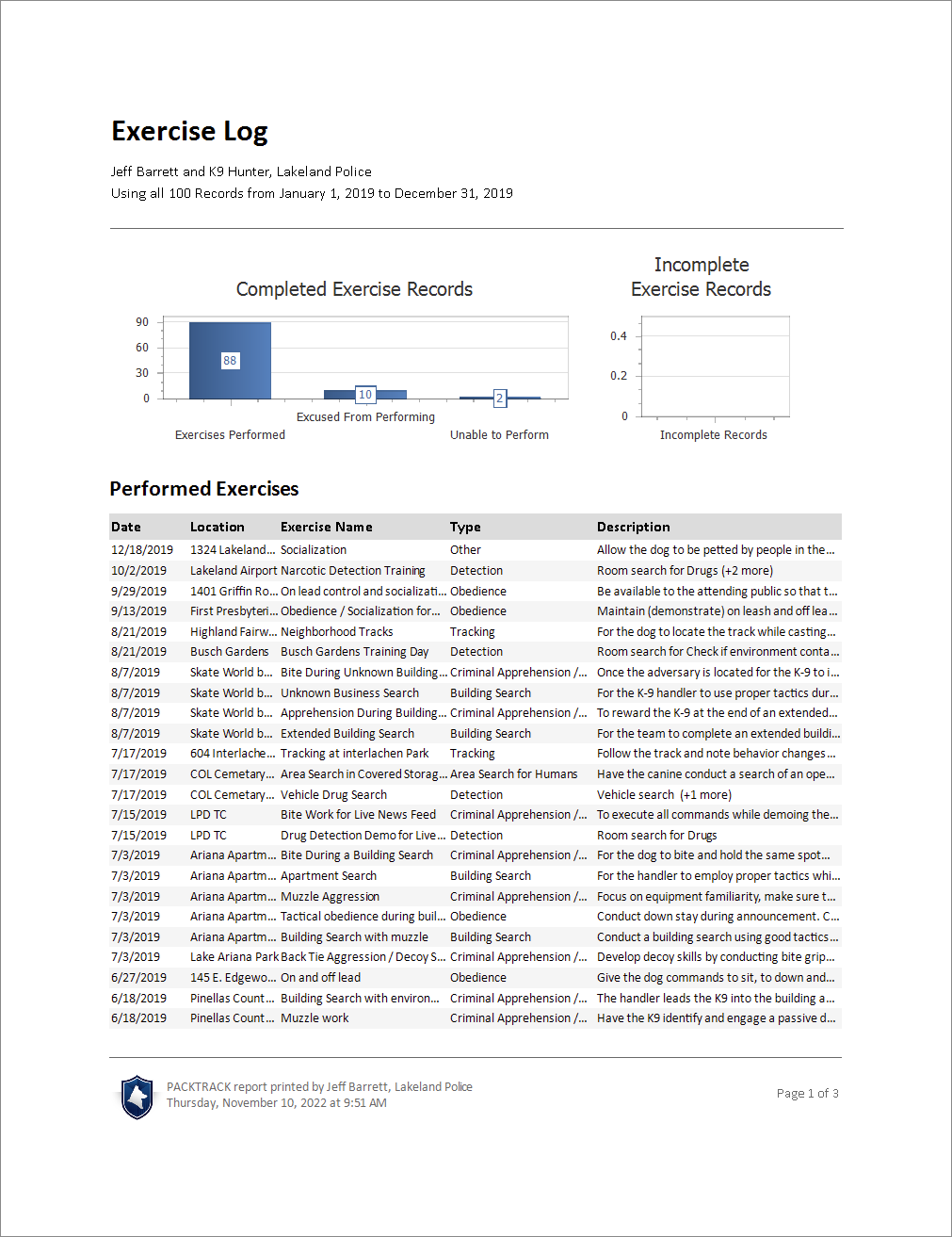
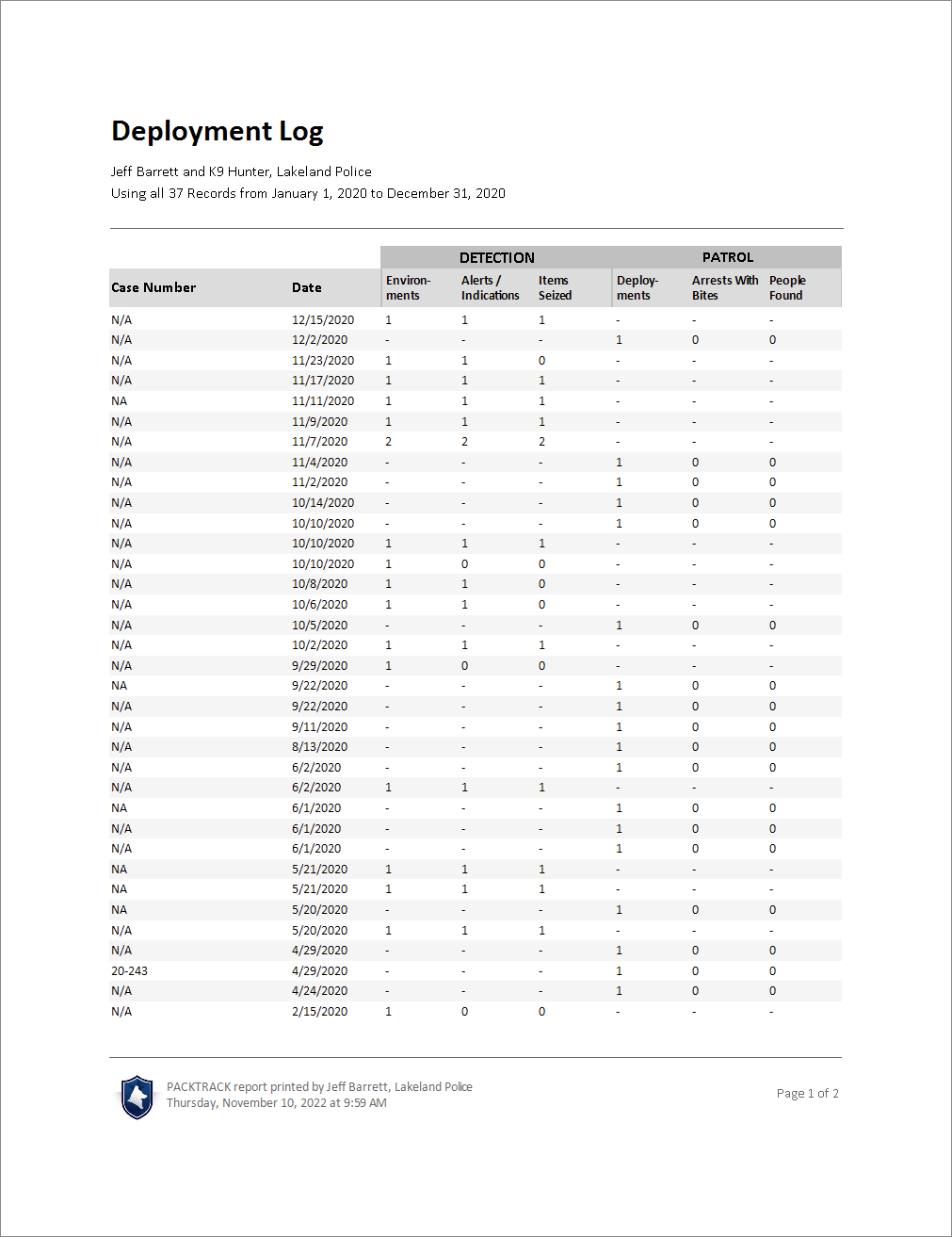
The “Log” report is a summary list of all of the selected records. It also includes simple statistics for deployments and record completion status for exercises. Each record is summarized in a single row.
Exercise Log — a summary list of training exercise records.
Deployment Log — a summary list of deployment records.
Exercise odor list reports
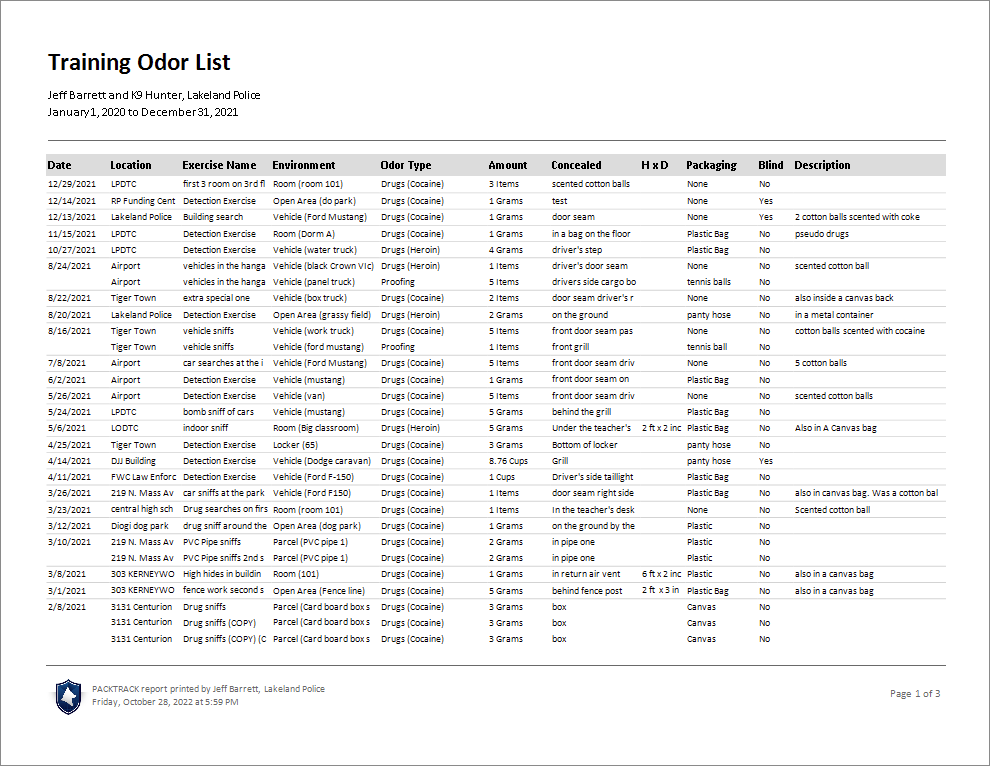
The odor list report summarizes the odors used in detection exercises. Each odor is summarized in a single row. This report type isn’t available for deployments.
Frequently Asked Questions
What’s the difference between a full record report and a summary report?
A full record report shows every detail of each included record. A summary report combines data from multiple records into lists, tables, or statistics.
Which report type should I use for court?
The comprehensive full record report includes all details for each exercise or deployment. For a complete training history, see the Report for Court guide.
Are supervisor reports different from handler reports?
Yes. Supervisor reports include additional information broken out by handler.
Is there an odor list report for deployments?
No. The Exercise Odor List report is only available for training exercises.
Can I generate a log report for just a specific exercise type?
Yes. Use a custom report by searching for the specific exercise type first, then generate an Exercise Log report from those results.

Still need help?
Can't find what you're looking for? Message the PackTrack team from the chat inside the app, or reply to any PackTrack email.
