

Standard Reports With Multiple Records
Combine multiple records into a single report
Sometimes you need to combine a bunch of records into a single report. Standard reports make this easy. You choose a report type and a date range and all of the relevant records are combined to create your report.
Custom reports are slightly different. They allow you to specify exactly which records you want included in a report. Learn more in the Custom Reports with Multiple Records guide.


When should I use standard report mode?
The standard report mode is the simplest and most common type of report. It’s the best option when you want to report on a particular handler or dog over a date range.
If you want to run a report for a date range but only include, say, obedience exercises, then that’s when you would use a custom report. If you’re unsure, start with a standard report.
How to create a standard report
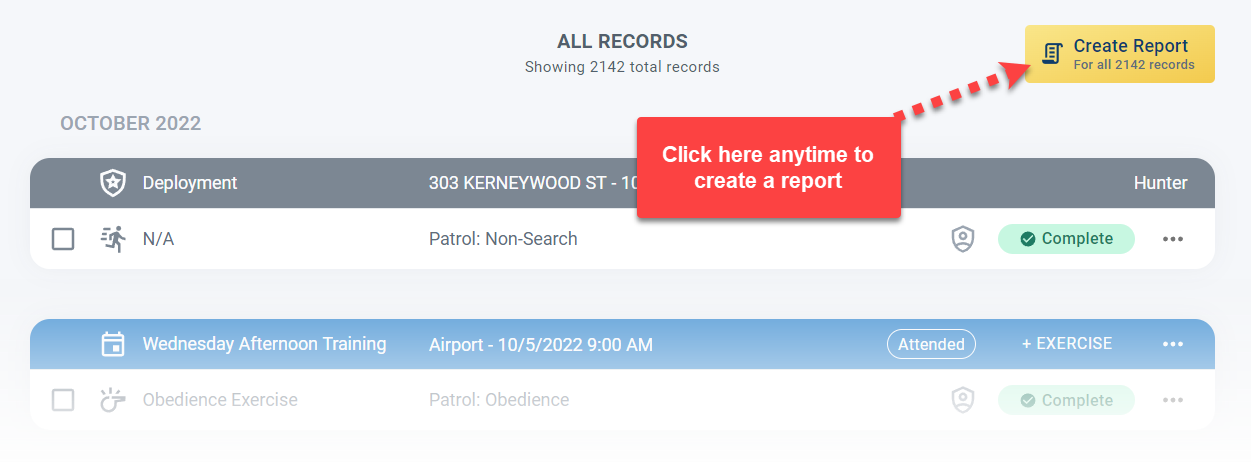
The easiest way to create a report which includes multiple records is to click the Create Report button on the Records page.
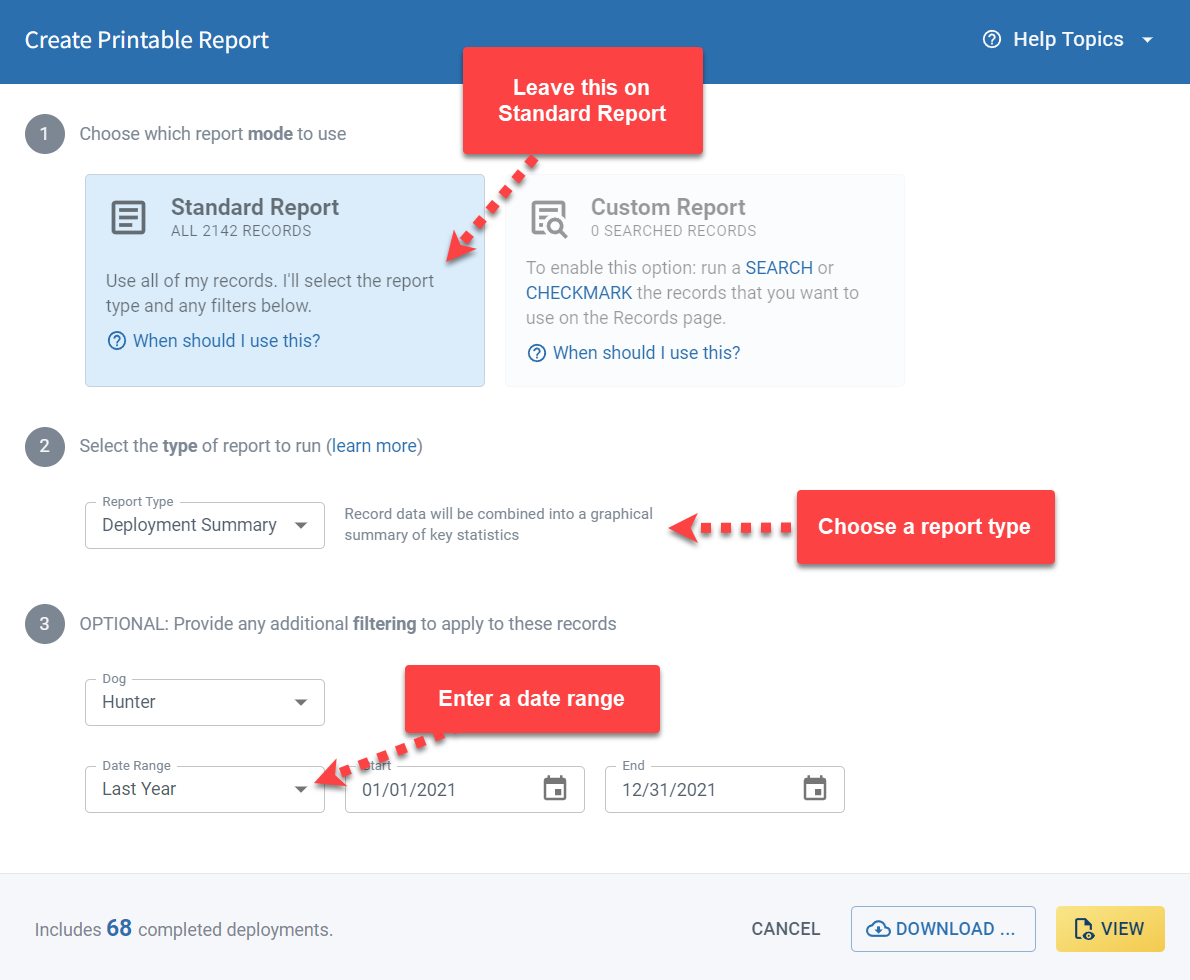
This will open the reporting dialog where you can configure exactly what you would like to see in your report. First, set the reporting mode to standard records if it’s not already set. Now all you need to do is decide on a report type and select the date range.
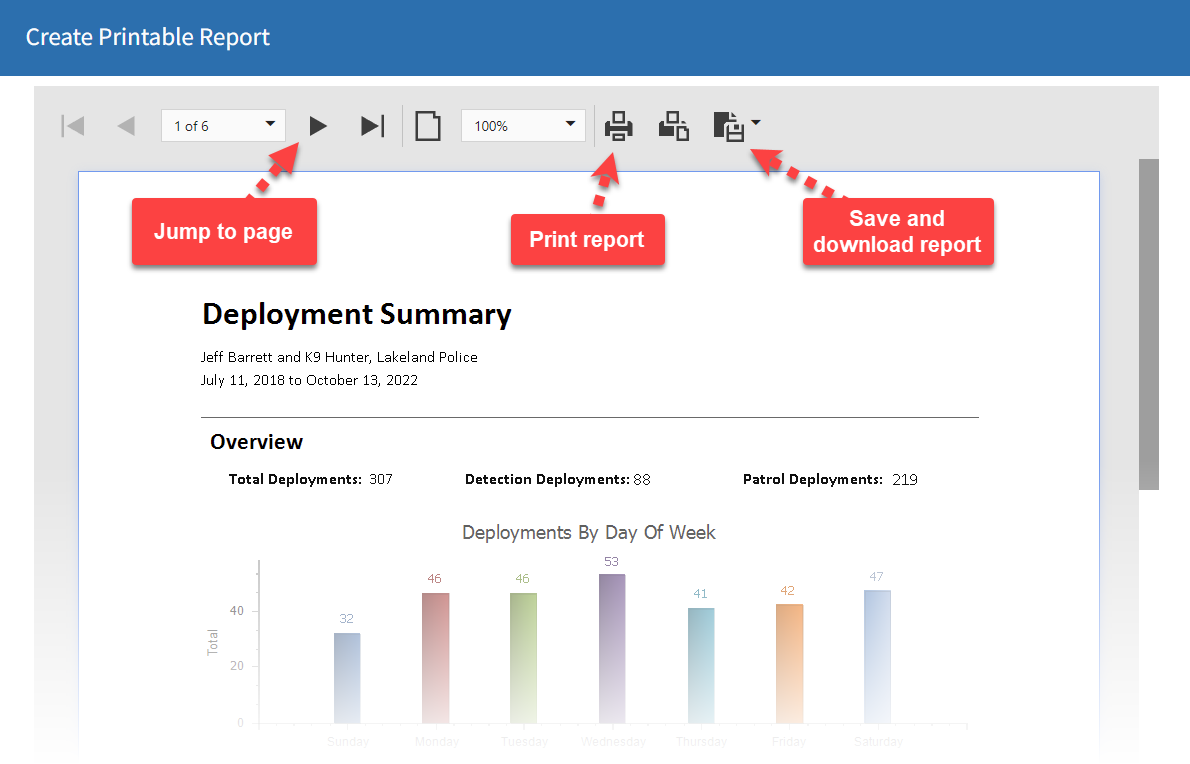
Finally, click the View button to generate the report. When your report is ready you can scroll or step through the pages, adjust the zoom level, print or save the report.
Frequently Asked Questions
What’s the difference between a standard report and a custom report?
Standard reports include all records of a given type within a date range. Custom reports let you filter to a specific subset using the search function first.
Can I choose which dog the report covers?
Yes. Select the dog in the reporting dialog before generating the report.
What report types are available in standard mode?
All report types are available, including full record reports and summary reports. See the Report Types & Samples guide for details.
Can I save or print the report after generating it?
Yes. Once the report is generated you can scroll through it, adjust zoom, print, or save it as a PDF.

Still need help?
Can't find what you're looking for? Message the PackTrack team from the chat inside the app, or reply to any PackTrack email.
