

Notification Settings
Control which notifications you receive and how.


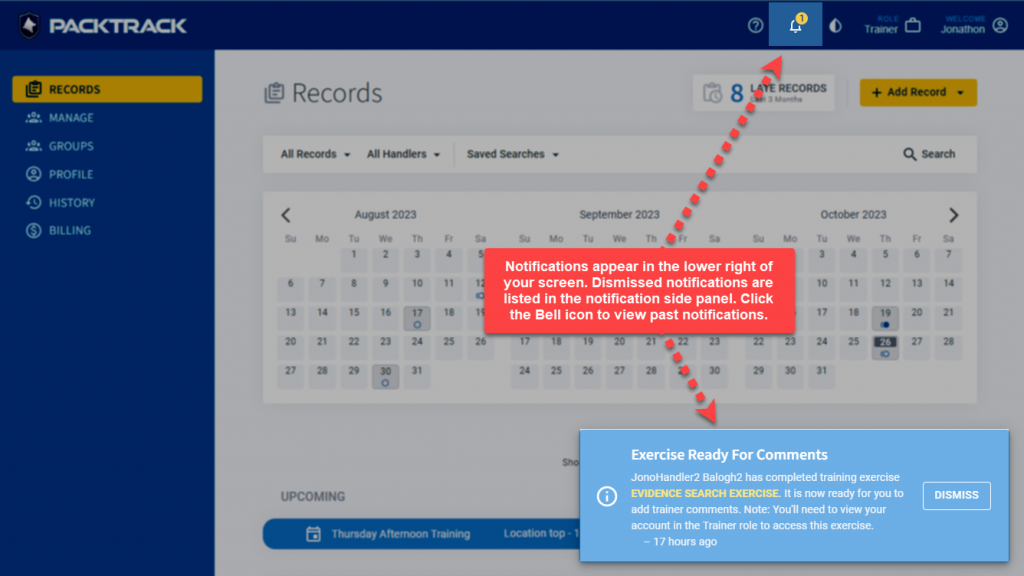
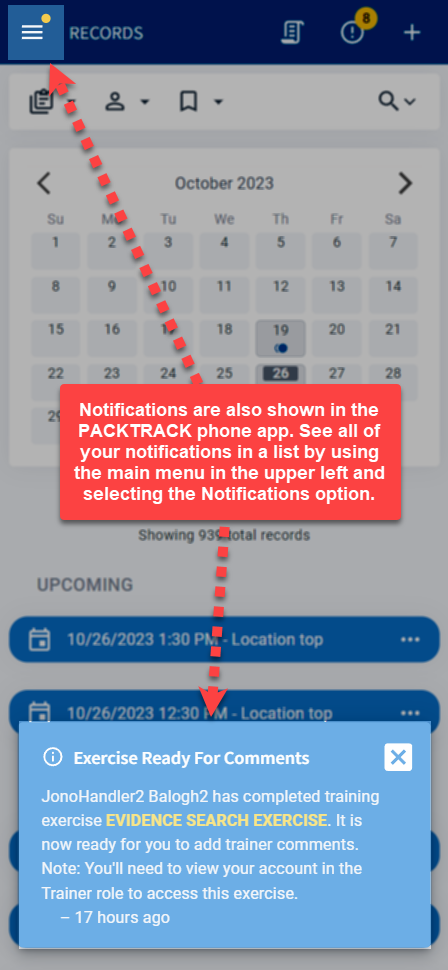
PackTrack provides notifications about the status of your K9 training and deployment records. These alerts are shown in the bottom of the interface when something important happens.
They’re displayed whether you’re on the main website or using the mobile app. PackTrack also sends these messages by email to keep you in the loop even when you’re not using the system.
Notification types
PackTrack includes several notification types, each of which can be configured independently:
- Upcoming event — get notified when future training events are created so you know your schedule. This includes events with either mandatory or opt-in attendance.
- Exercise ready to complete — sent when an exercise is added to an event that you recently attended. The message suggests that you complete the exercise and describe how your dog performed.
- Exercise completion past due — if you haven’t yet completed an exercise that took place over 7 days ago, this notification will remind you that it needs to be done.
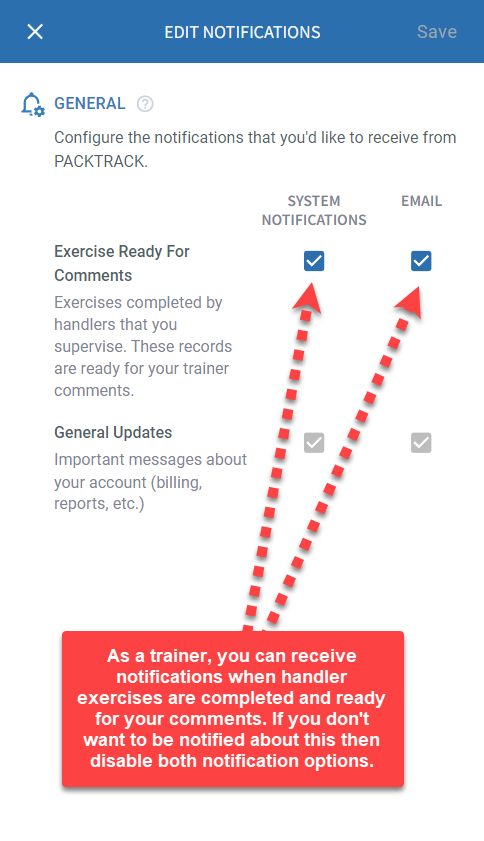
- Exercise ready for comments — trainers have the option to be notified when a handler completes an exercise. This reminds the trainer to add comments and feedback to the training.
How to configure notifications
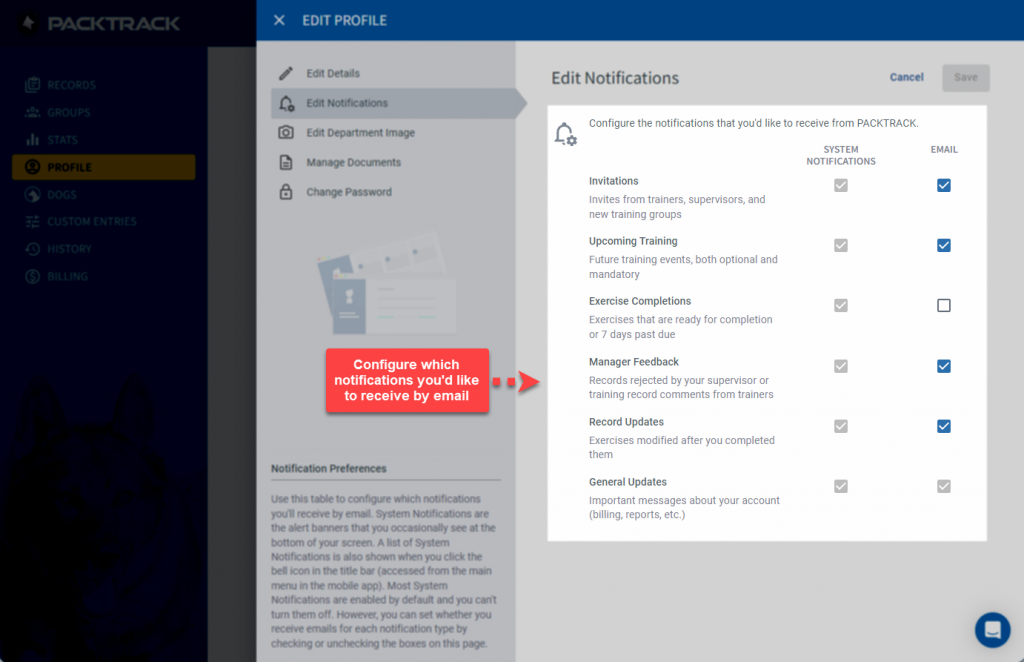
The user profile page includes the option of configuring which notification types will also send you an email. If you’re receiving too many email messages or finding that they’re not helpful, you can disable them.
Frequently Asked Questions
Can I turn off email notifications but still see them in the app?
Yes. The profile settings let you disable email delivery for each notification type individually. In-app notifications still appear regardless of your email settings.
How long before an exercise is flagged as past due?
If an exercise took place more than 7 days ago and hasn’t been completed, PackTrack sends a past-due reminder.
Do supervisors and trainers get different notification options?
Trainers have an additional option to be notified when a handler completes an exercise, so they can add comments and feedback. The other notification types are available to all roles.
Where do I change my notification settings?
Go to your Profile page. The notification configuration section lets you toggle email delivery on or off for each notification type.

Still need help?
Can't find what you're looking for? Message the PackTrack team from the chat inside the app, or reply to any PackTrack email.
