

Report for Court With a Dog's Entire Exercise History
Create a report which includes the full record details of every exercise performed by your dog
You may be asked to provide the full training history of your dog for court purposes. Follow the instructions below to generate a complete report.


Step 1: Open the reports dialog
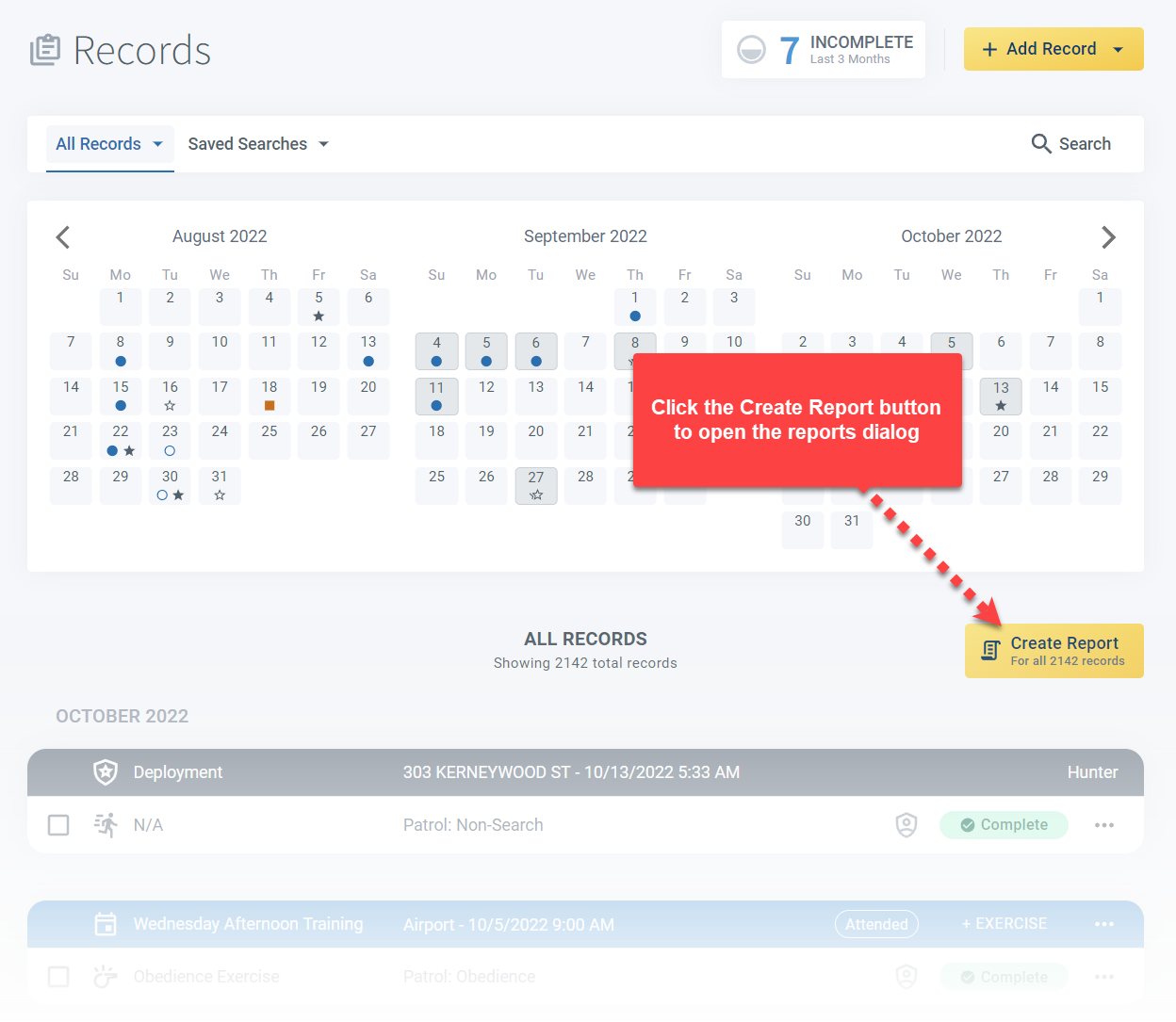
Click the Create Report button on the Records page to open the reporting dialog.
Step 2: Configure the report
Select the Exercise report type. If the report mode, dog, or date range are incorrect, adjust these as well.
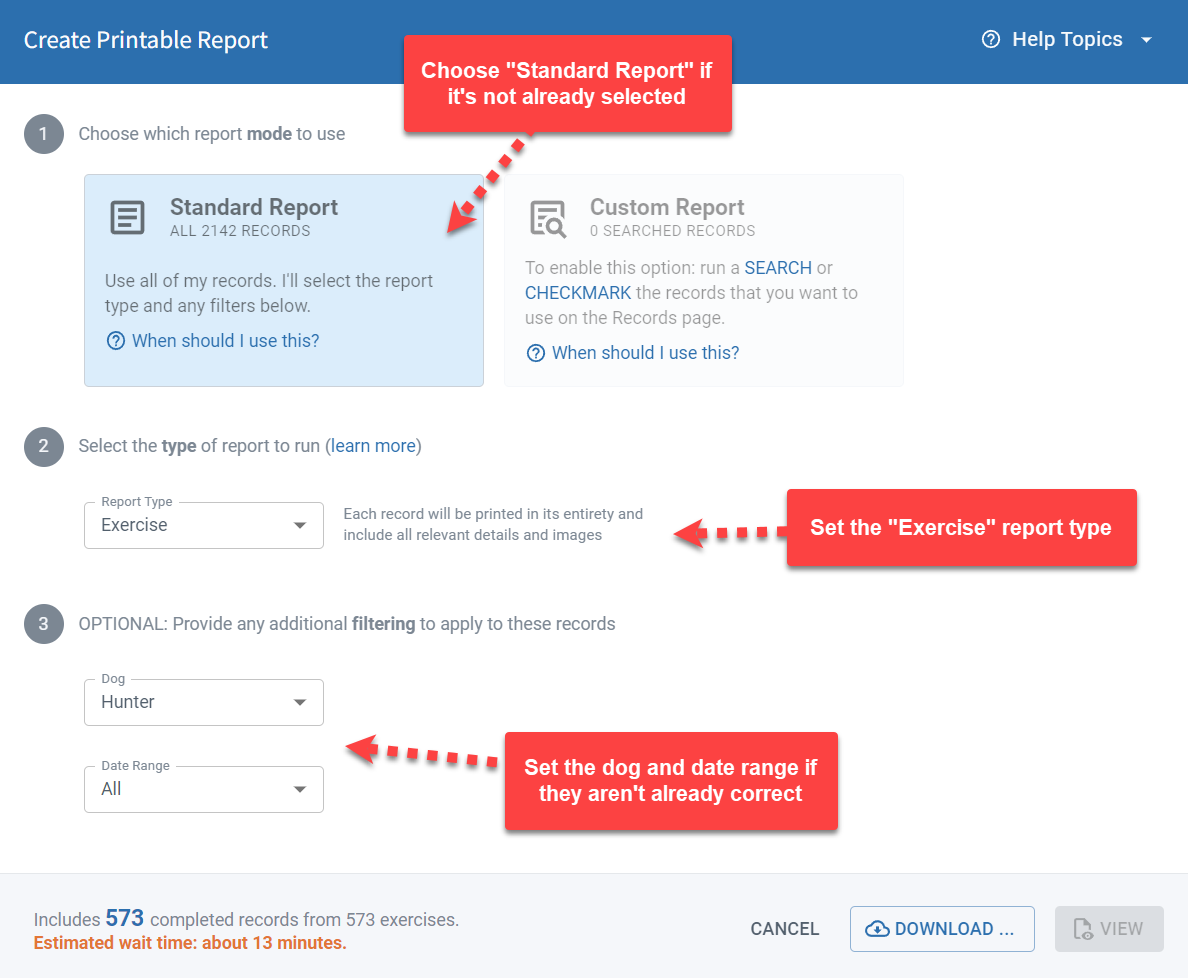
The number of included records is shown at the bottom of the dialog box. If you have lots of records, your report is going to be fairly large. In this case, the View button may be disabled and you won’t be able to preview your report. Click the Download button instead.
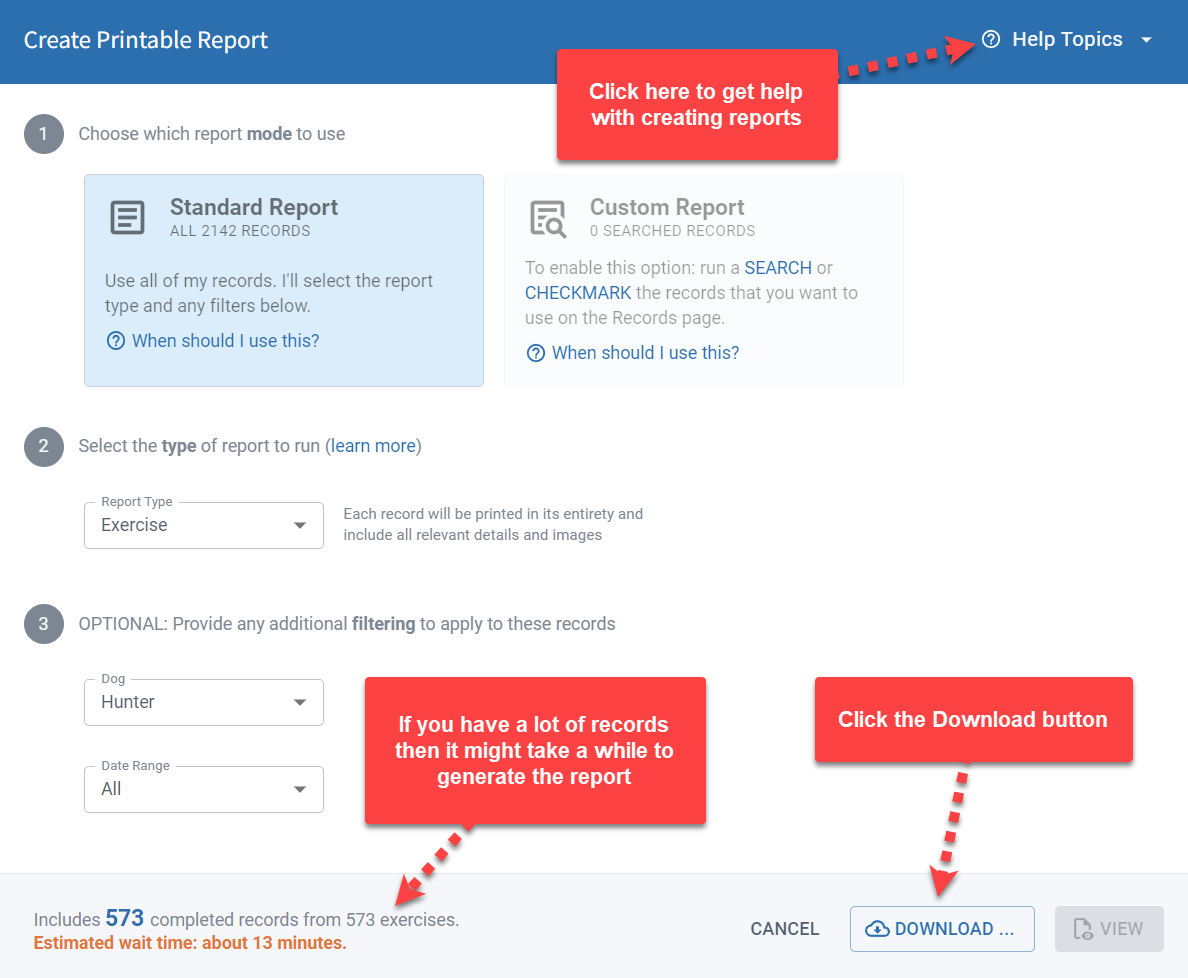
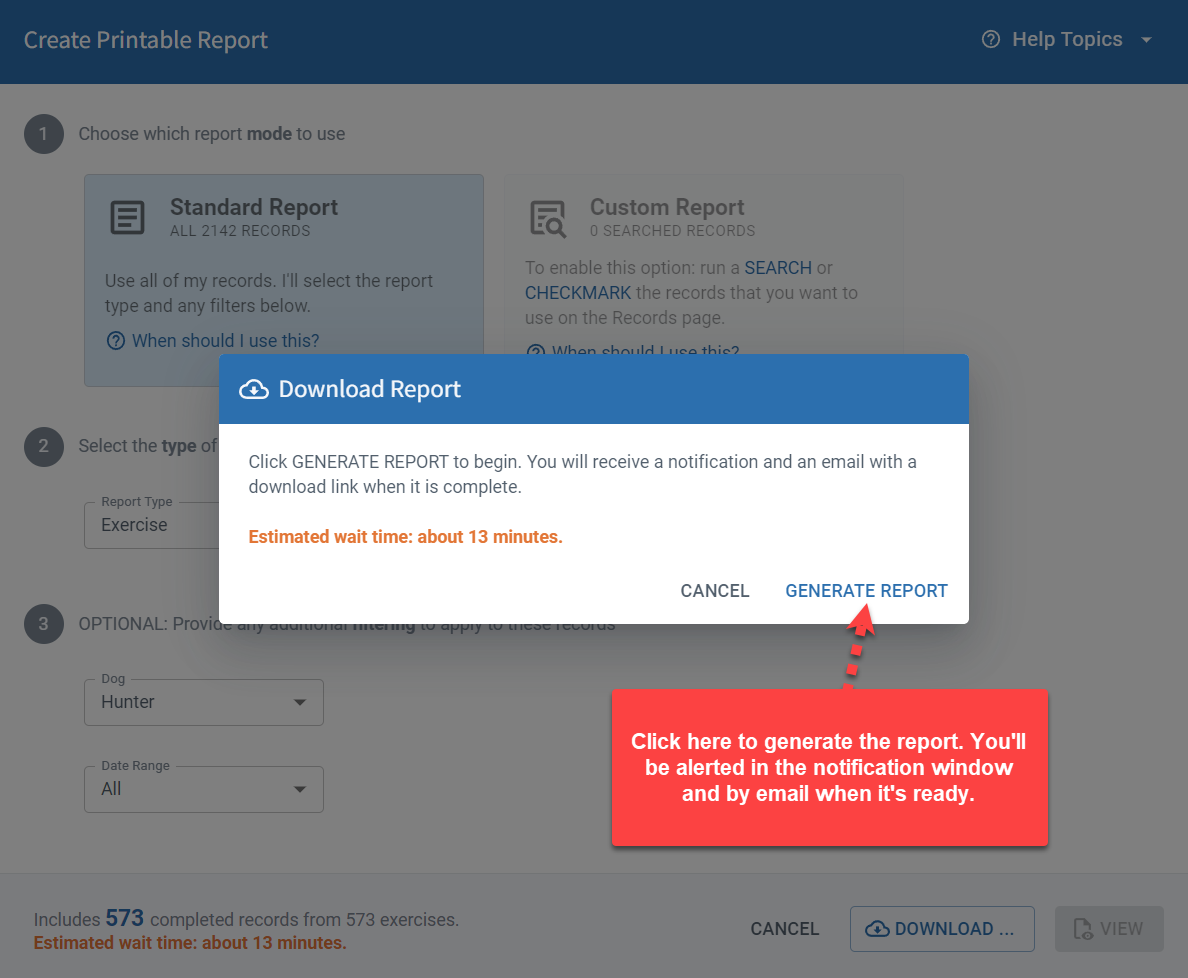
This will show another dialog explaining that the report will take some time and that you will be notified when it’s ready.
Step 3: Download the report
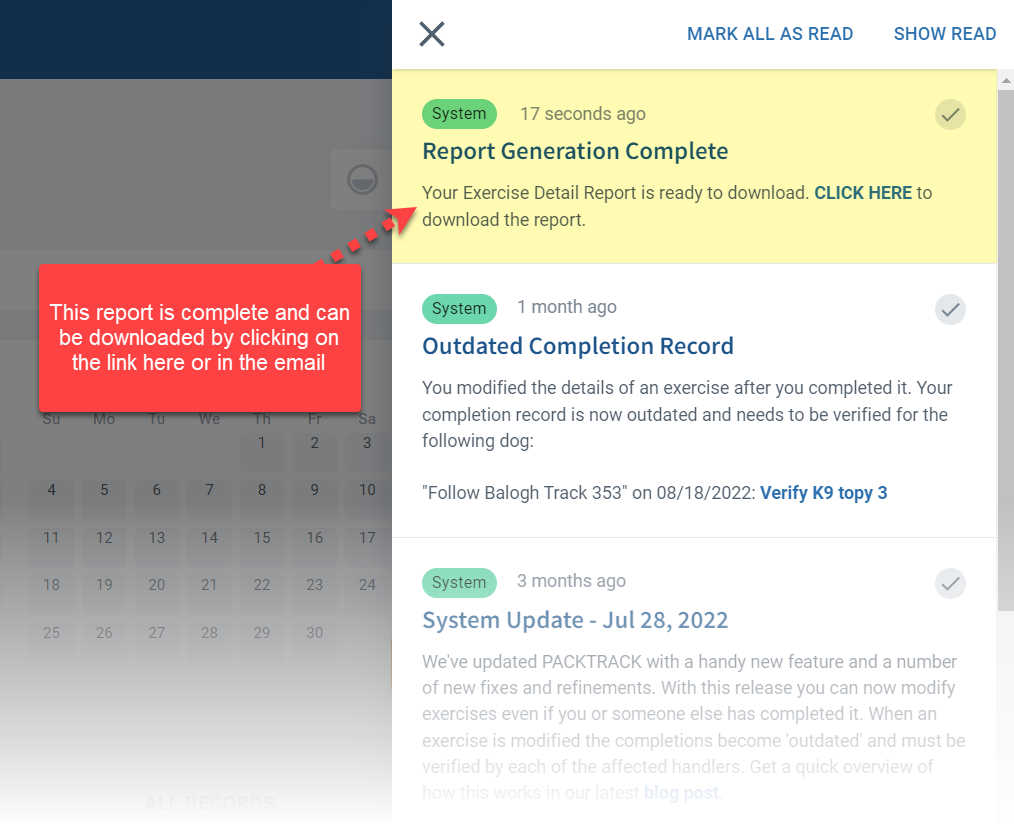
Click the link in the email or PackTrack notifications list to download your complete report as a PDF.
Frequently Asked Questions
How long does it take to generate a full training history report?
It depends on how many records your dog has. Large reports are generated in the background and you’ll be notified by email when the download is ready.
Why is the View button disabled?
Large reports can’t be previewed in the browser. Use the Download button instead and wait for the email notification.
Does the report include all exercise types?
Yes. The Exercise report type includes every exercise record for the selected dog within the date range.
Can I set the date range to cover my dog’s entire career?
Yes. Set the date range from your dog’s first training date to the present to include all records.
What format is the downloaded report?
PDF. It can be printed, saved, or shared electronically.

Still need help?
Can't find what you're looking for? Message the PackTrack team from the chat inside the app, or reply to any PackTrack email.
