

Supervisor Records Page
Review handler activity from the supervisor records view


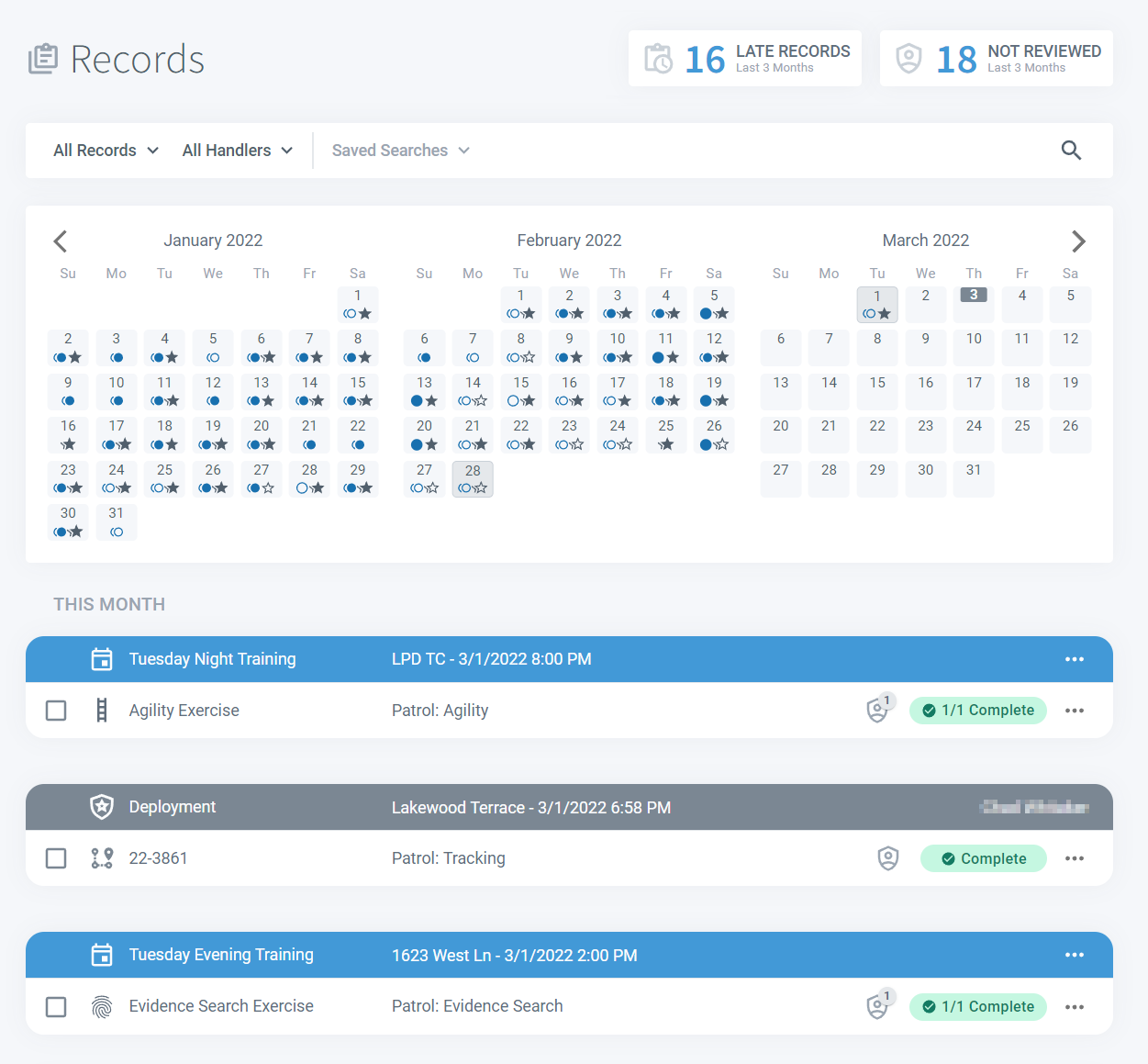
Supervisors see the same PackTrack interface that handlers use. This includes an expandable search bar at the top of the page, an intuitive calendar view summarizing the activities of all of your K9 teams, and a detailed record list sorted into date groups.
Status banners
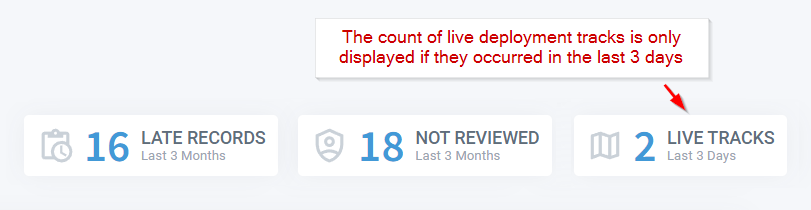
Key information is right at the top of the page. Click the Late Records banner to show any records that your handlers should have completed by now.
Click the Not Reviewed banner to find all records that have been completed by your handlers but still need to be reviewed. Select the Live Tracks banner to see all active tracking deployments as well as any that have occurred in the last 3 days.
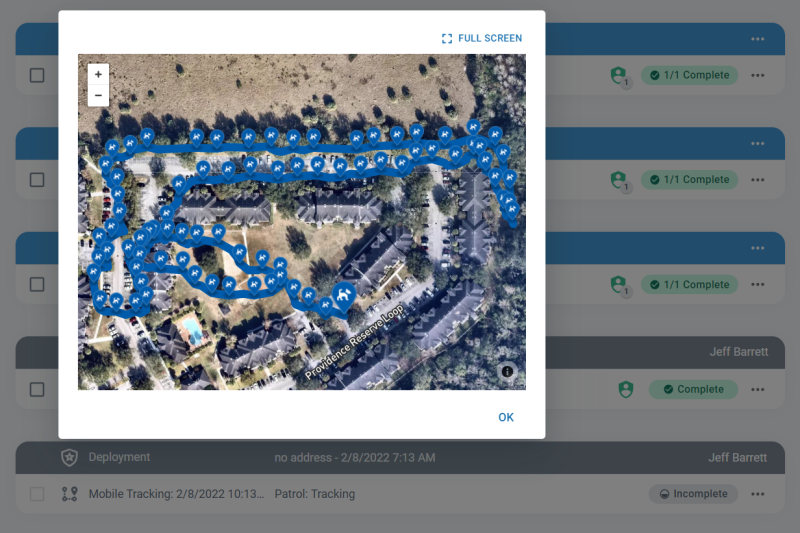
You can view the deployment track for any of your handlers in a fully interactive map by clicking the View Tracking Map button on the associated record row.
Searching and filtering records
The same Search Bar used by handlers is available for supervisors as well. Filter the displayed records by type or handler using the dropdown fields or select one of your own custom Saved Searches.
Expand the search form using the icon on the right to run a detailed record search. You can save any search to be used later by clicking the Save Search button.

Calendar view
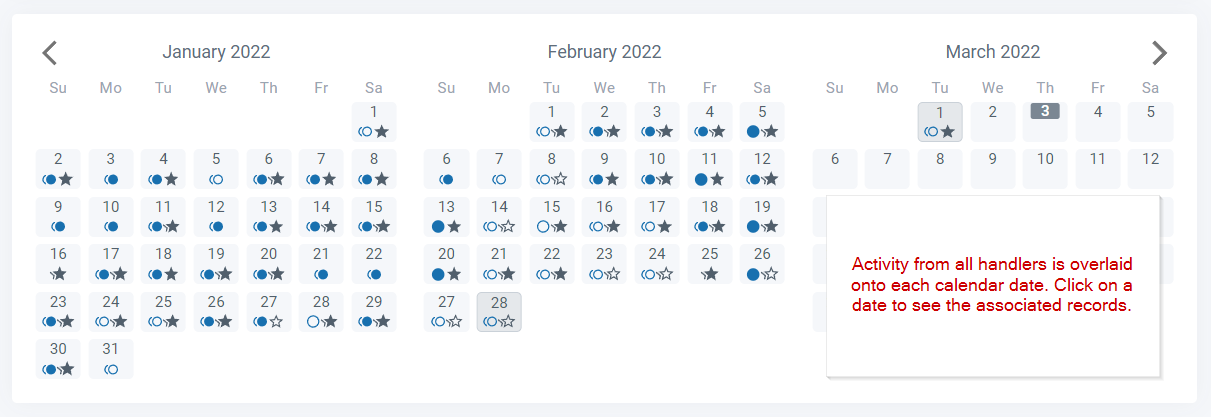
All activities performed by your handlers are overlaid in the calendar. Simply click a date and all training and deployments for that day will show below. Circle icons in the calendar show training while stars are deployments. An outlined icon means there are incomplete records on that date.
Records list
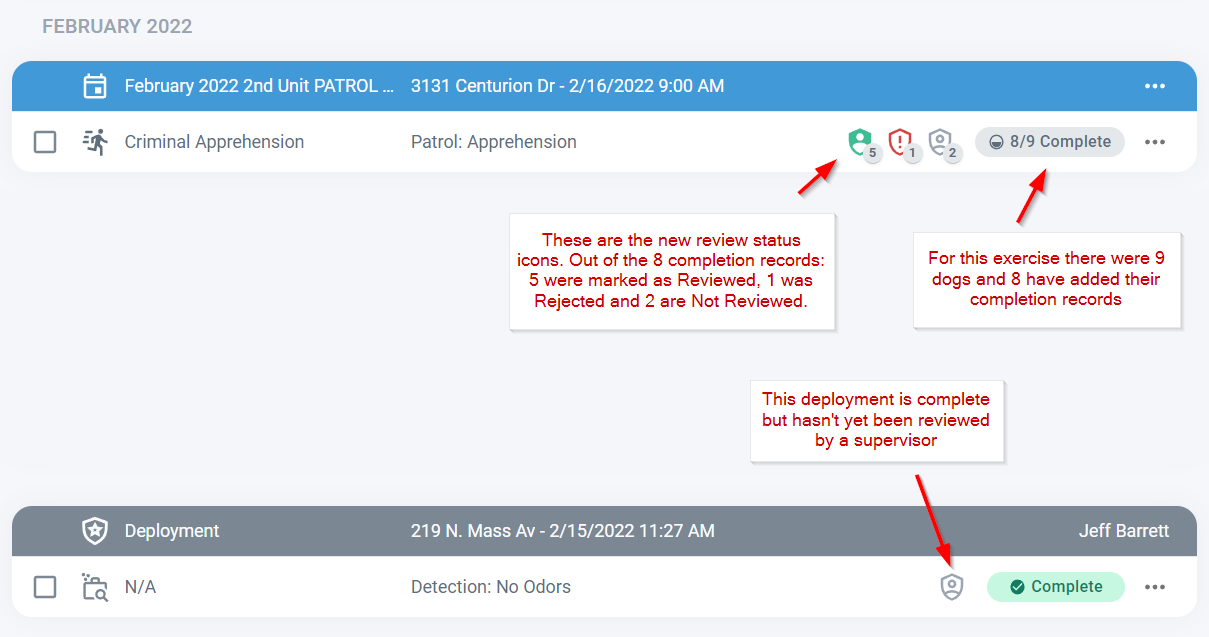
The records list summarizes each record as a row and the Completion and Reviewed status of each record are clearly marked. Click anywhere on a training or deployment row to open a detail view.
Frequently Asked Questions
What does the Late Records banner actually count?
It shows records that were assigned to your handlers but haven’t been completed by the expected date. Clicking the banner filters the record list to show only those outstanding records.
Can I save a filtered search and reuse it later?
Yes. After setting your search criteria, click the Save Search button. Your saved search will appear as an option in the search bar dropdown for quick access.
What do the different calendar icons mean?
Circles represent training exercises and stars represent deployments. Filled icons are complete records; outlined icons mean at least one record on that date is still incomplete.
Can I view a handler’s GPS tracking map from this page?
Yes. Click the View Tracking Map button on a deployment record row to open a fully interactive map showing the handler’s track.

Still need help?
Can't find what you're looking for? Message the PackTrack team from the chat inside the app, or reply to any PackTrack email.
