

Trainer Overview
What trainers can see and do in PackTrack


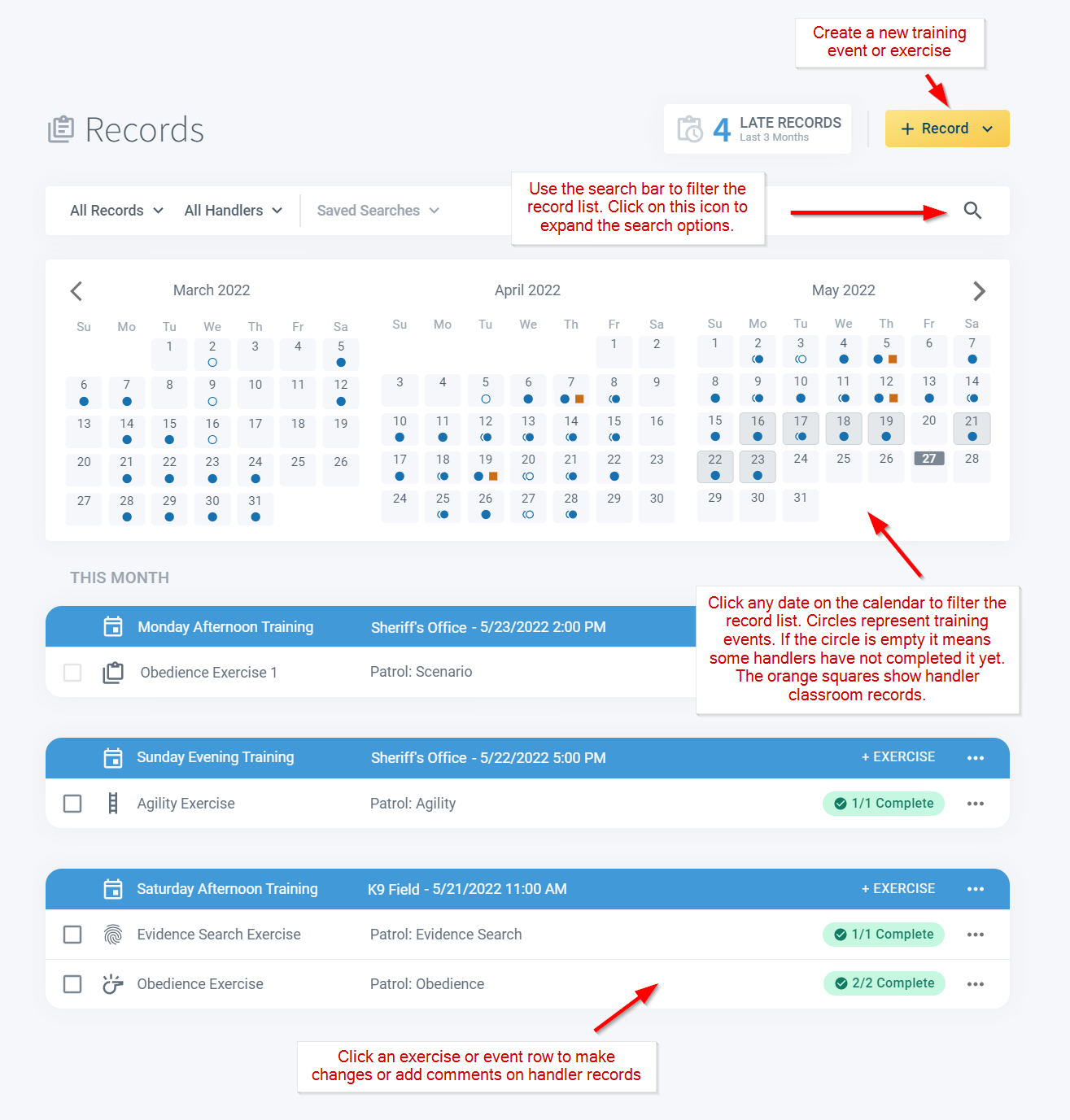
Trainers often work with a group of K9 handlers and are responsible for creating and scheduling appropriate training exercises. To create a new training event, use the +Record button at the top right of the Records page.
Finding and filtering records
The search bar provides convenient record filtering capabilities. Click the search icon on the far right to expand the form for more filtering options. Click any date on the calendar to filter the record list to the selected day. Click a record row to open the K9 training event or exercise for editing.
Adding trainer comments
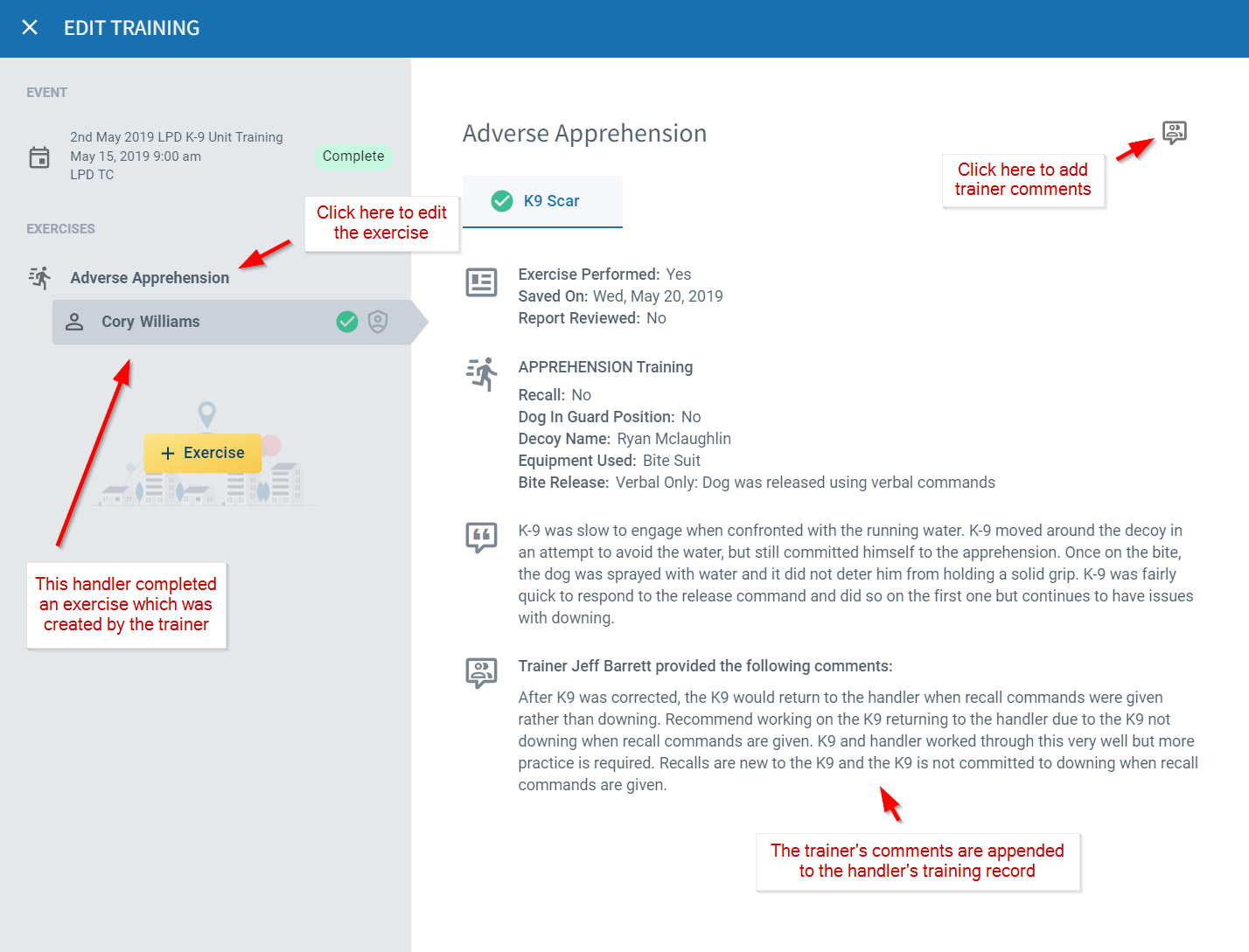
A K9 trainer may also add feedback when handlers complete an exercise record. To do this, simply click on the record row, select the exercise and handler in the left pane and then click the Trainer Comments button in the upper right.
Comments are automatically appended to the handler record and will appear in printed reports. Handlers are notified within PackTrack and by email when trainers add comments to their exercises.
Using the Manage page
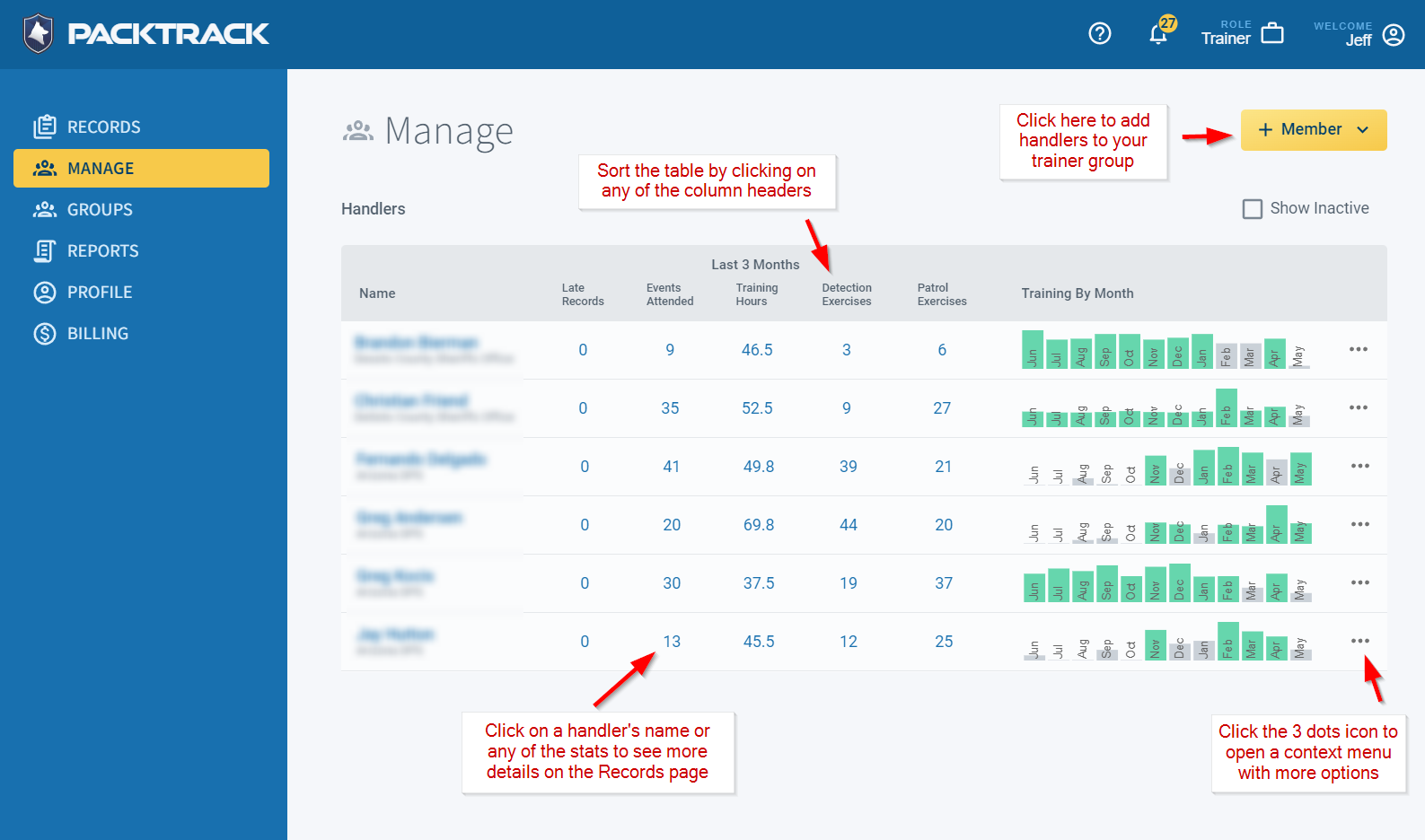
Much like supervisors, trainers may use the Manage page to see an overview of each K9 handler’s training activity. Stats link directly to the associated data on the Records page. Click any of the numbers for more detail on a specific handler.
The Training By Month graph makes it easy to see which handlers are training at least 16 hours each month (green bar). Click the icon with 3 dots on the far right of each row to open a context menu with additional options.
You can invite more handlers to your trainer group using the +Member button in the upper right of the page.
Frequently Asked Questions
What’s the difference between a trainer role and a supervisor role in PackTrack?
Both can view handler activity and use the Manage page. Trainers are focused on creating and scheduling training exercises and leaving feedback on completed records. Supervisors have additional capabilities like reviewing and rejecting records. Some users hold both roles.
Can I edit or delete a trainer comment after I’ve posted it?
Check the comment section on the exercise record. If you need to correct something after a comment has already been included in a report, reach out to PackTrack support.
Do trainers get notified when a handler completes an exercise?
Notification settings vary. Check your notification preferences under your profile settings to control which updates you receive by email or in-app.
Can a trainer generate reports for their handler group?
Yes. Trainers can use the reporting tools on the Records page to generate reports covering the handlers in their group. See the Reporting Overview guide for details.

Still need help?
Can't find what you're looking for? Message the PackTrack team from the chat inside the app, or reply to any PackTrack email.
