

Trainer & Supervisor Mobile App
Use the dedicated iPhone and Android app to review your unit’s activity from the field


Trainers and supervisors have full access to PackTrack through the mobile app. Handlers, trainers, and supervisors can download the Android and iOS mobile apps anytime from the app stores.
Trainers
Trainers use PackTrack to create training groups as well as schedule events and exercises for handlers. They also provide data entry supervision and ensure that everyone completes their records in a timely manner.
Just as important, trainers provide critical feedback on training. This includes personalized analysis of how the team performed in each exercise as well as comments on how the exercise was recorded.
Records view
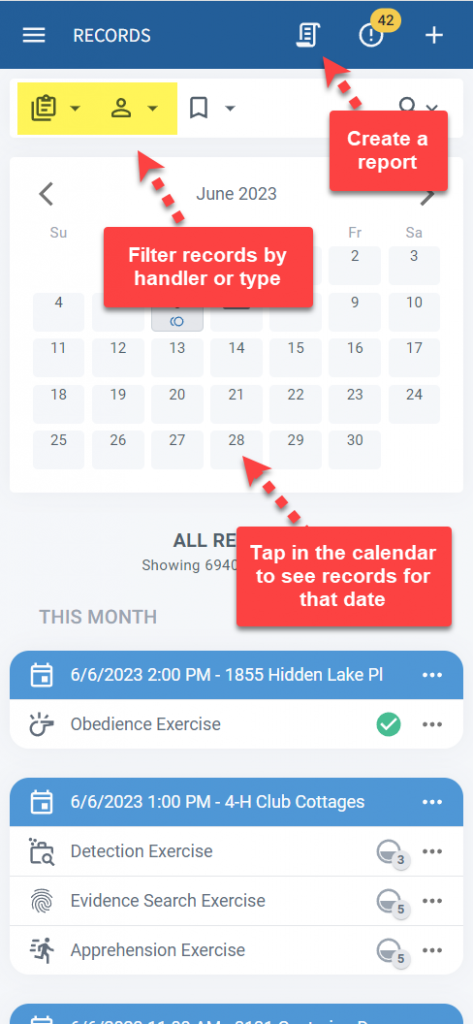
The Records view allows trainers to add new training events. It also shows all past and future scheduled training in one place. The interface works the same as it does for handlers.
Simply tap on the calendar to see any training for that date. Tap the plus button in the upper right to add new training.
Manage view
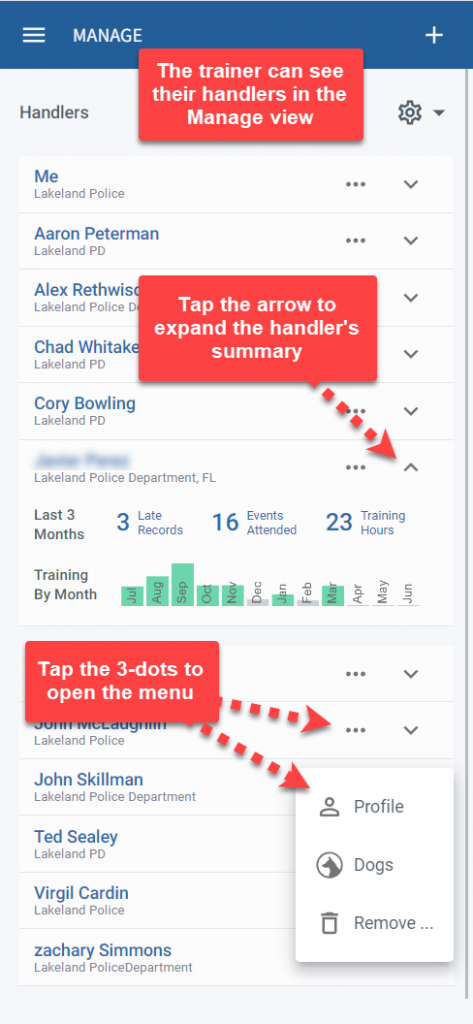
Use the Manage view to see a list of the handlers that you’re training. From here you can invite new handlers, monitor record completion, and view the Profile and Dogs page of each handler. Tap on any of the statistics (ex: 3 Late Records) to show more detail.
Trainer comments
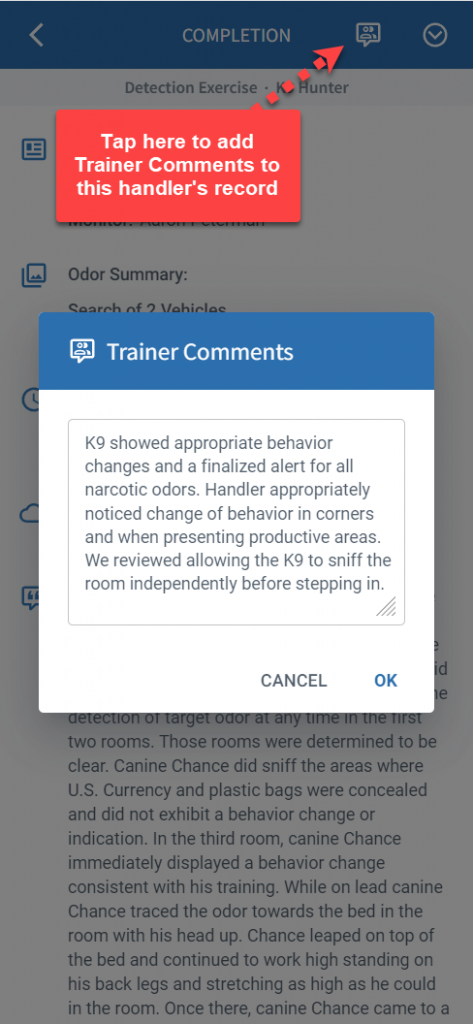
Regardless of whether they created the initial exercise, trainers can add comments when handlers complete an exercise. These notes become permanent additions to the handler’s training record.
Supervisors
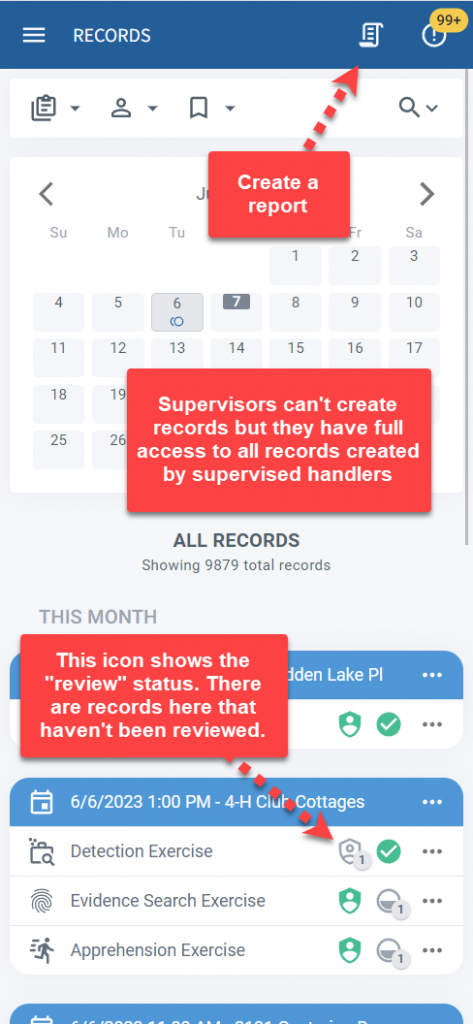
Supervisors ensure managed handlers train and deploy effectively for the department. This role has additional supervisory options including paying for handler subscriptions and the ability to see detailed historical data entry activities.
Supervisors have access to all training and deployment records created by each managed handler. They also have the ability to review and reject completed records. Supervisors can view active deployment tracking for any handler on a live map.
Records view
Supervisors use the Records view to get an overview of K9 training and deployment activity across the department. From here they can open records, create reports, and approve or reject records. Filters make it easy to focus on specific types of records or those from a particular handler.
Manage view
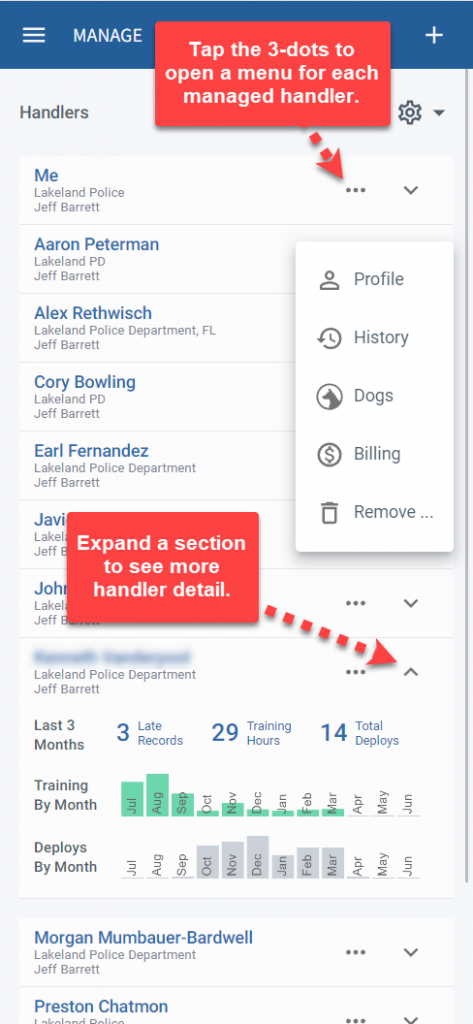
The Manage view provides access to handler details such as their record edit history and configuration options for their billing, profile, and dogs. Statistics link directly to the relevant training or deployment records with just a tap. Invite new handlers to be managed using the plus button in the upper right.
Reviewing records
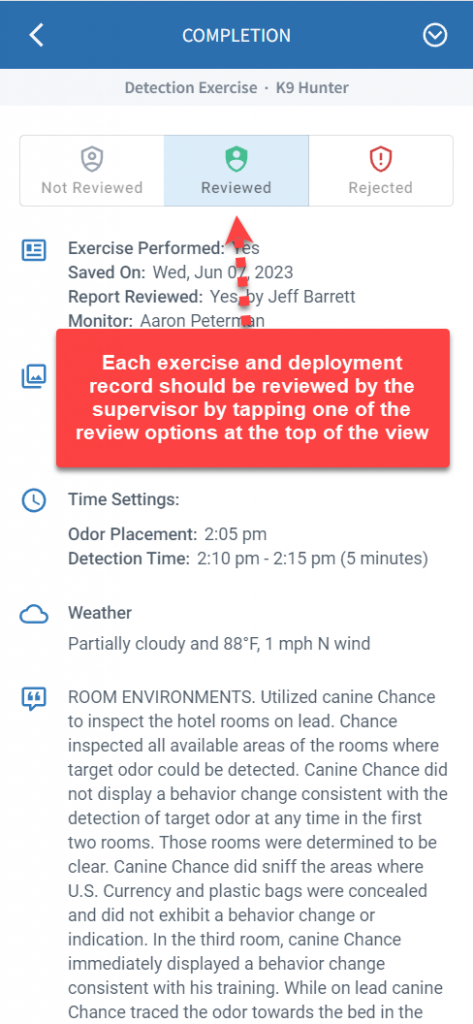
Open handler records by tapping on them in the Records view. From here K9 supervisors can review the training and deployment logs to ensure they meet requirements. Rejecting a record notifies the associated handler and includes the reason that the record requires updates.
Live tracking
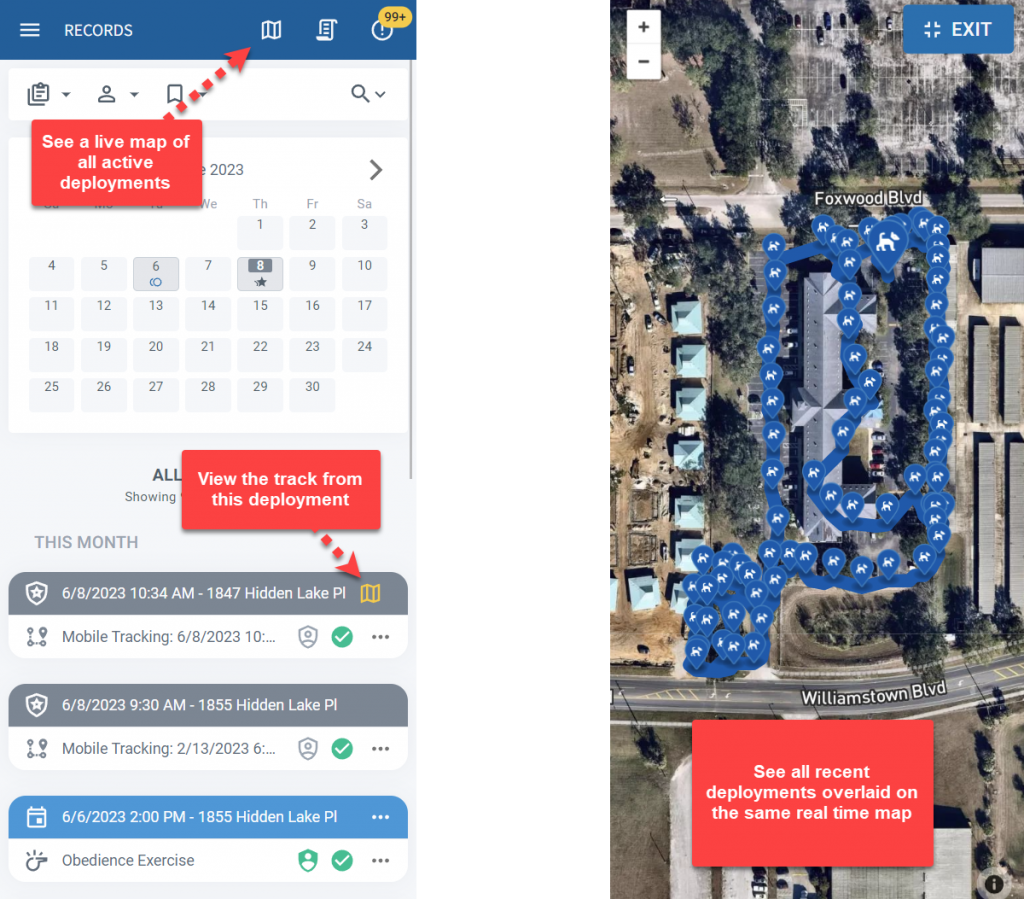
Real time location tracking is available to all handlers. Supervisors can view any active deployment by tapping on the map icon in the deployment row of the Records Page. They can also view all active deployments on the same map.
Role switching
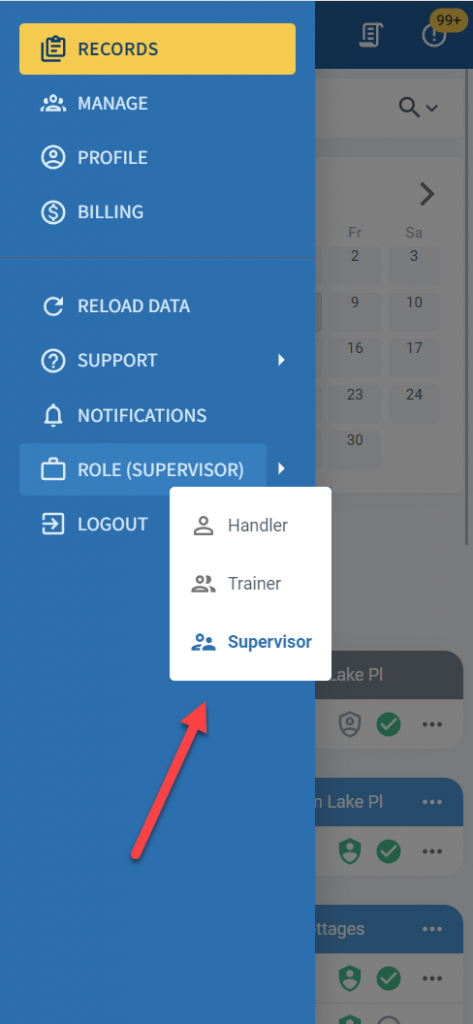
Do you have multiple roles? Perhaps you’re a trainer who’s also a handler. Or maybe you use all 3 roles. It’s easy to switch between roles using the main menu in the upper left of your phone.
PackTrack remembers which role you last used on each device. For example, if you prefer to add exercises as a trainer on your desktop but use your phone to complete the exercises as a handler, each device will let you use these different roles at the same time. It will also remember your role preference when you next log in.
Frequently Asked Questions
Do trainers and supervisors have the same features on mobile as on desktop?
Yes. The mobile app includes the same Records view, Manage view, record review, trainer comments, and live tracking that are available on the desktop. The interface is adapted for smaller screens but the functionality is the same.
Can I use different roles on different devices at the same time?
Yes. PackTrack remembers your last-used role on each device separately. You could use the trainer role on your desktop and the handler role on your phone without having to switch back and forth.
Can supervisors view live deployment tracking from the mobile app?
Yes. Tap the map icon on a deployment row in the Records view to see that handler’s active track. You can also view all active deployments on the same map.
Where do I download the mobile app?
The PackTrack app is available for free on the Apple App Store (iOS) and Google Play Store (Android). Search for “PackTrack” to find it.

Still need help?
Can't find what you're looking for? Message the PackTrack team from the chat inside the app, or reply to any PackTrack email.
